Description
HostWarden Pro: everything below, for up to 10 console users.
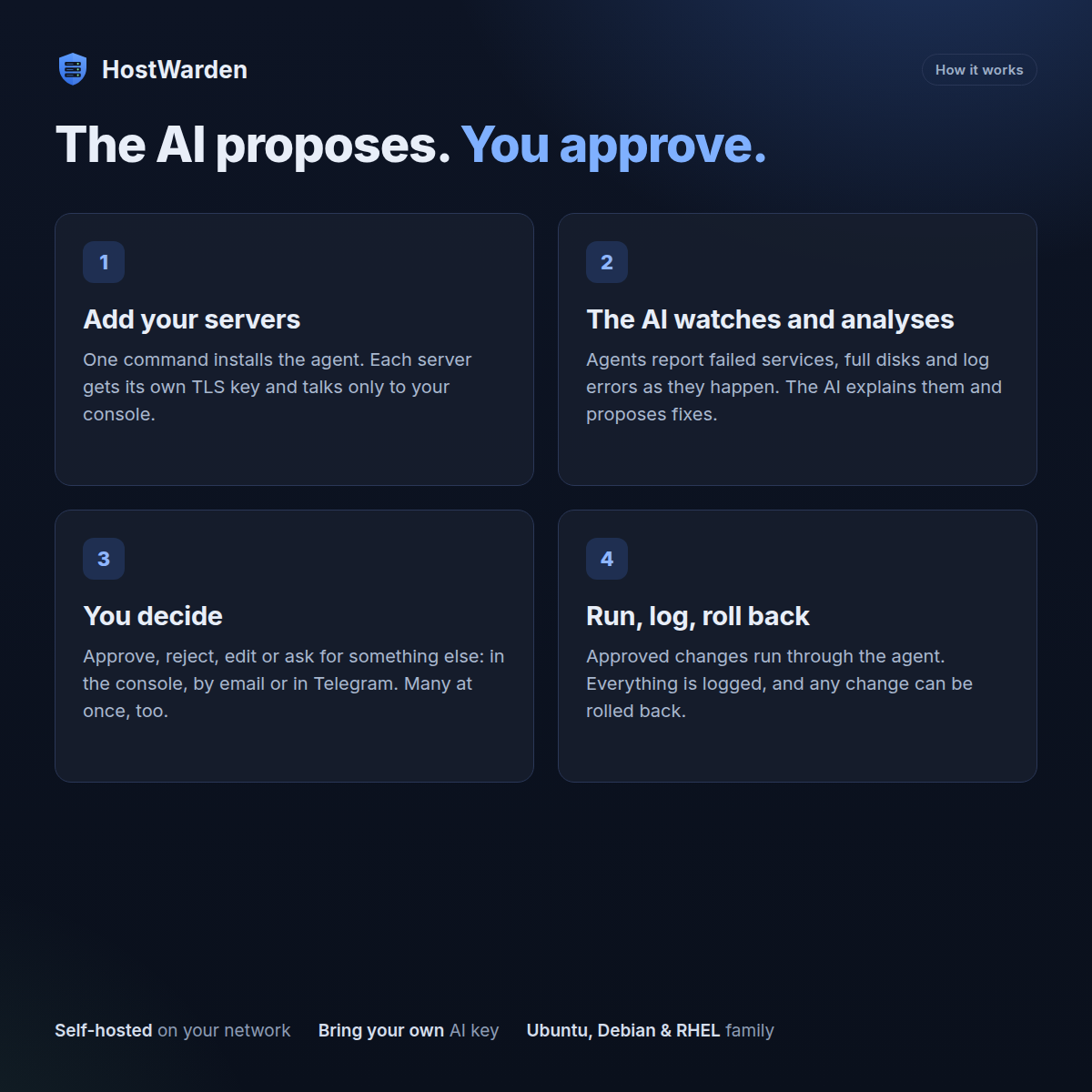
HostWarden is a self-hosted console for your Linux servers. A small agent on each server reports what it sees. An AI analyst, using your own AI provider key, explains problems and proposes fixes, and nothing runs until a person approves it, from the console, the HostWarden app for Android, by email or in Telegram. Every change is logged and can be rolled back.
The screenshots below are from HostWarden 1.3 and 1.5 with made-up example servers. Select any of them to see it full size.
One screen for every server
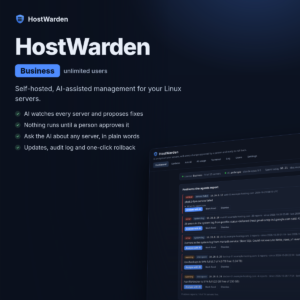
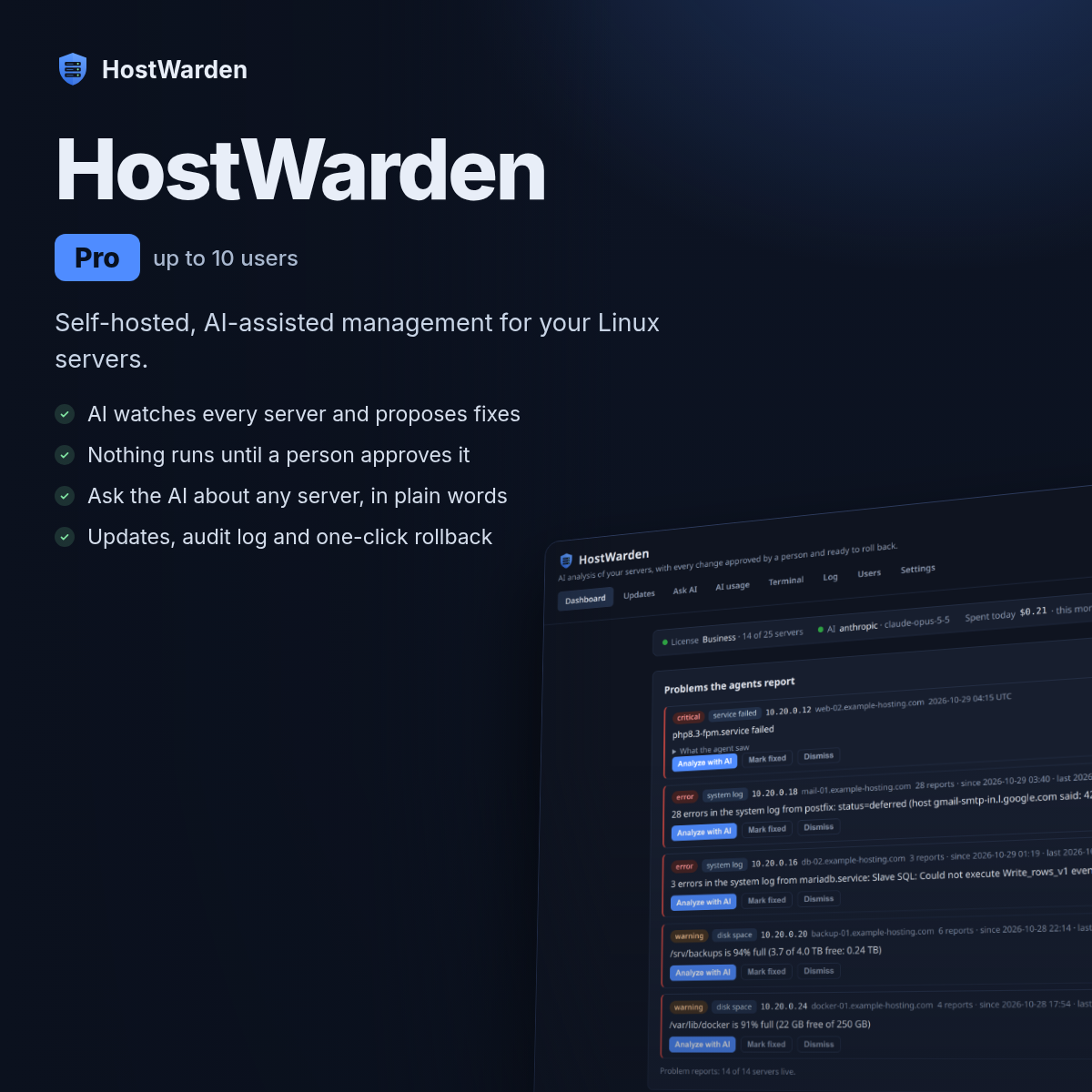
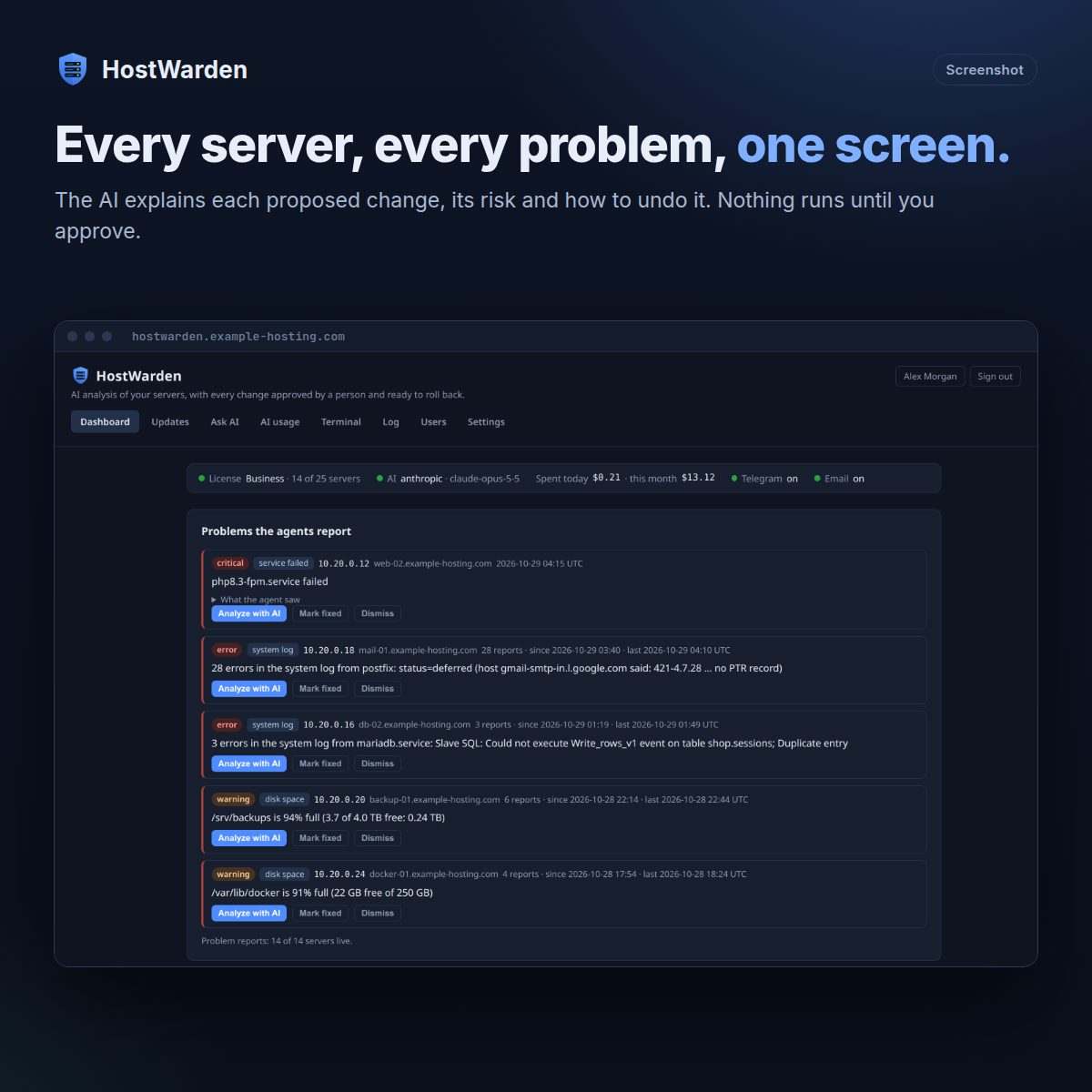
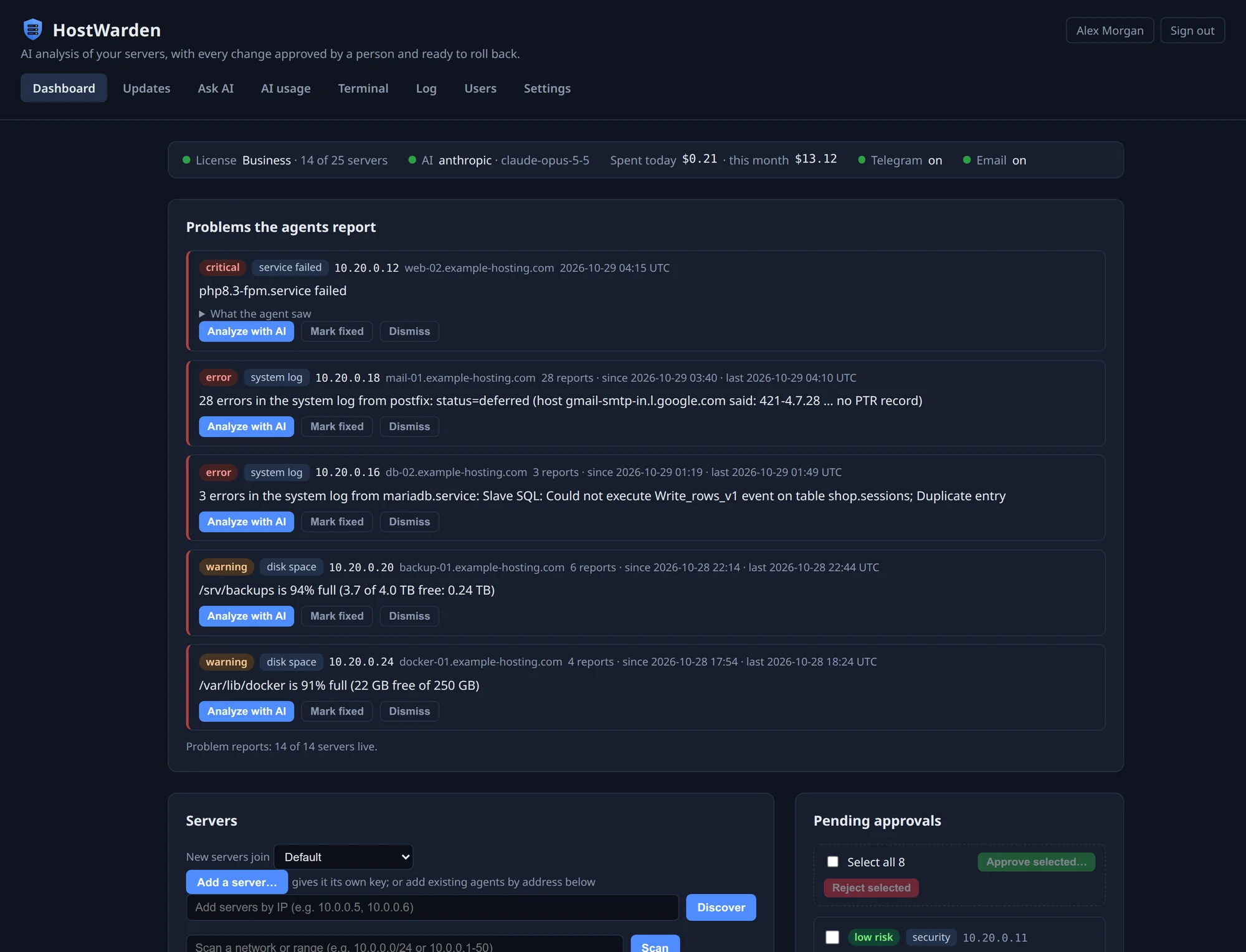
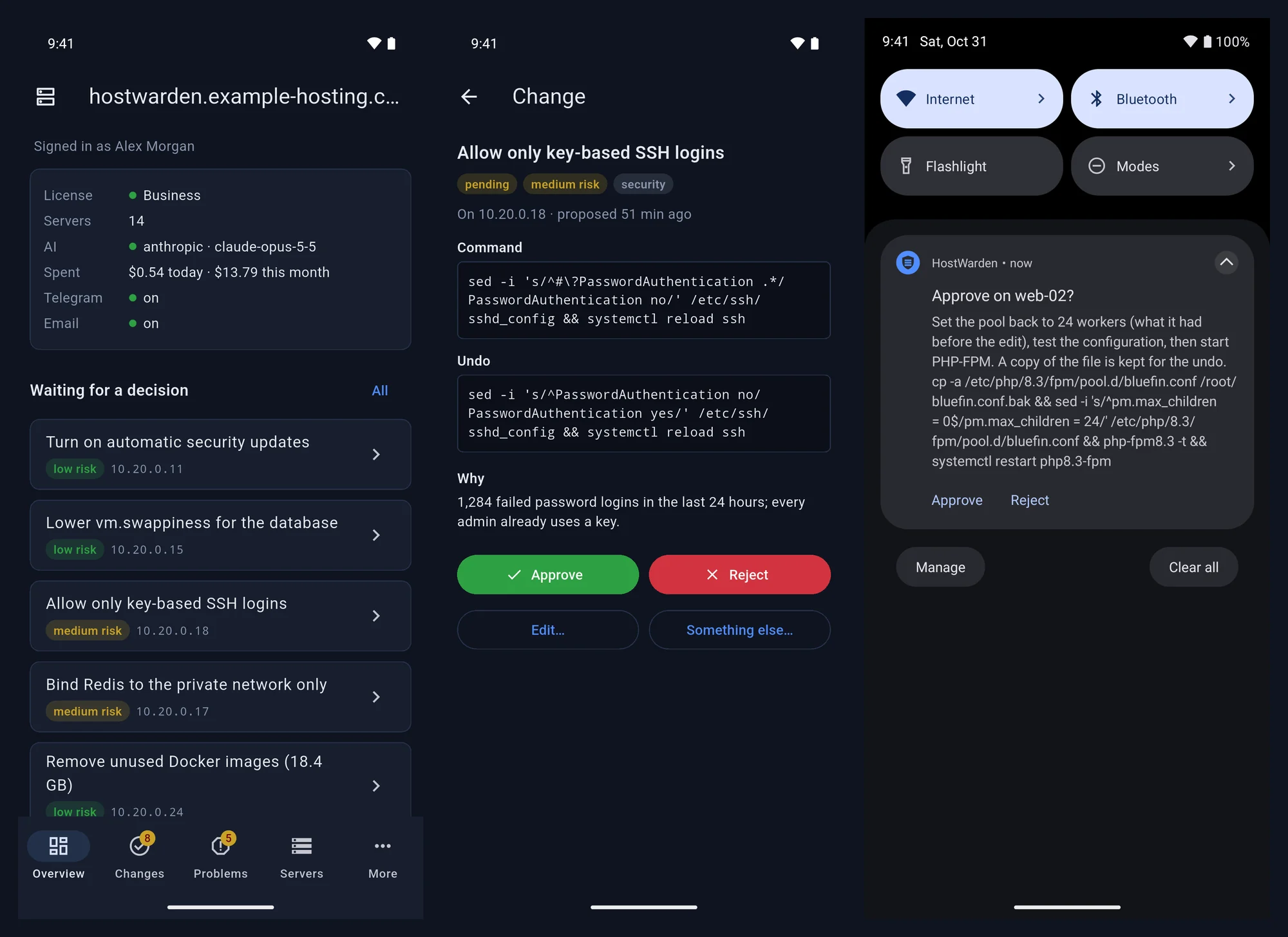
The dashboard shows the license, the AI and what it has cost today and this month, and whether Telegram and email are on. Below that are the problems the agents report, your servers, and the changes waiting for a decision.
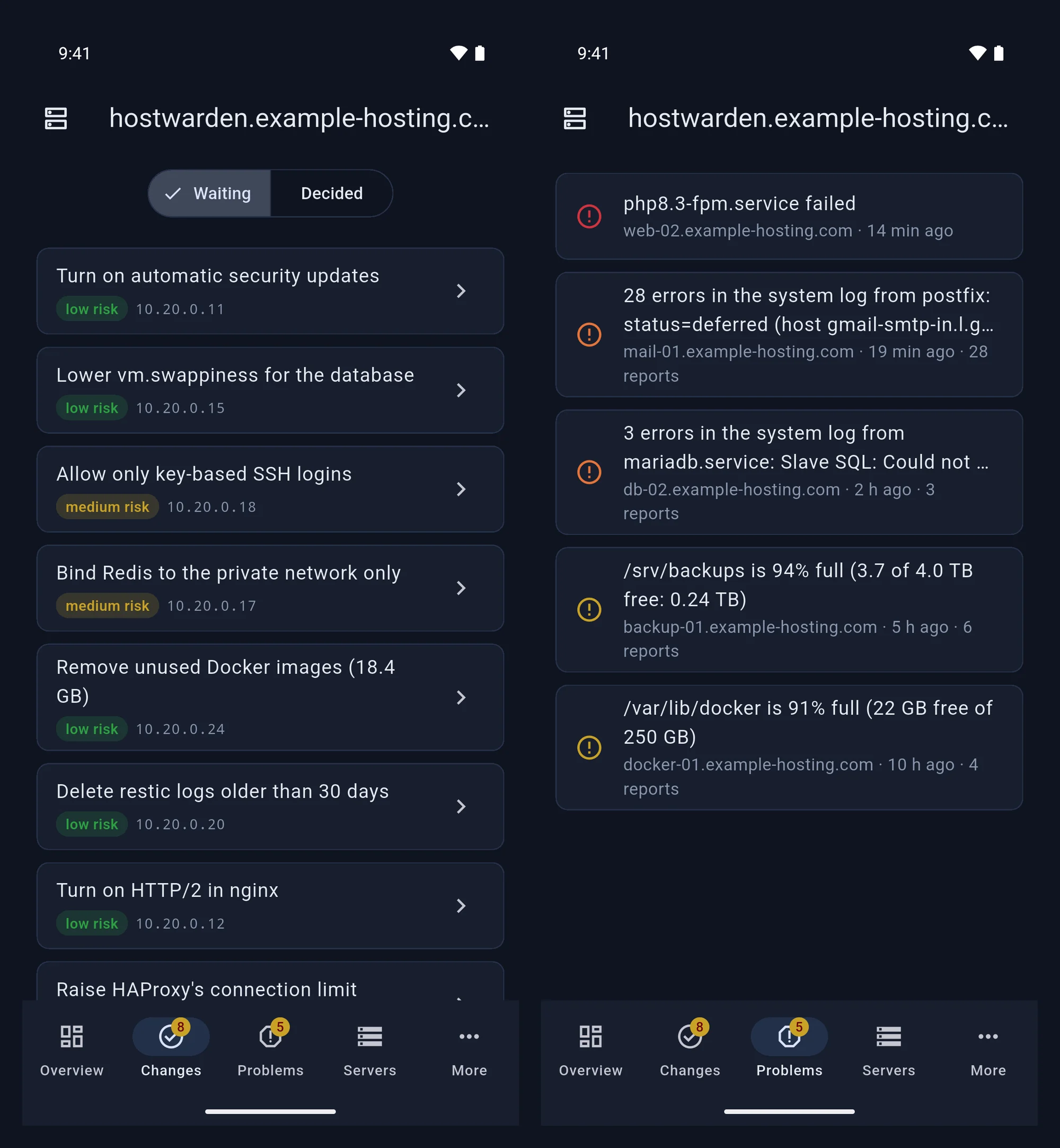
Problems reported as they happen
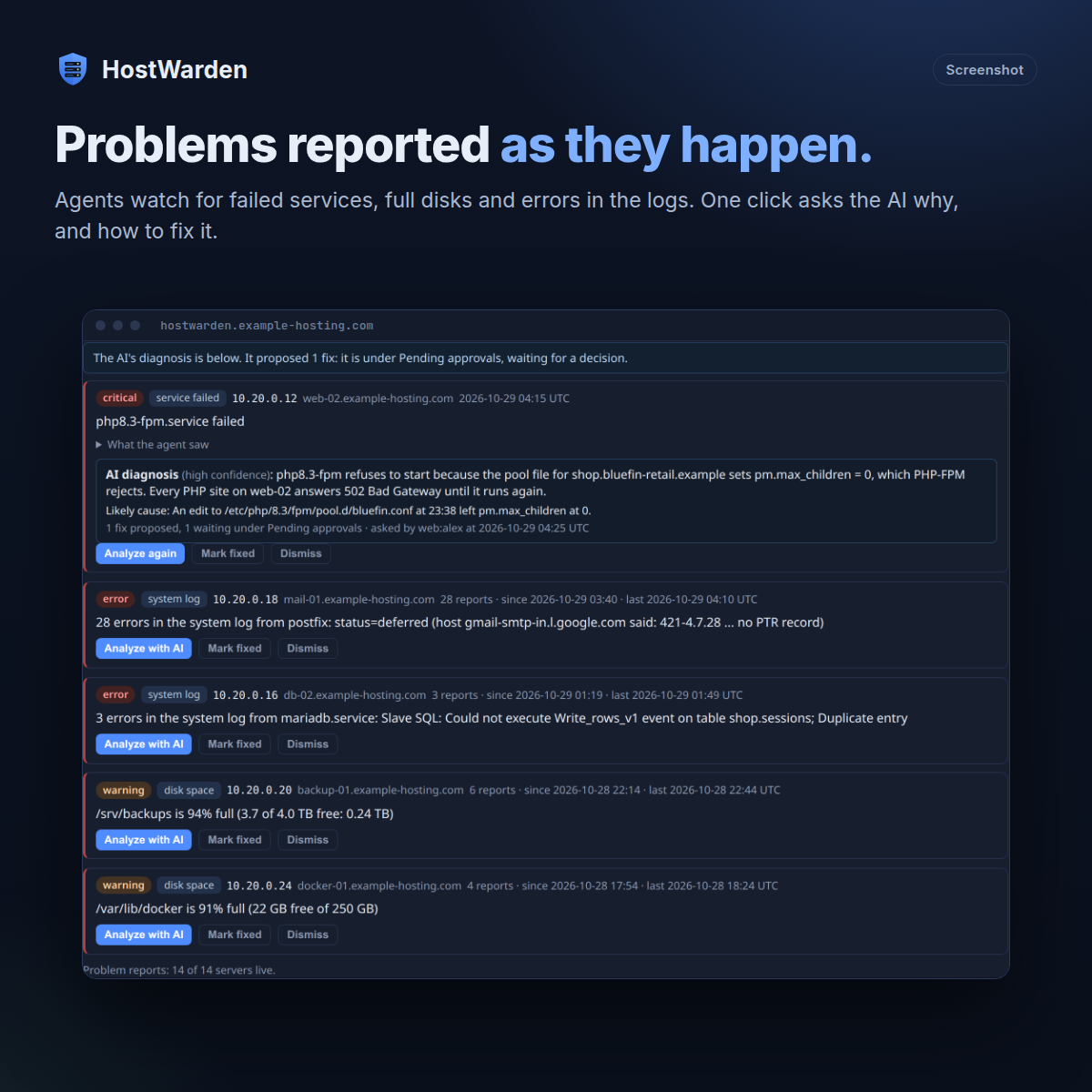
- Agents watch for failed services, full disks, inodes running out and errors in the system log, and report them within seconds.
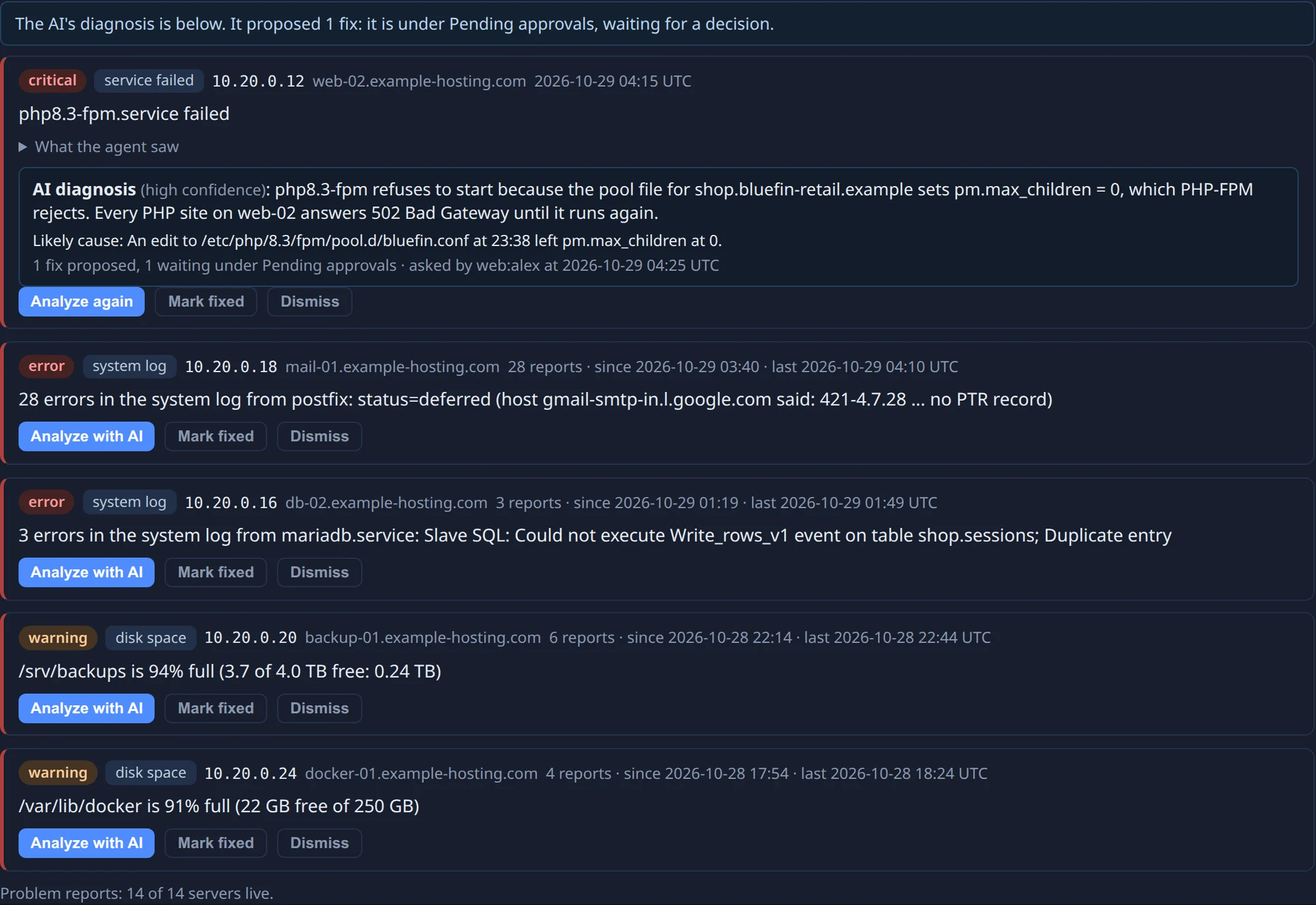
- Analyze with AI reads the report and the server’s current state, explains the likely cause with its confidence, and proposes a fix for you to approve.
- Mark a problem fixed or dismiss it; the agent closes it by itself once it’s over.
Ask AI
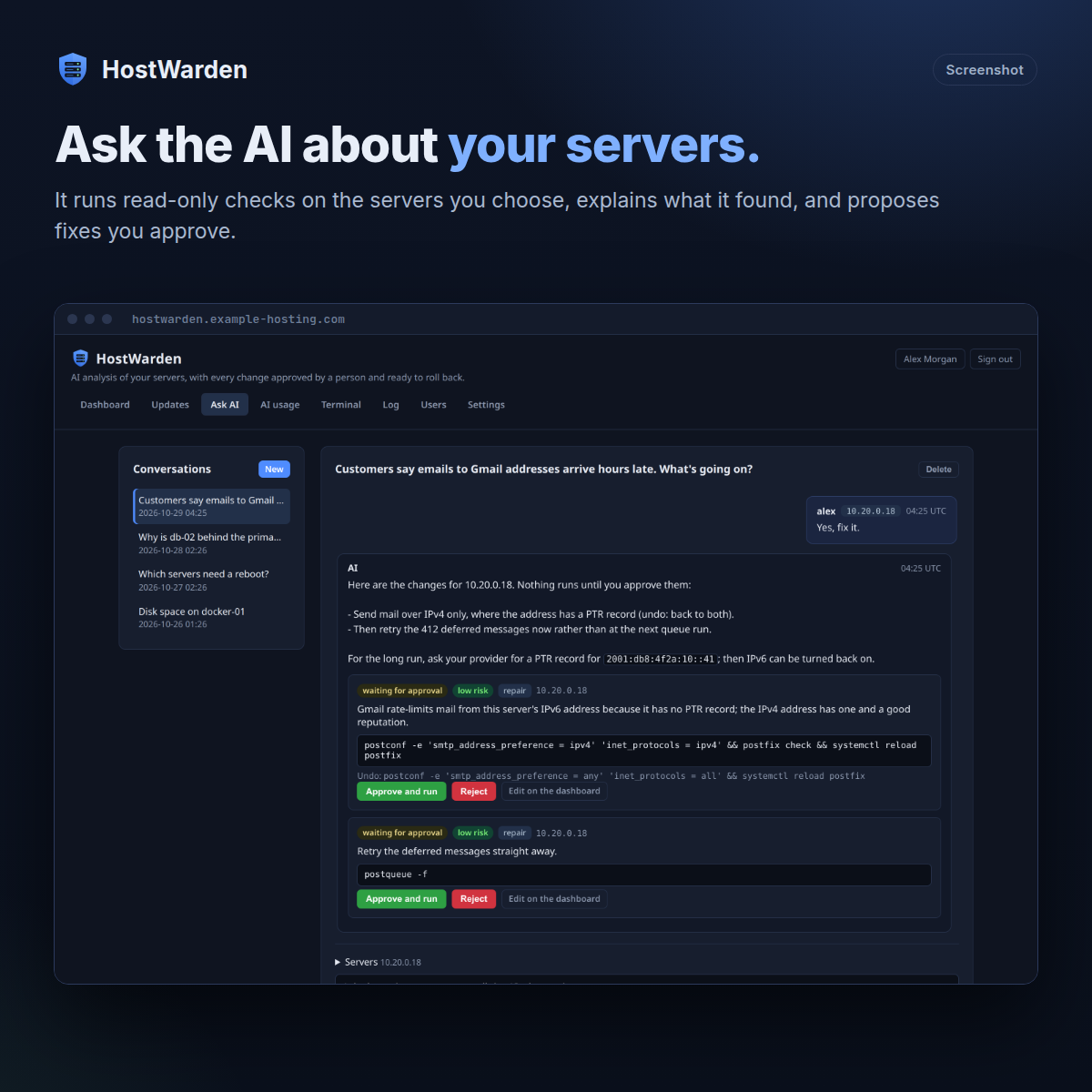
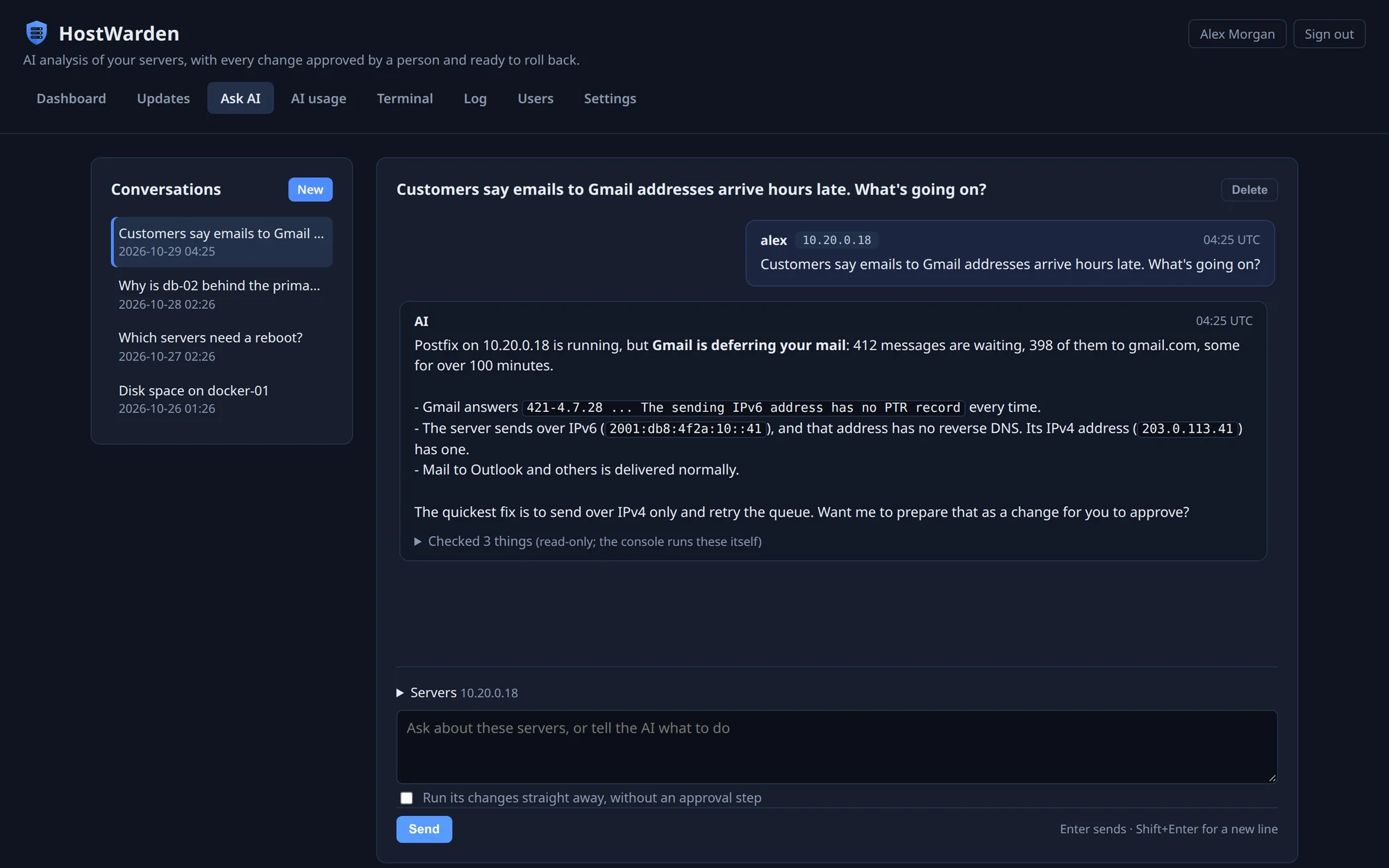
Ask a question or give an instruction about one server or many, in plain words.
- The AI looks for itself, choosing from a fixed list of read-only checks: service status and logs, system errors, disks and directory sizes, memory, processes, ports, network, connectivity, log files, configuration tests, packages, time sync and TLS certificates. The console builds every command; the AI never writes one that runs on its own.
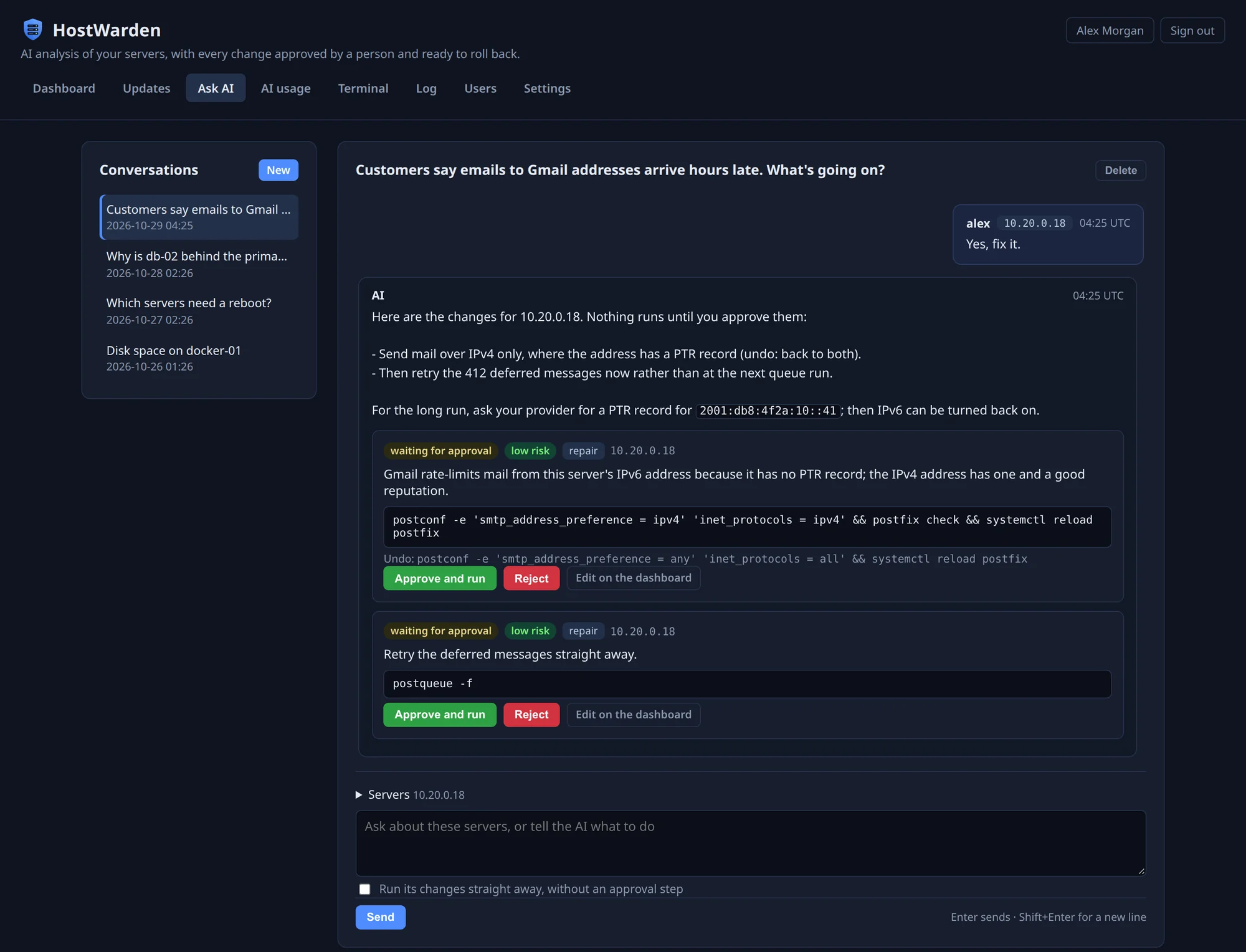
- It answers with what it found, and when you ask it to fix something it proposes changes, each with an undo, that wait for approval like any other.
- Administrators can choose to have its changes run straight away. Package upgrades and reboots always go through the Updates page.
- Output from your servers is treated as evidence, never as instructions to the AI.
AI analysis, with you in charge
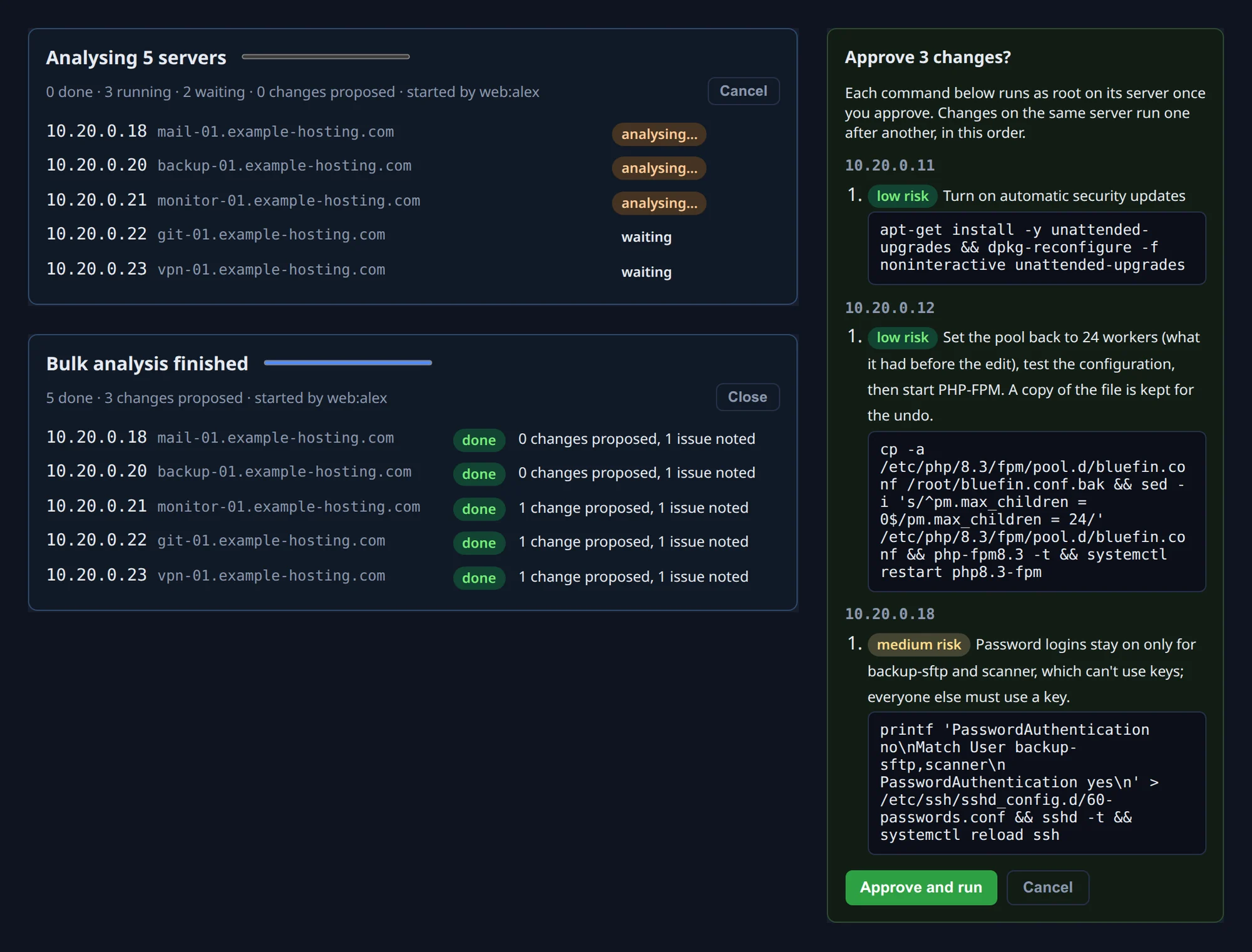
- Analyze one server, a selection or all of them; three run at a time, with progress as each finishes.
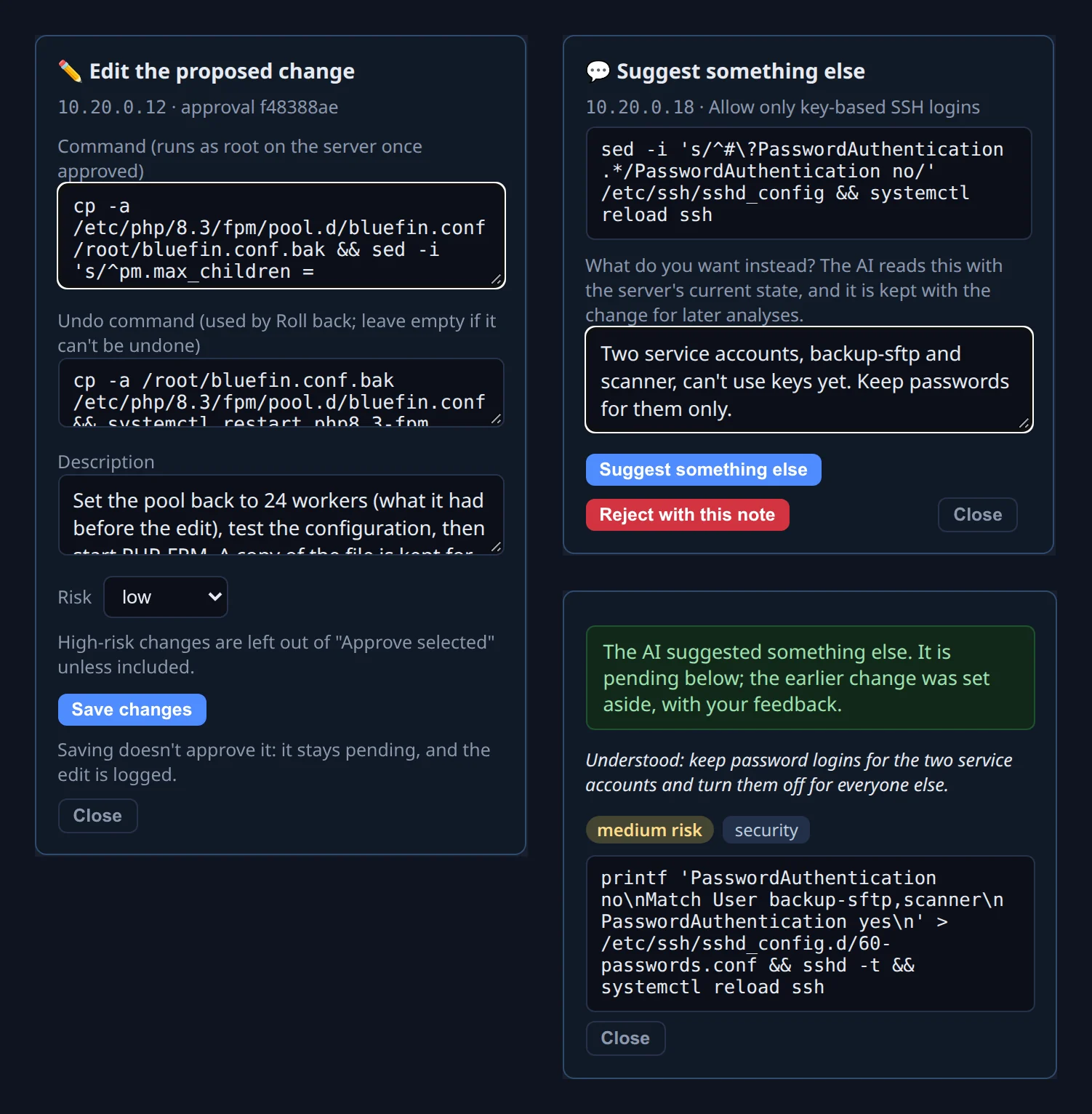
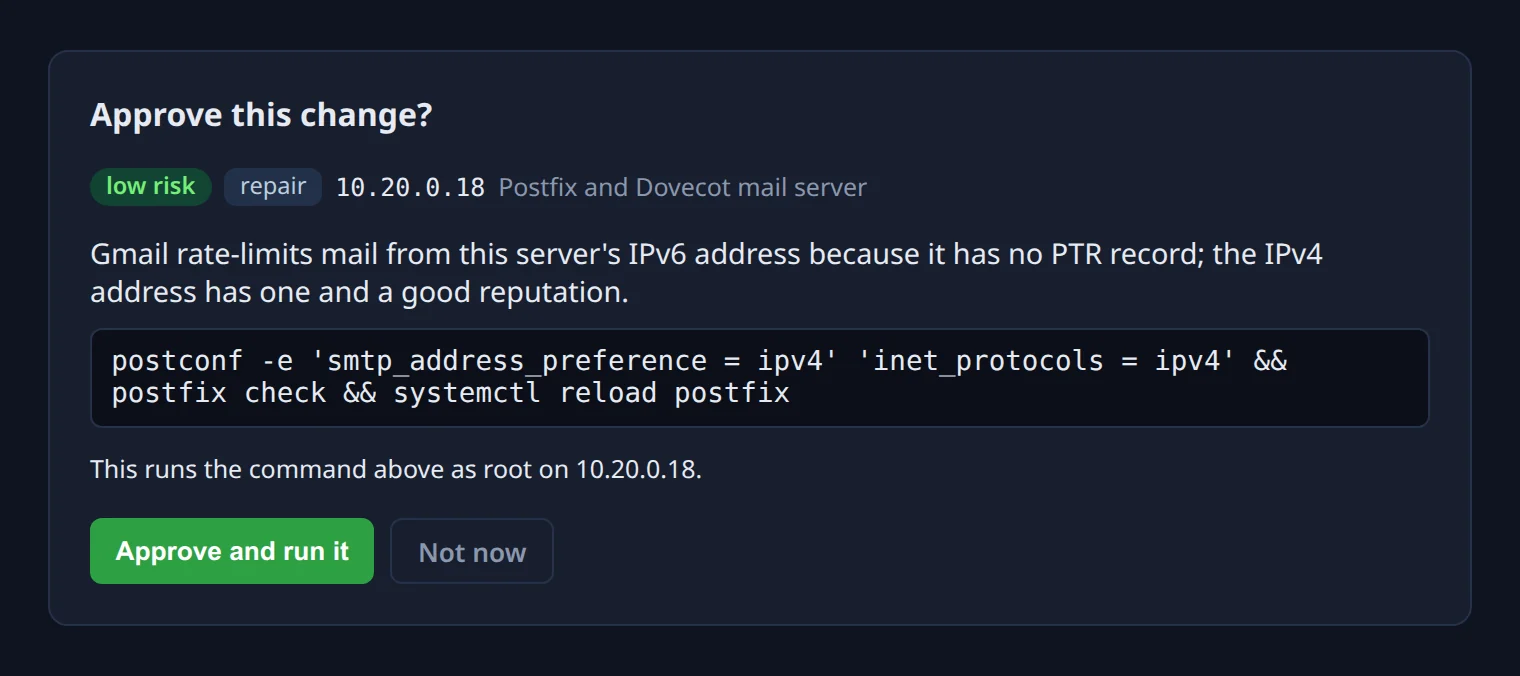
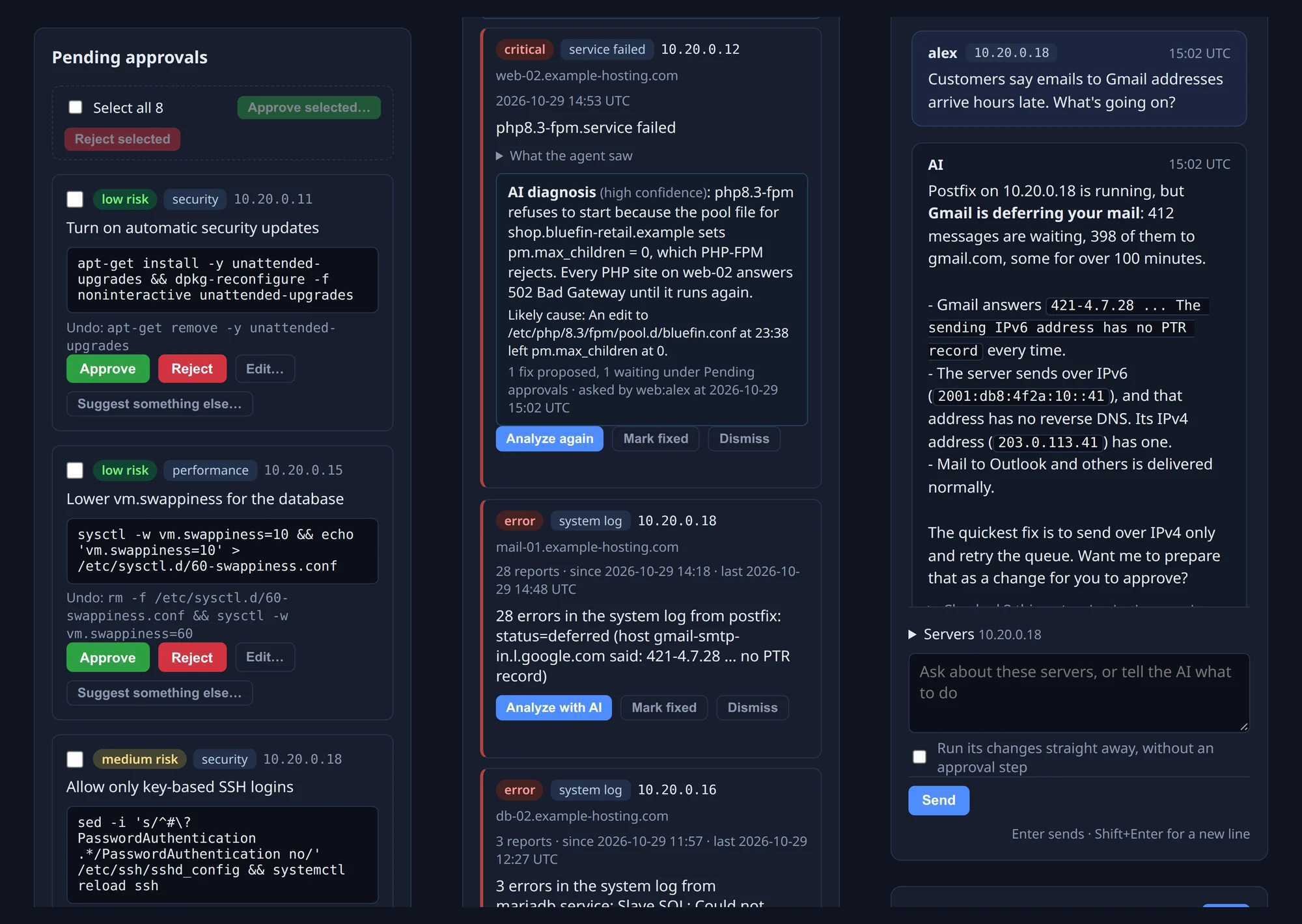
- Each suggestion shows the exact command, how to undo it, the risk, and the AI’s reasoning.
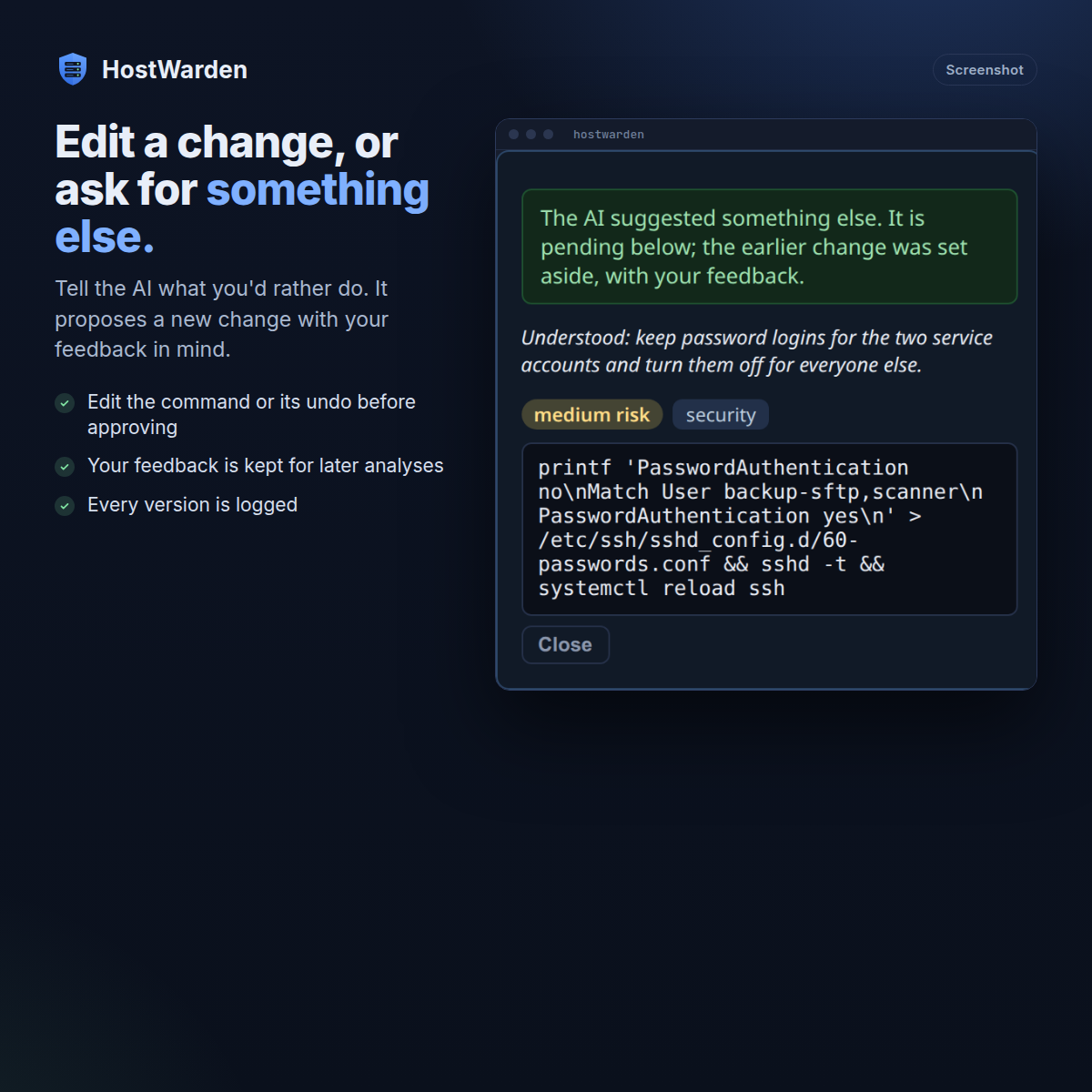
- Approve or reject it, edit the command first, or tell the AI what you’d rather do and it proposes something else. Your feedback is kept for later analyses, and suggestions you already decided on aren’t repeated.
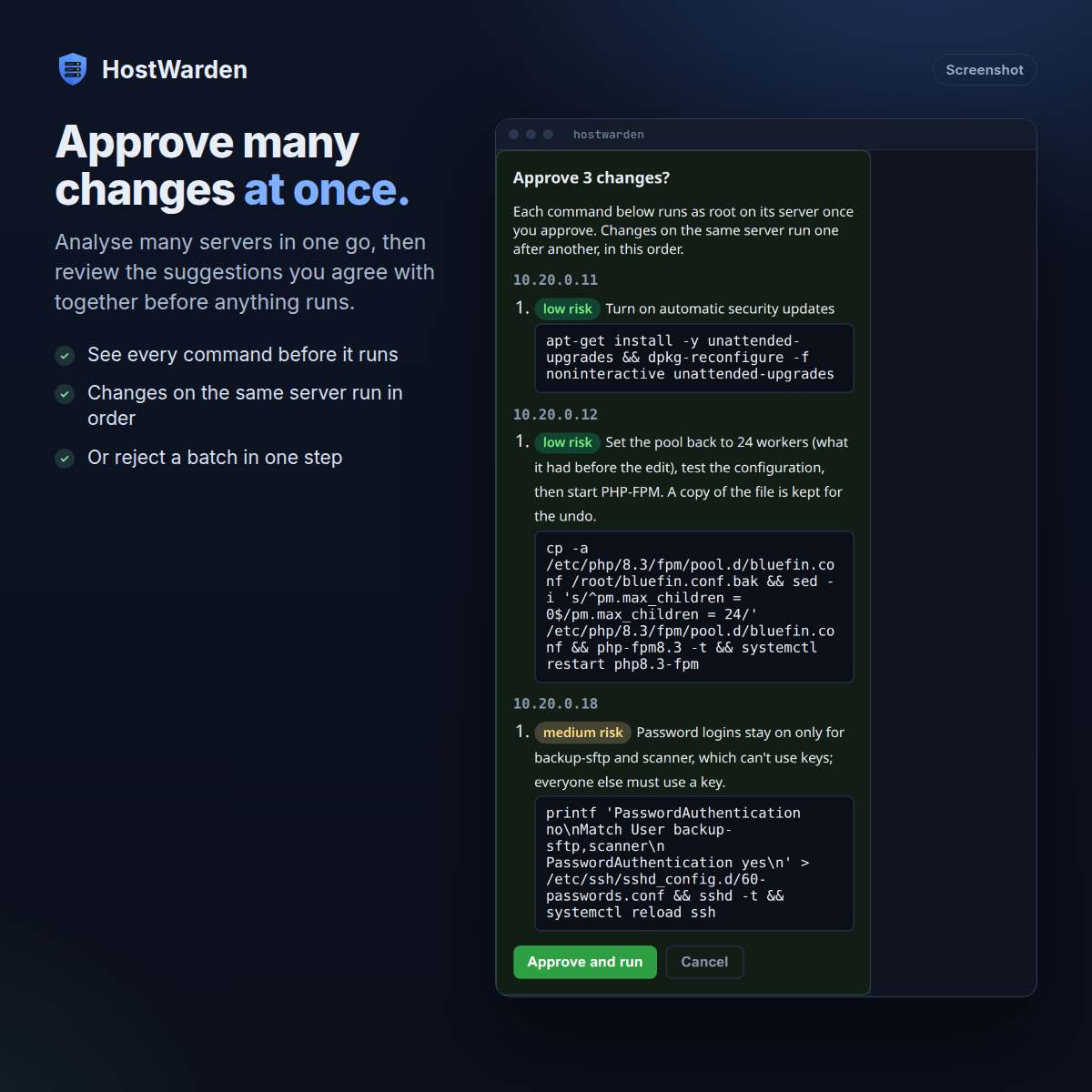
- Approve or reject many at once after reviewing them together. Changes on the same server run in order.
Package updates and reboots
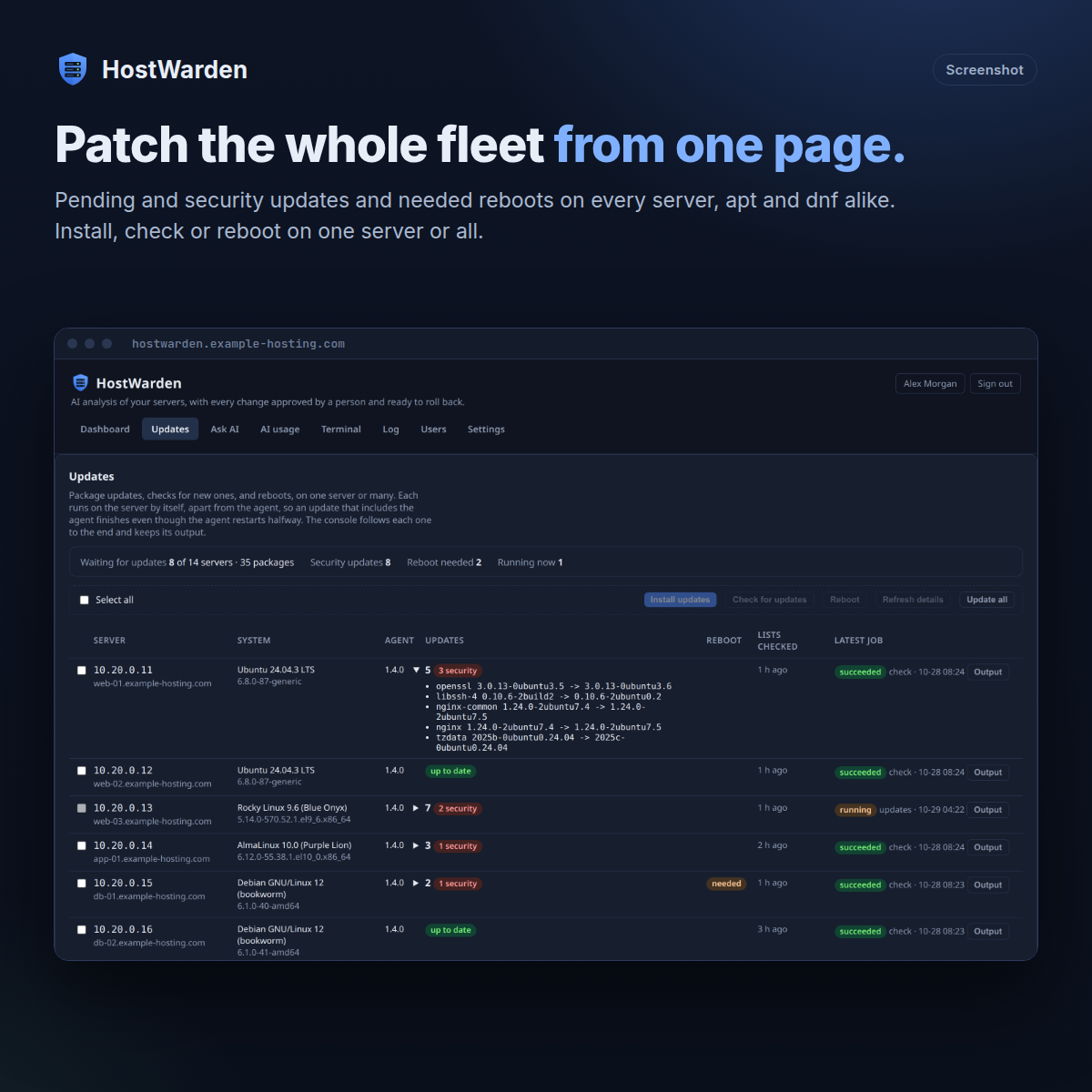
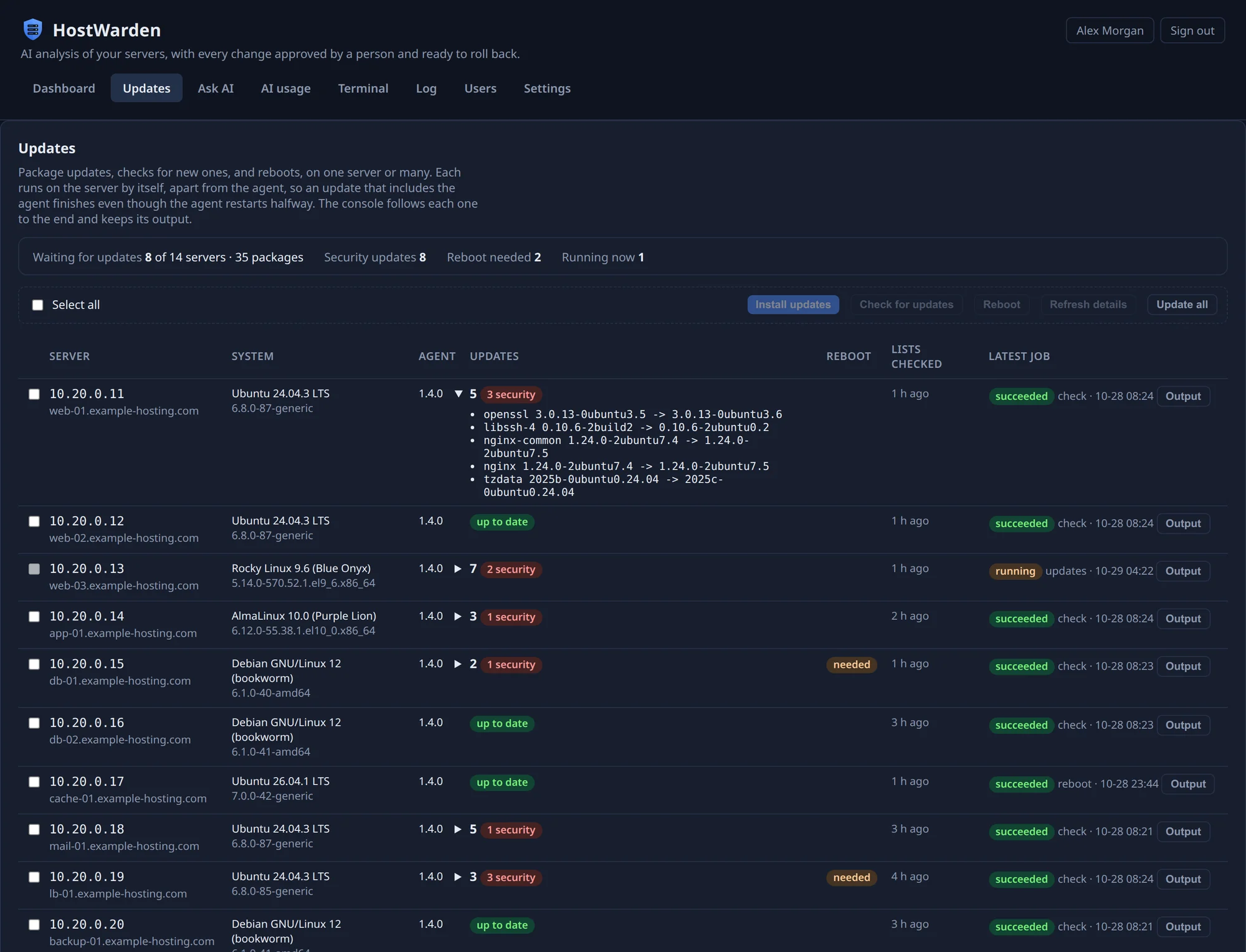
- For every server: the system, kernel and agent version, pending and security updates, and whether a reboot is needed. apt and dnf alike.
- Install updates, check for new ones or reboot on one server, a selection or all of them.
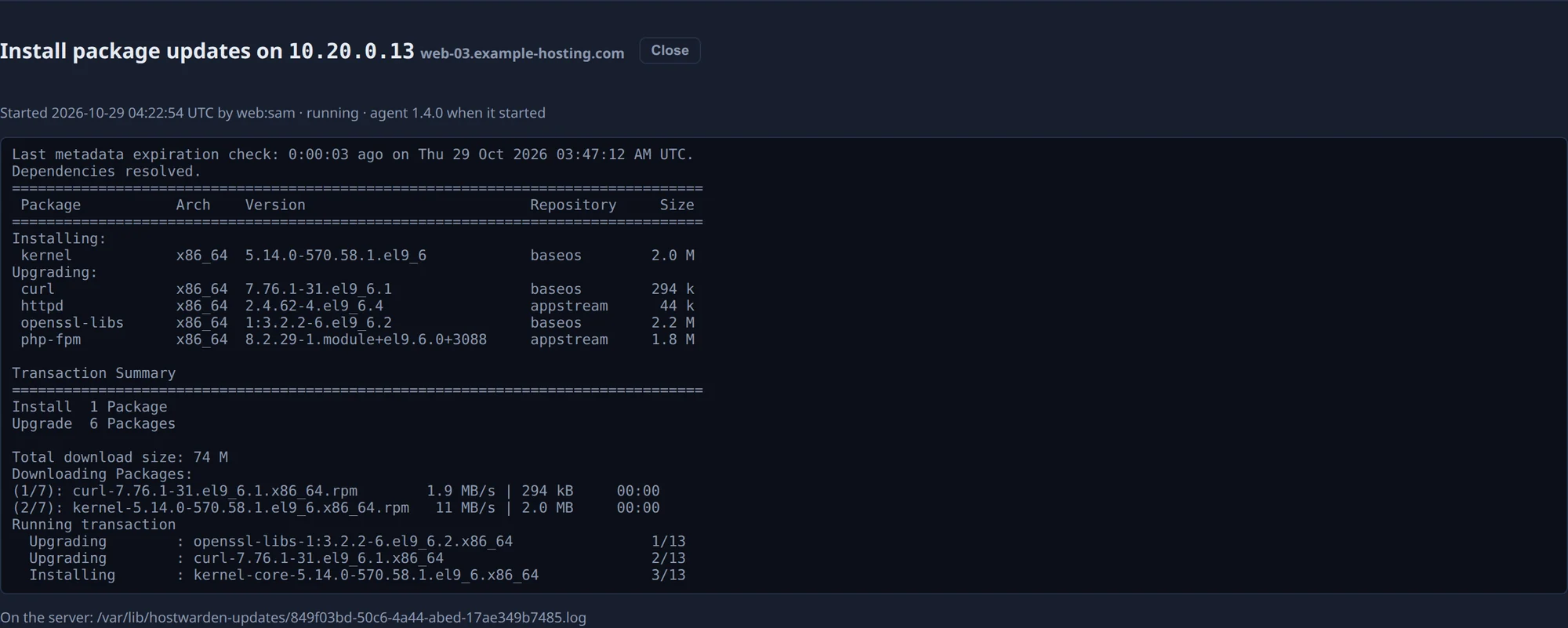
- Each job runs on the server by itself, apart from the agent, so it finishes even when it updates the agent. Follow its output as it runs.
Approve from anywhere
- The HostWarden app: approve or reject on your phone, behind its fingerprint, face or PIN, with a notification the moment a change is proposed. More below.
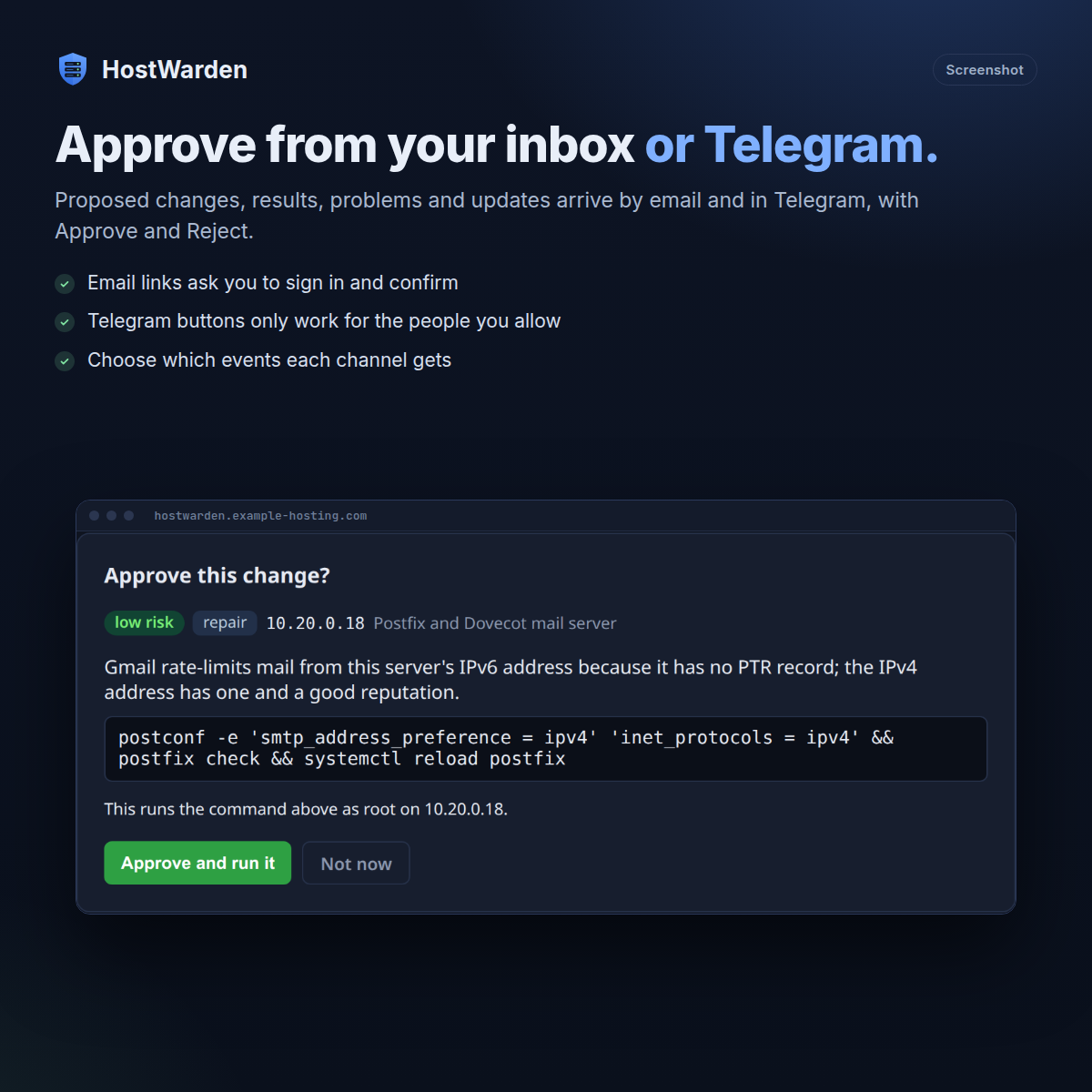
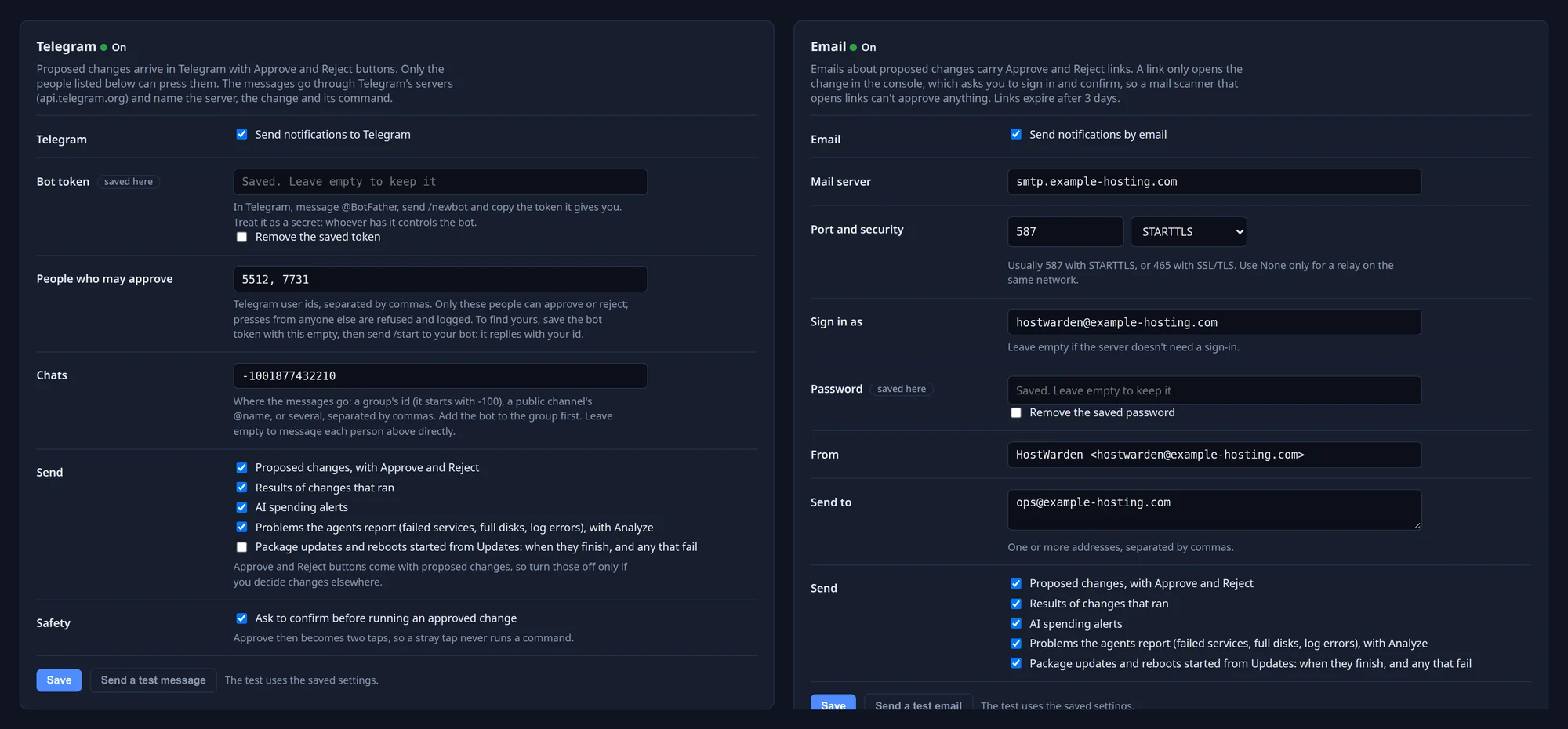
- Email: proposed changes arrive with Approve and Reject links. A link only opens the change in the console, which asks you to sign in and confirm, so a mail scanner that opens links can’t approve anything. Links expire after 3 days.
- Telegram: approve, reject, roll back, edit, ask for something else, or analyze a reported problem, from buttons that only work for the people you allow. Each person links their own Telegram account.
- Choose what each channel gets: proposed changes, results, AI spending alerts, reported problems, and package updates and reboots.
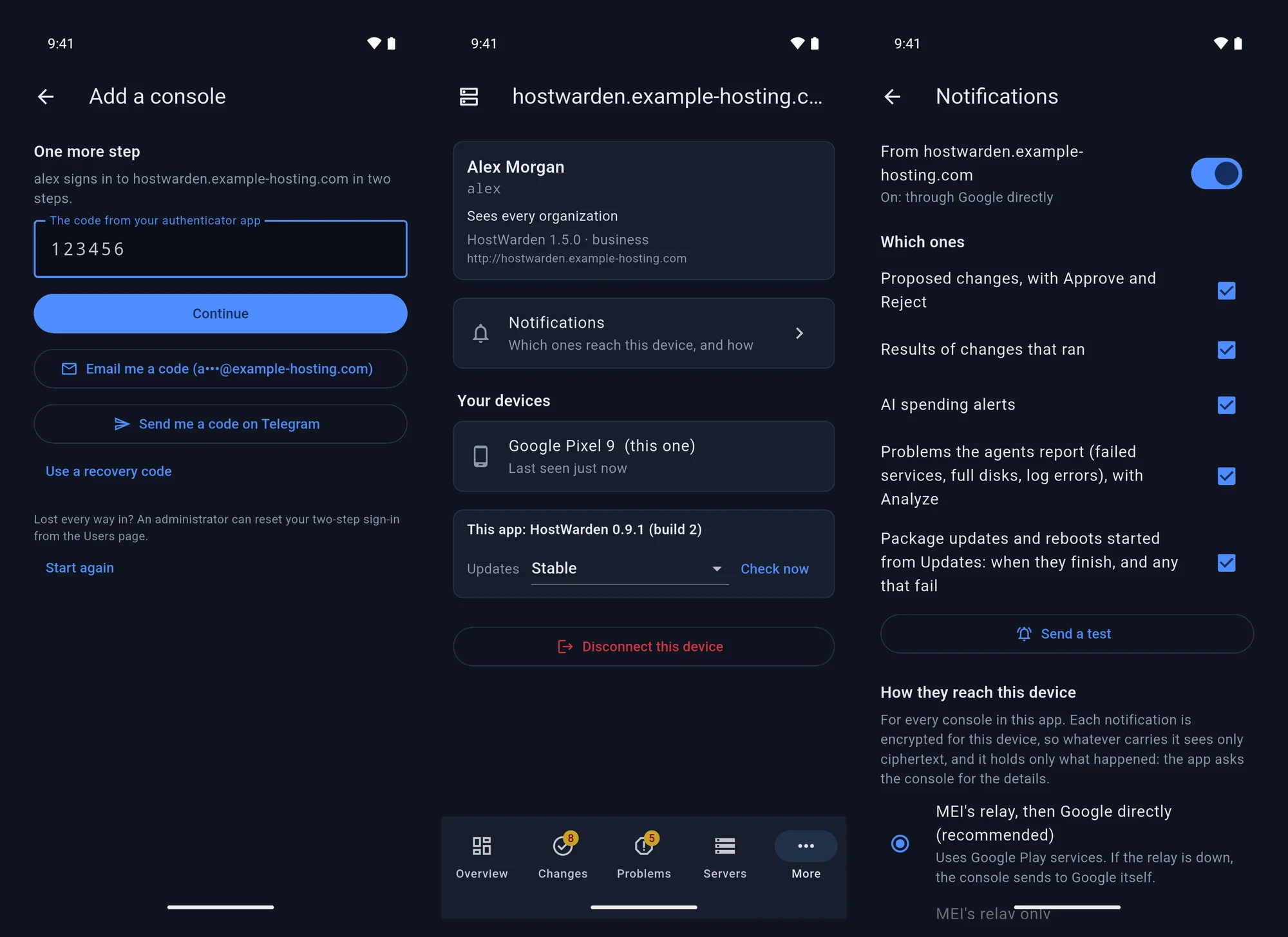
The HostWarden app
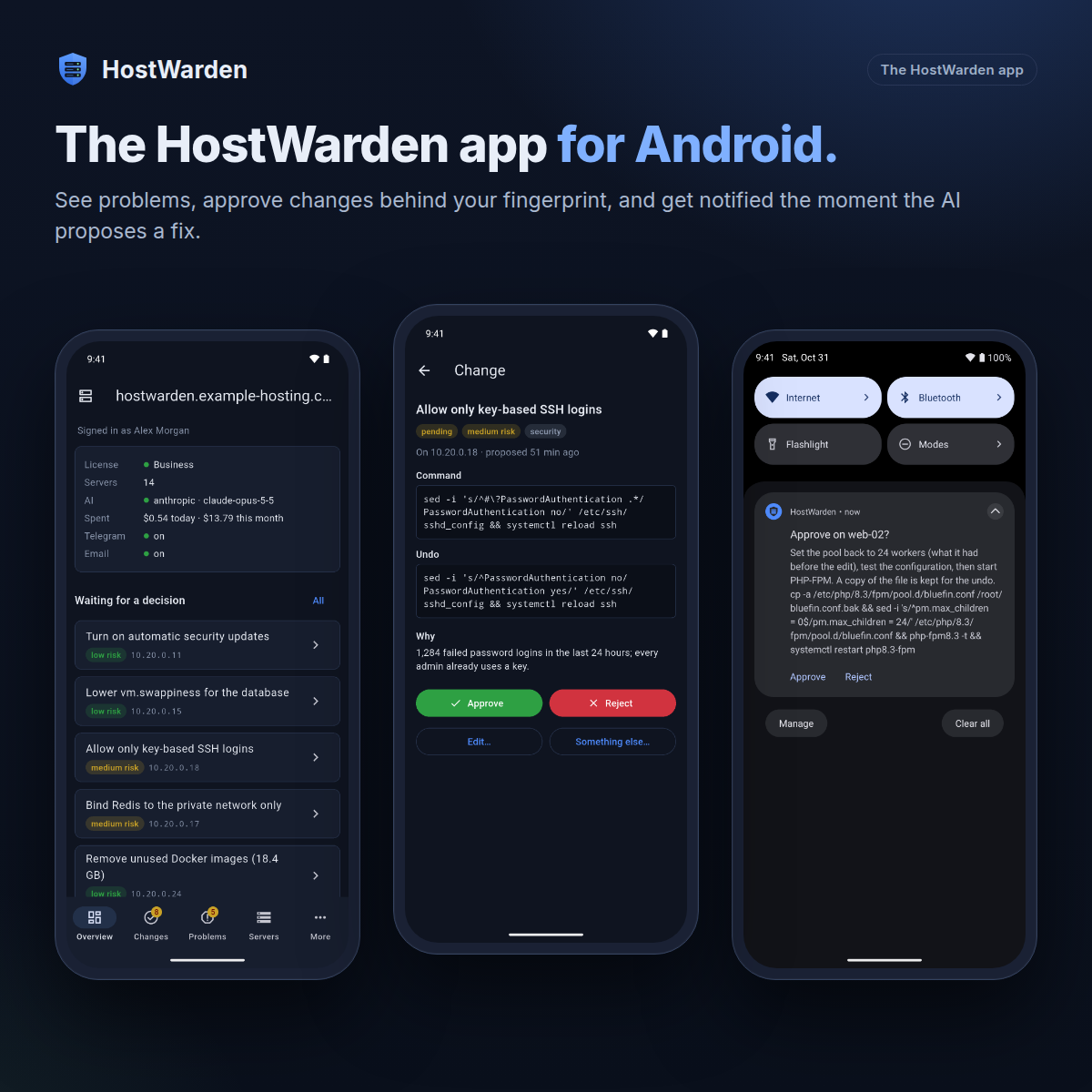
Your console on your Android phone, included with every license and the free trial. Get the app.
- See problems, pending changes and servers from each console you connect, kept up to date live.
- Approve, reject, edit or roll back a change, or ask the AI for something else. Your phone’s own lock (fingerprint, face or PIN) is asked for before anything runs.
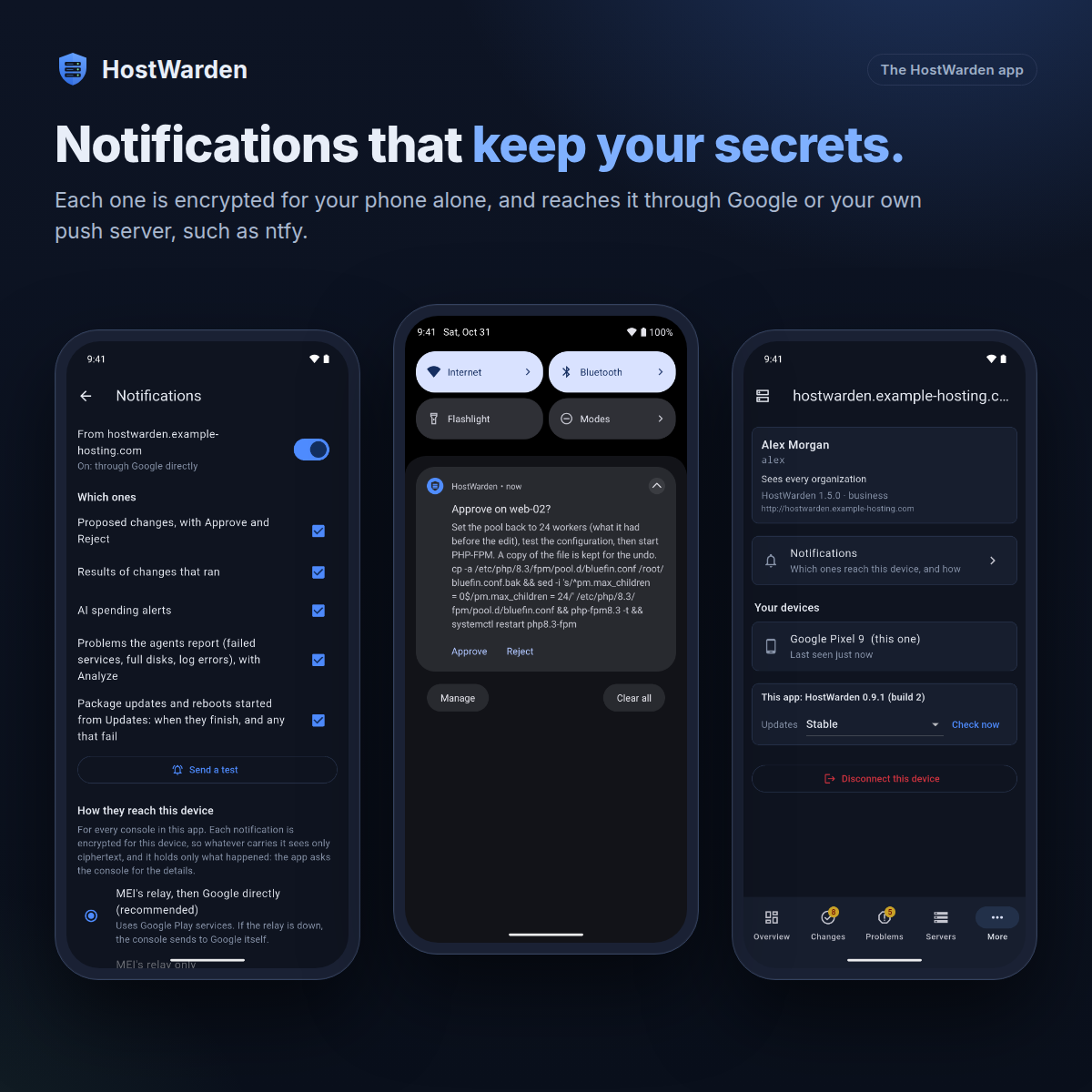
- Notifications for proposed changes, results, reported problems, package updates and AI spending alerts, each kind on or off. Each one is encrypted for that phone alone and says only what happened; the app then asks your console for the details. They reach it through Google’s push service or your own push server, such as ntfy.
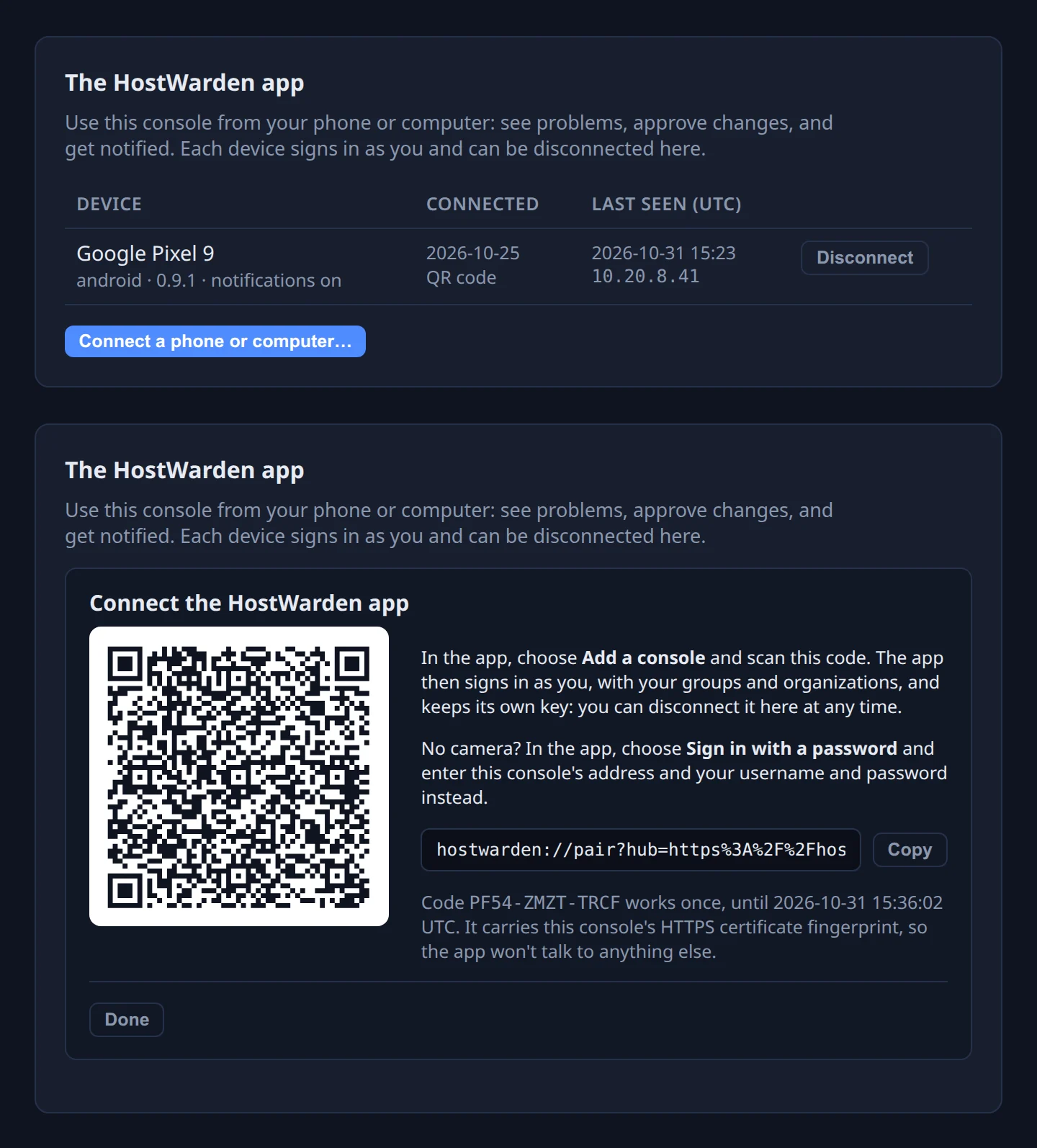
- Connect it with the QR code on your Account page. From then on the app trusts only your console’s certificate, signs in as you with your groups and organizations, and can be disconnected from the console at any time.
- No MEI account is needed: the app talks to your own console. It offers its own updates.
The console on any screen
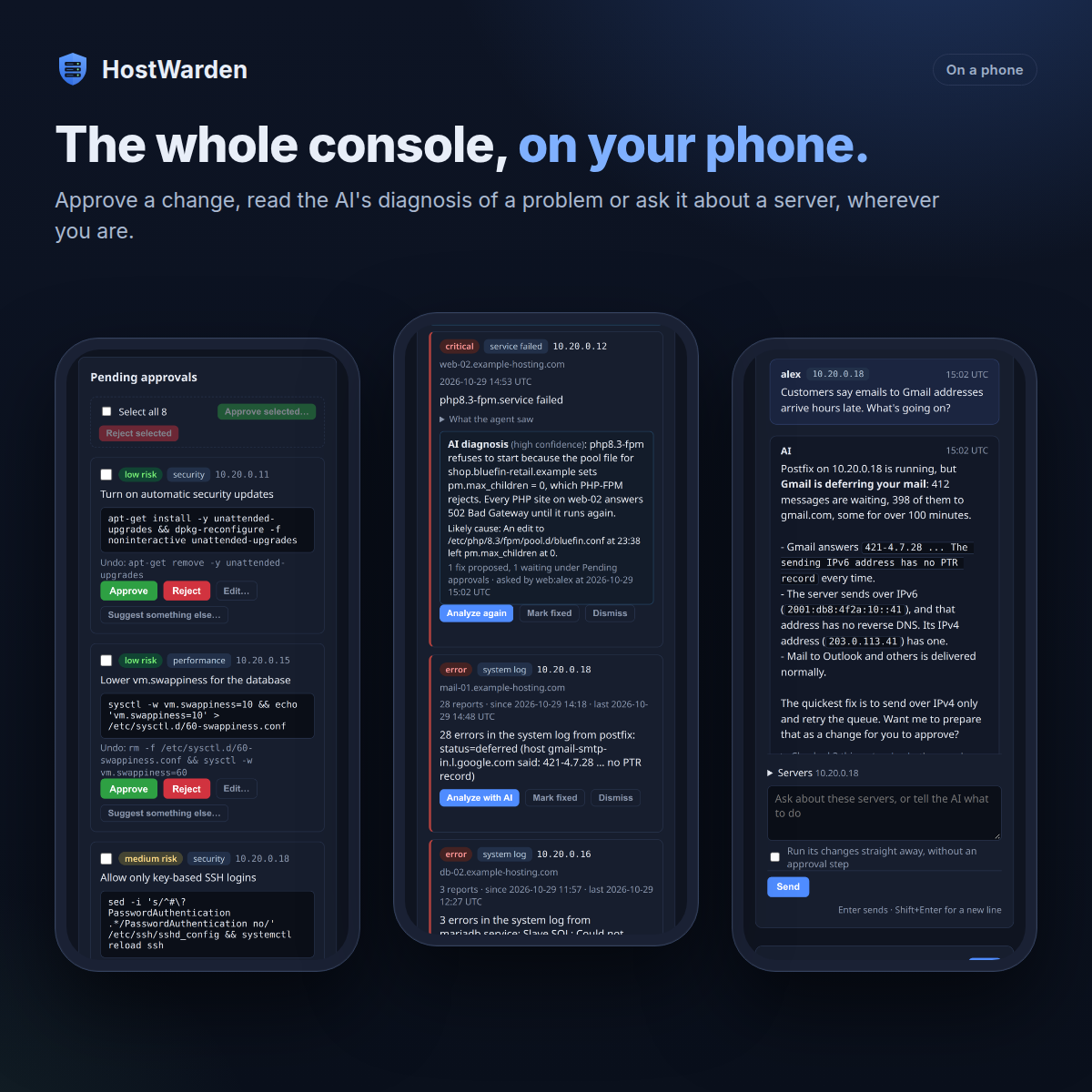
The web console works on a phone’s browser too, so you can approve a change, read the AI’s diagnosis of a problem or ask it about a server from any device.
Every change can be rolled back
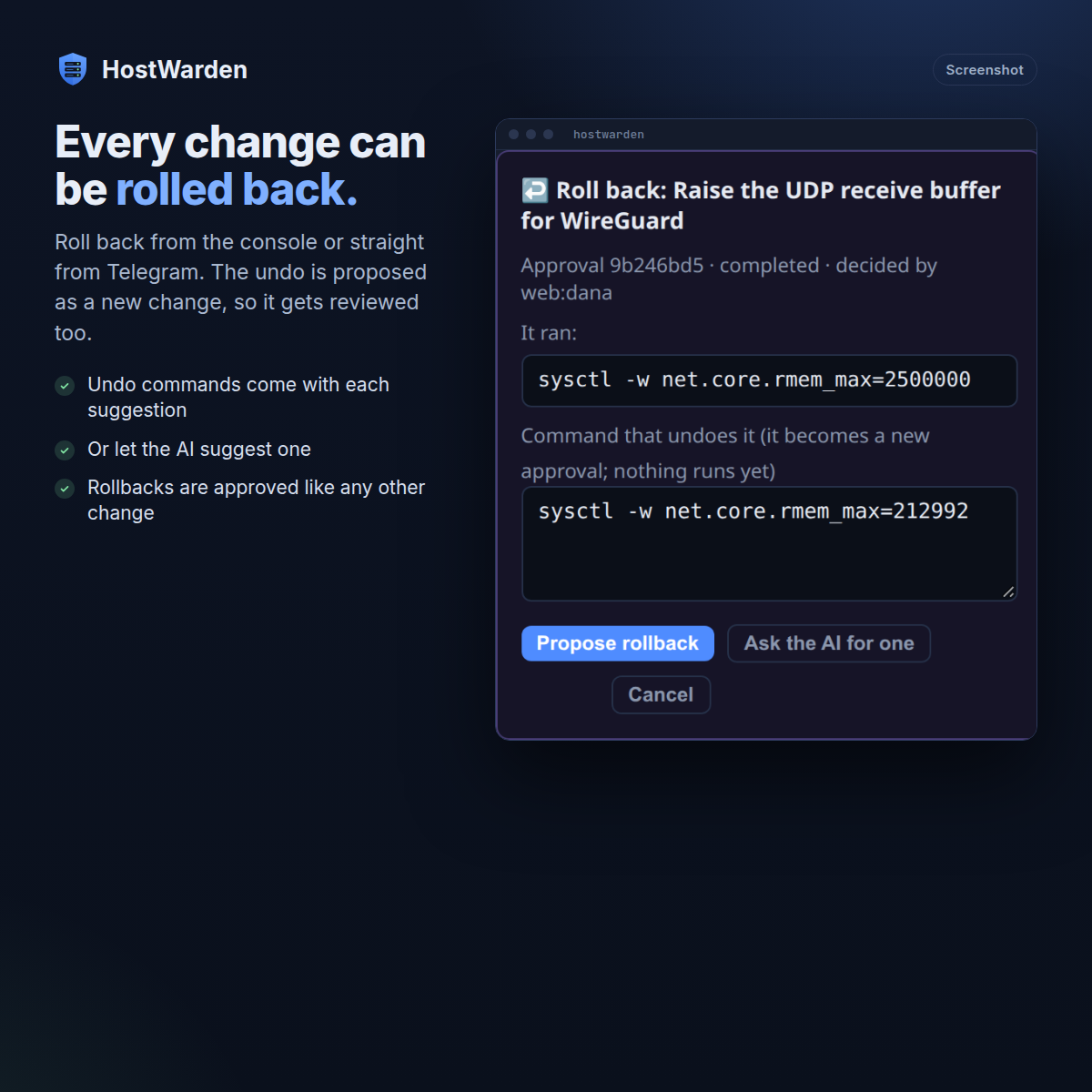
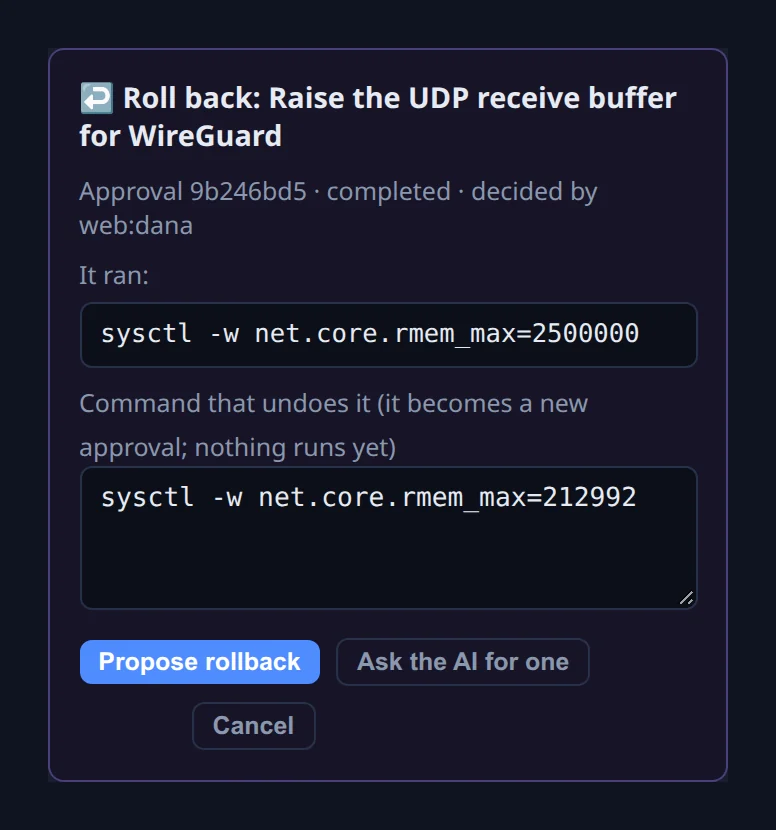
Undo commands come with each suggestion, or type your own, or let the AI suggest one. A rollback is proposed as a new change and approved like any other, from the console or from Telegram.
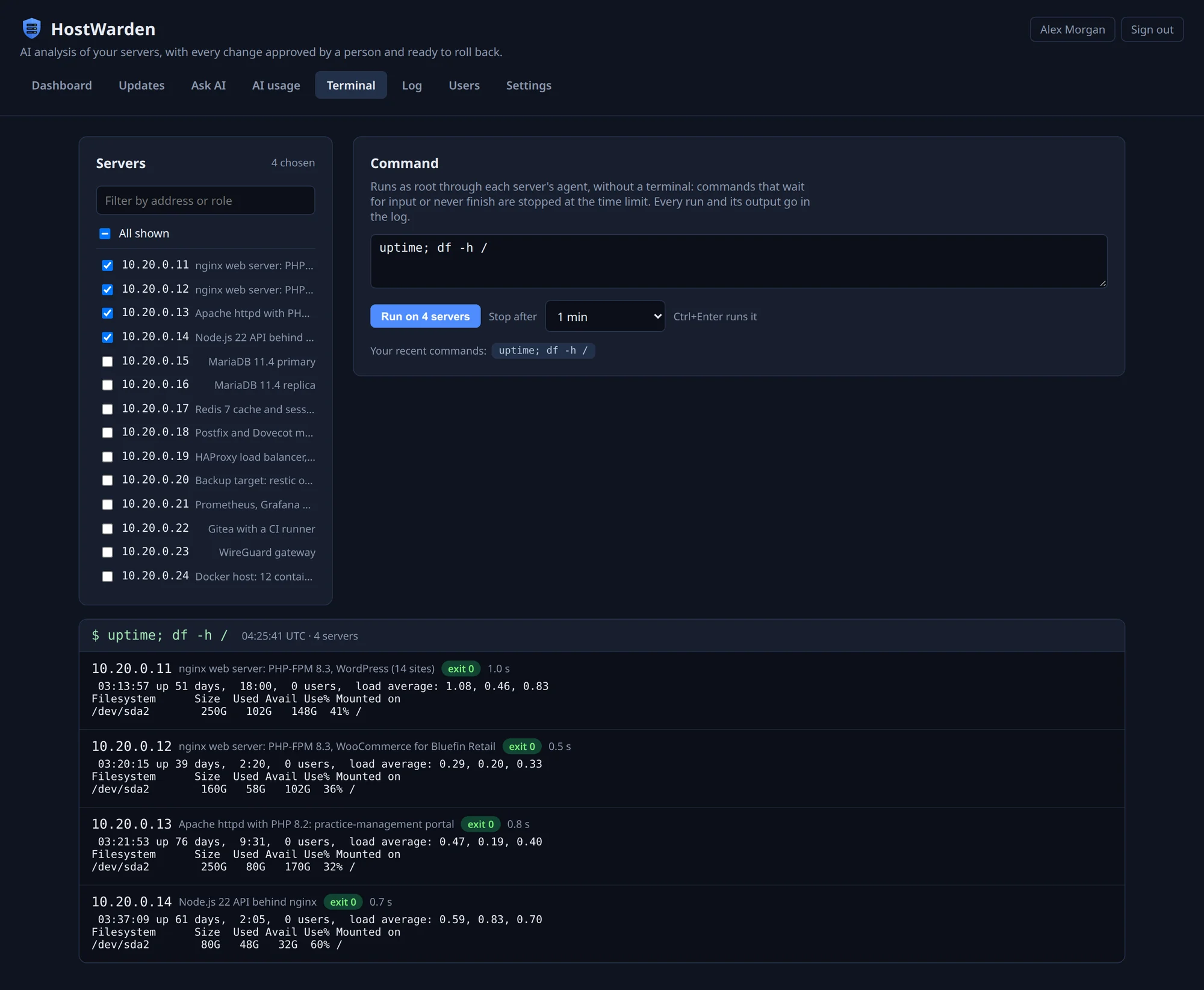
Web terminal
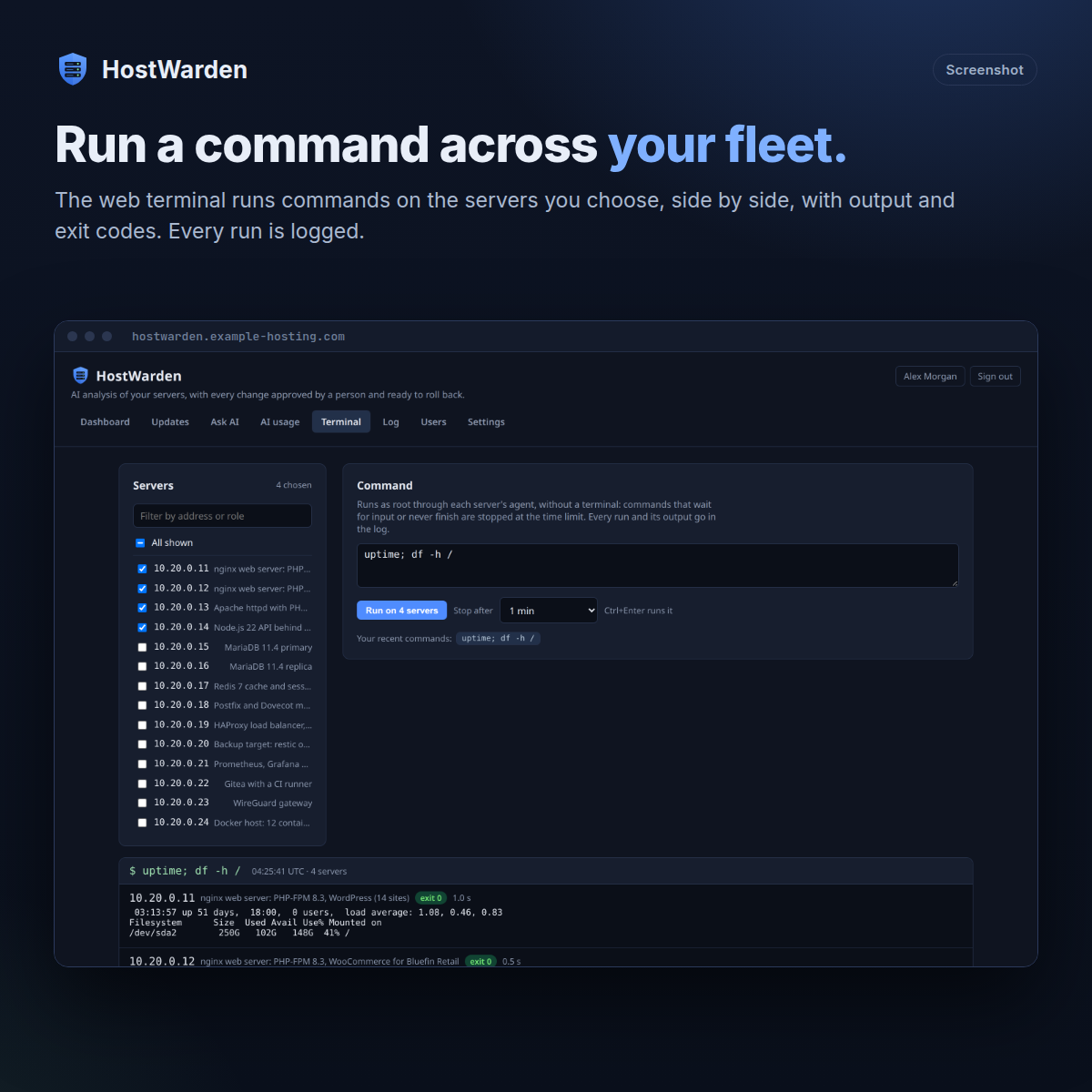
Run a command on the servers you choose and see each one’s output and exit code side by side. It asks you to confirm first, and every run is logged.
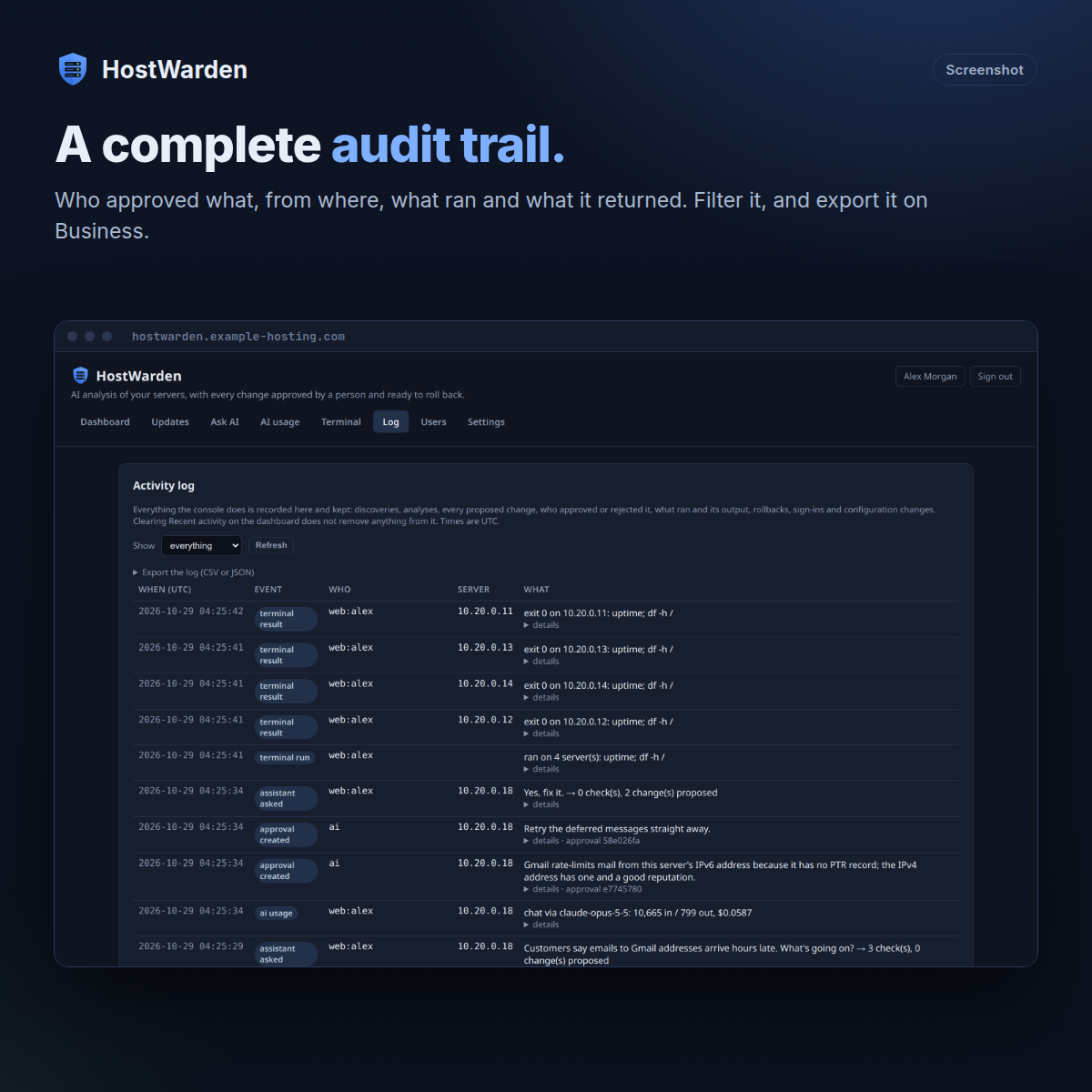
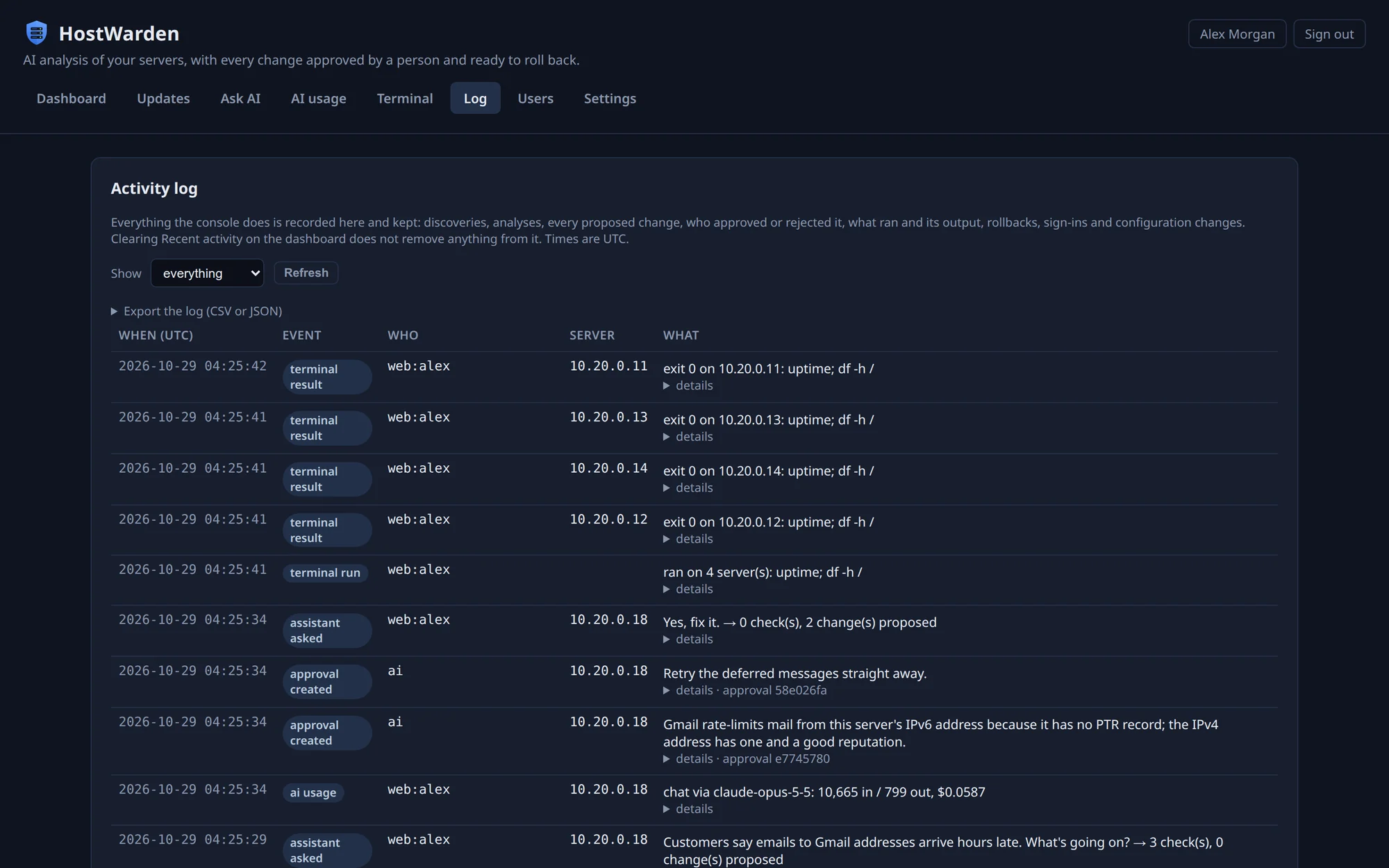
A complete activity log
Who approved what, from where (console, email or Telegram), what ran and what it returned, plus sign-ins, settings and updates. The log is append-only. Filter it by category, and export it as CSV or JSON.Business
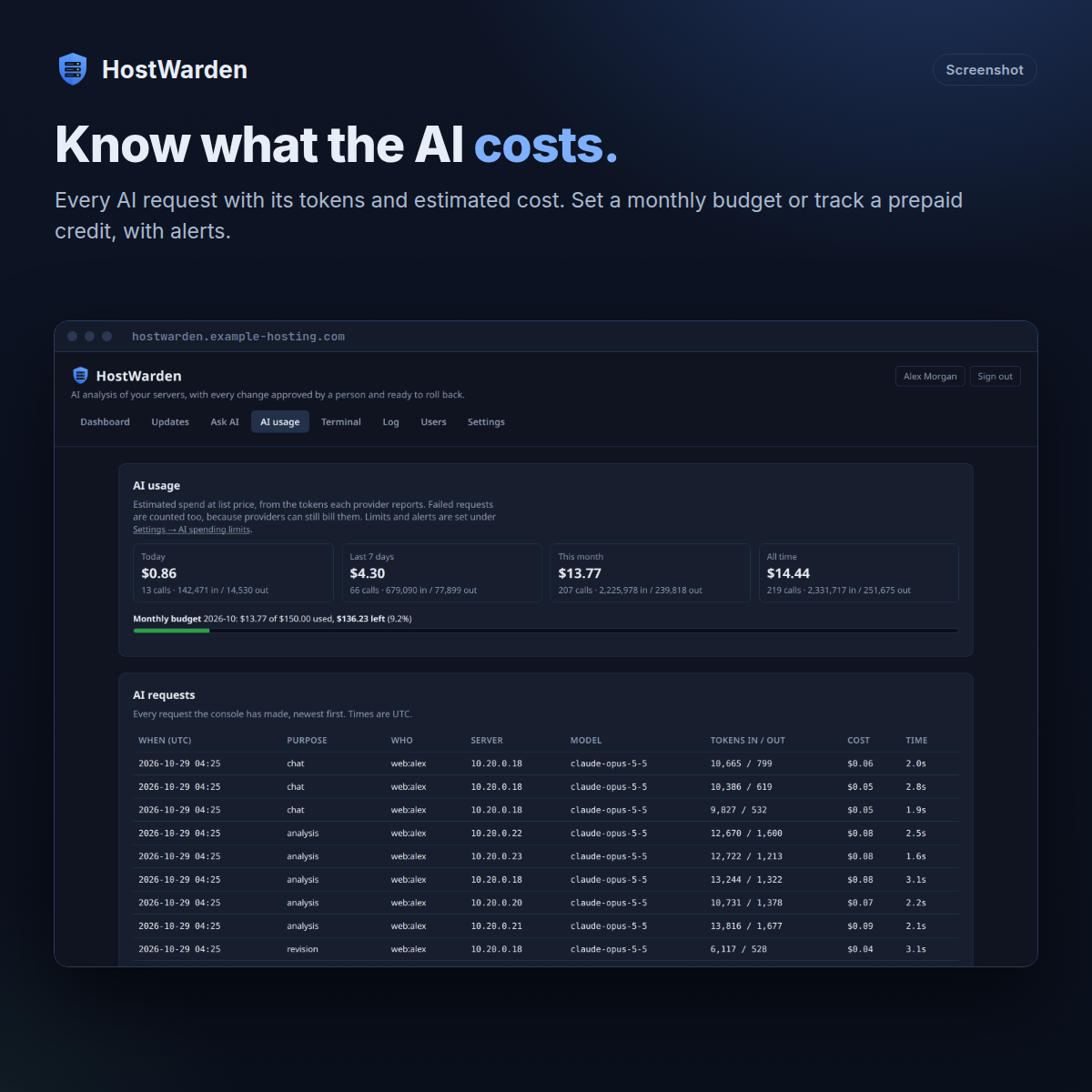
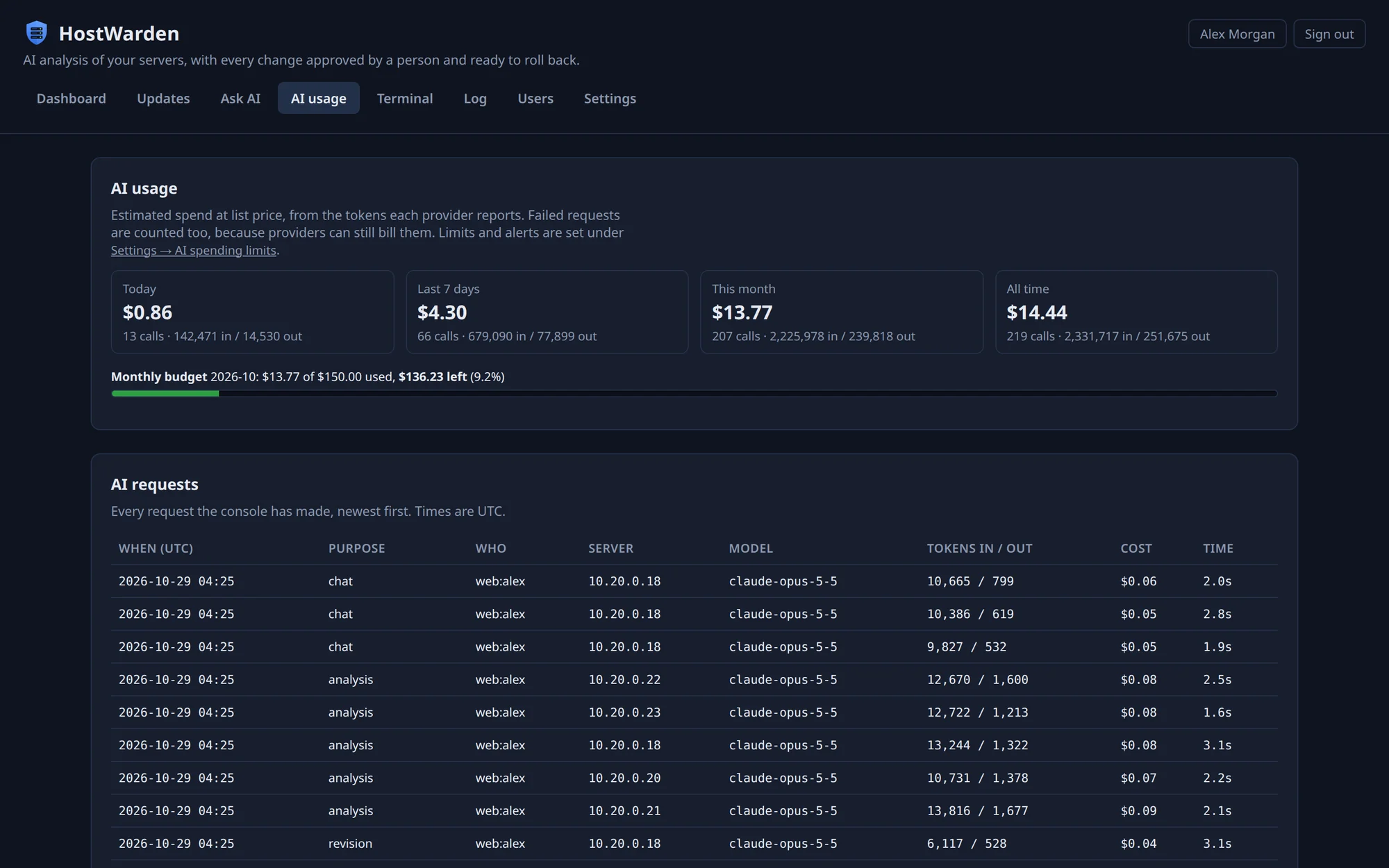
Know what the AI costs
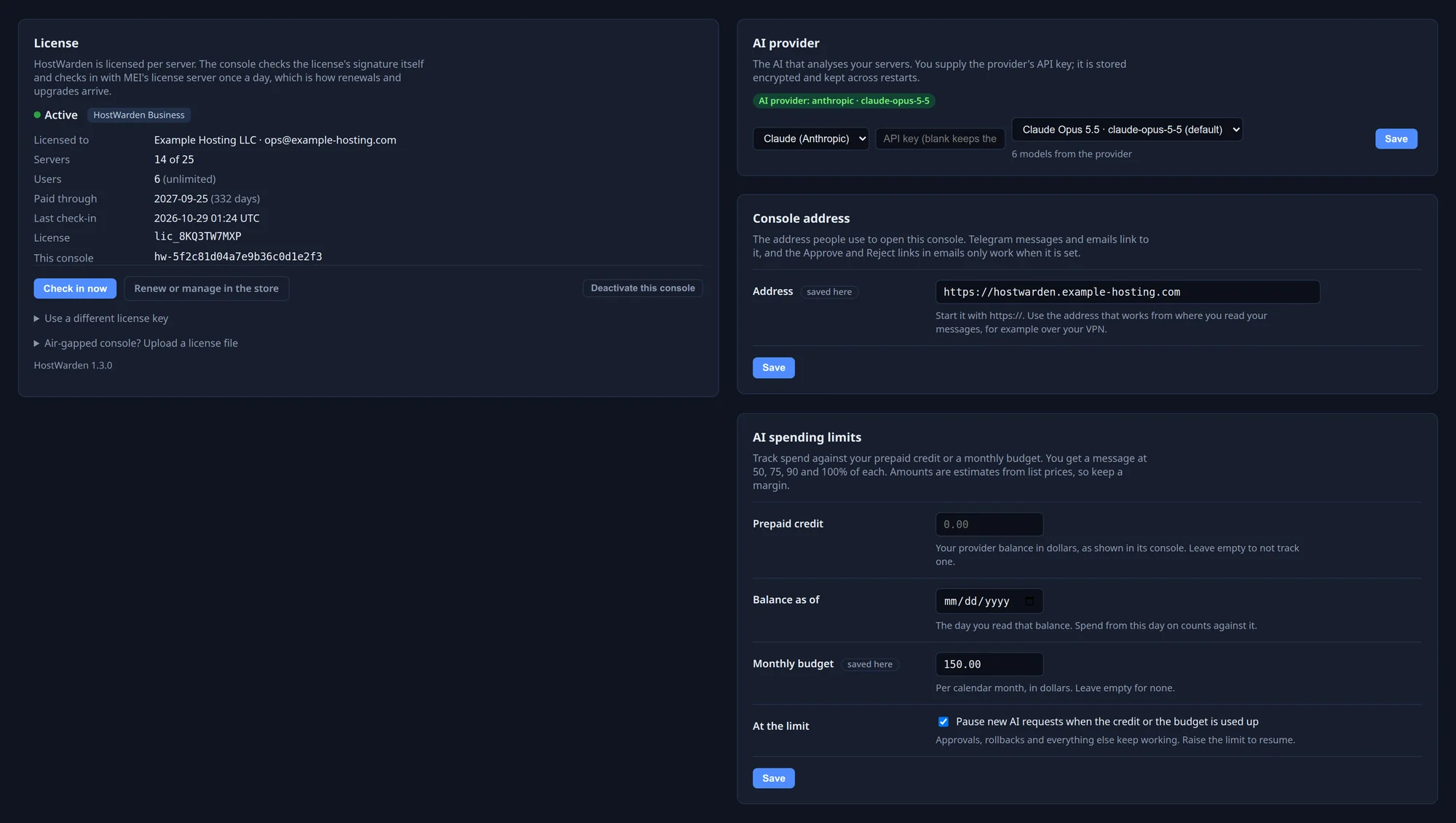
Every AI request with its purpose, tokens, estimated cost and time. Set a monthly budget or track a prepaid credit, get alerts at 50, 75, 90 and 100%, and optionally pause new AI requests at the limit; approvals and rollbacks keep working.
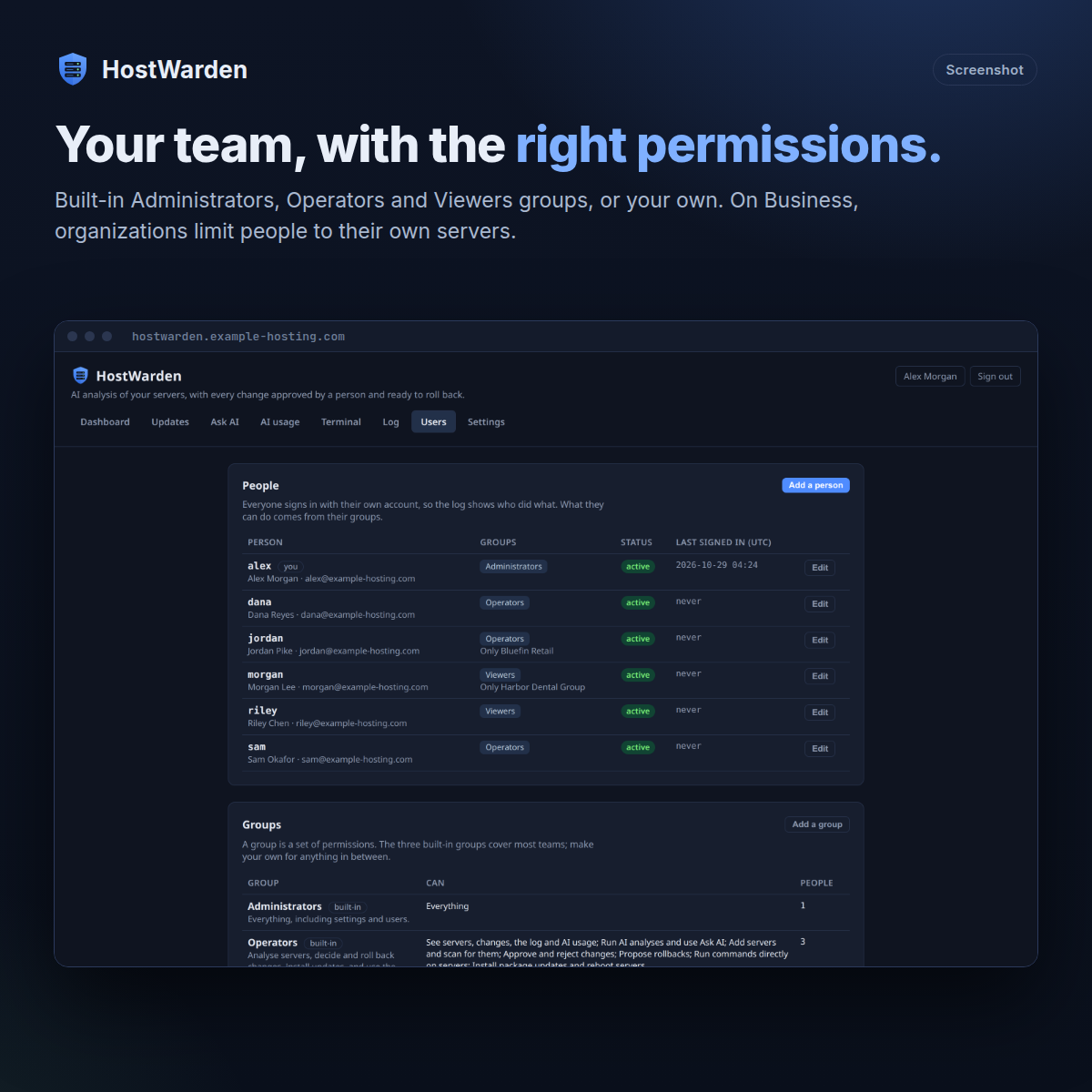
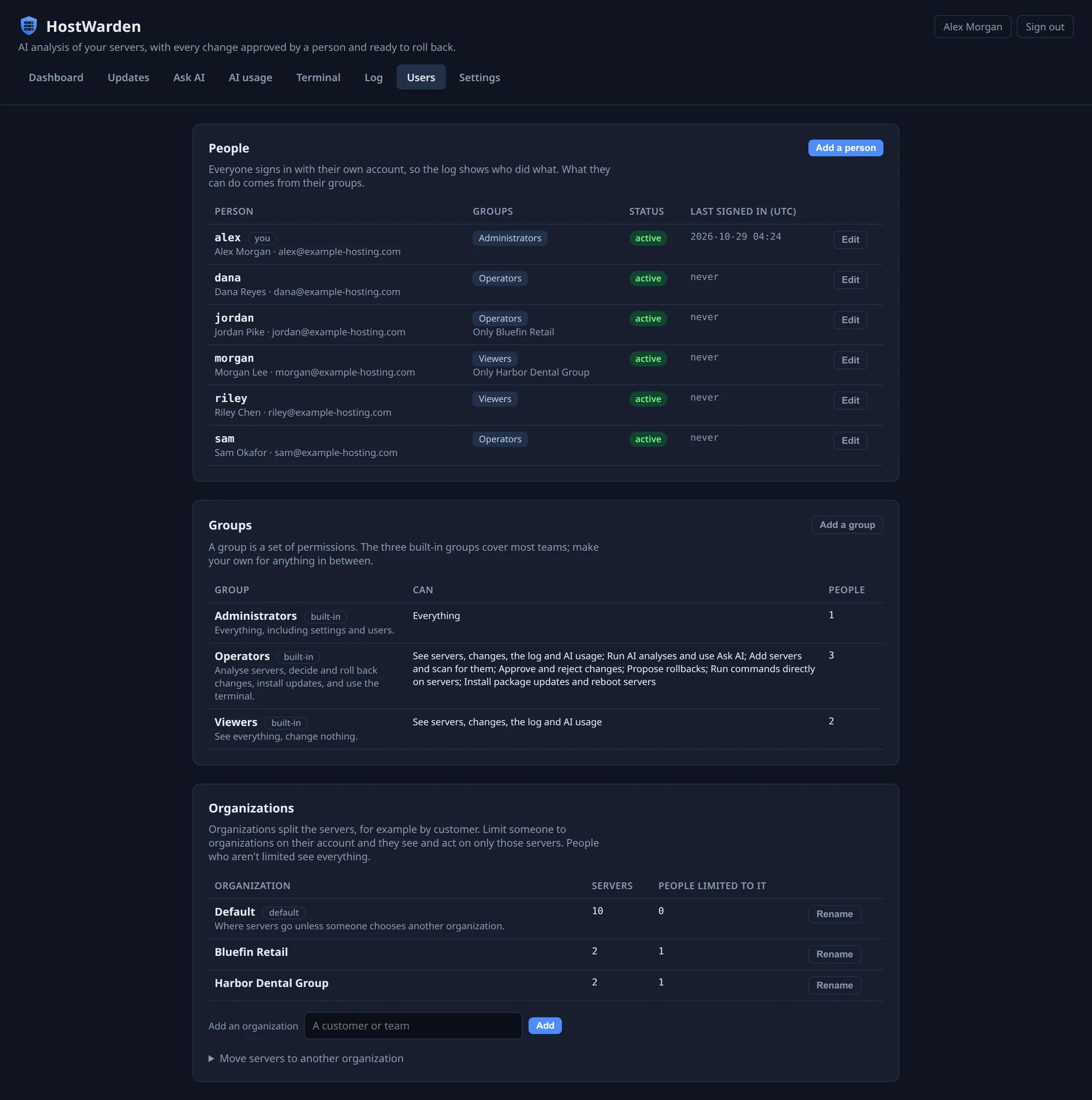
People, permissions and organizations
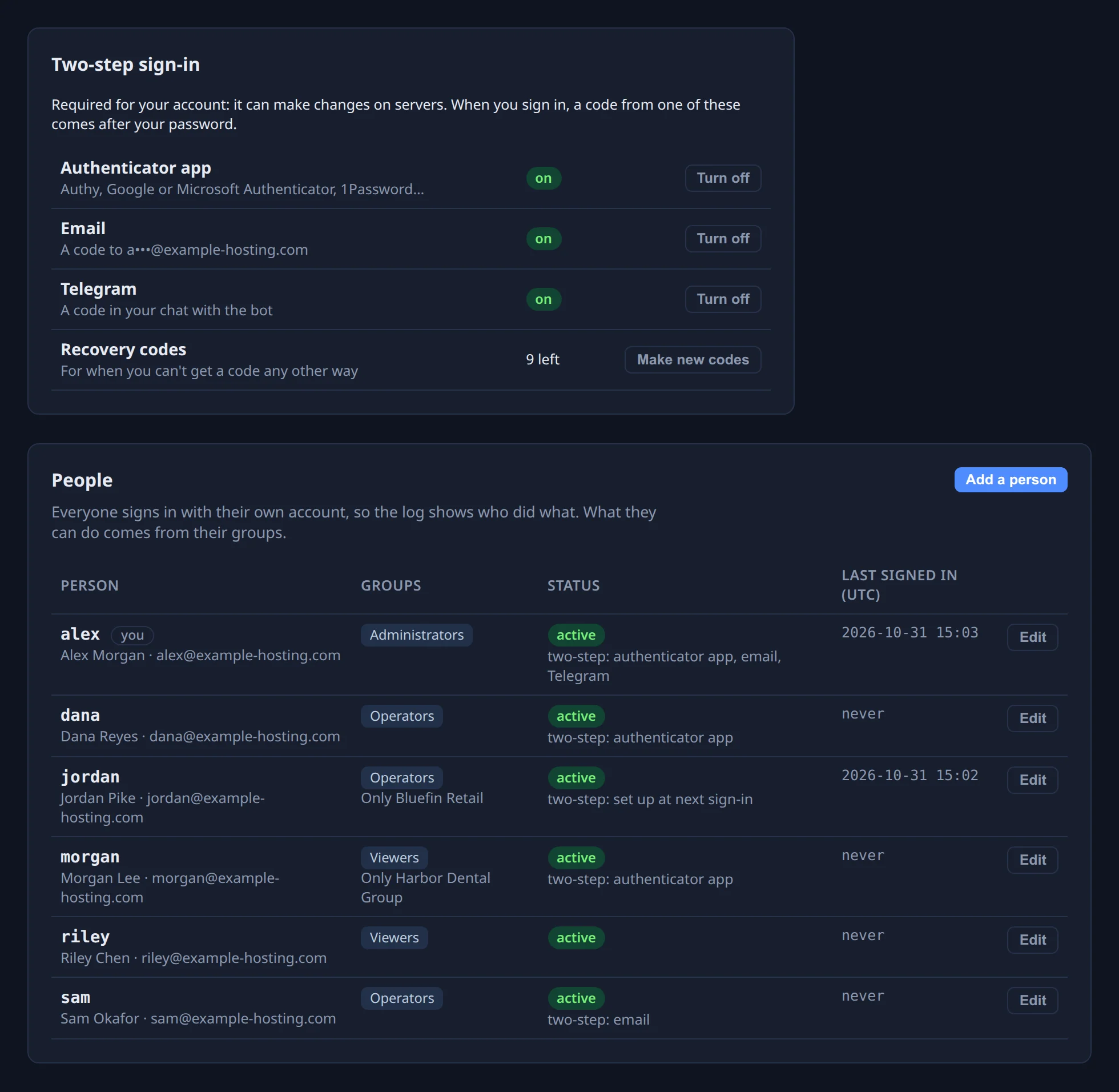
- Everyone signs in with their own account.
- Built-in Administrators, Operators and Viewers groups, or make your own from 10 permissions, such as deciding changes, installing updates, using the terminal or changing settings.
- Organizations split your servers, for example by customer, and limit people to their own.Business
Two-step sign-in, enforced
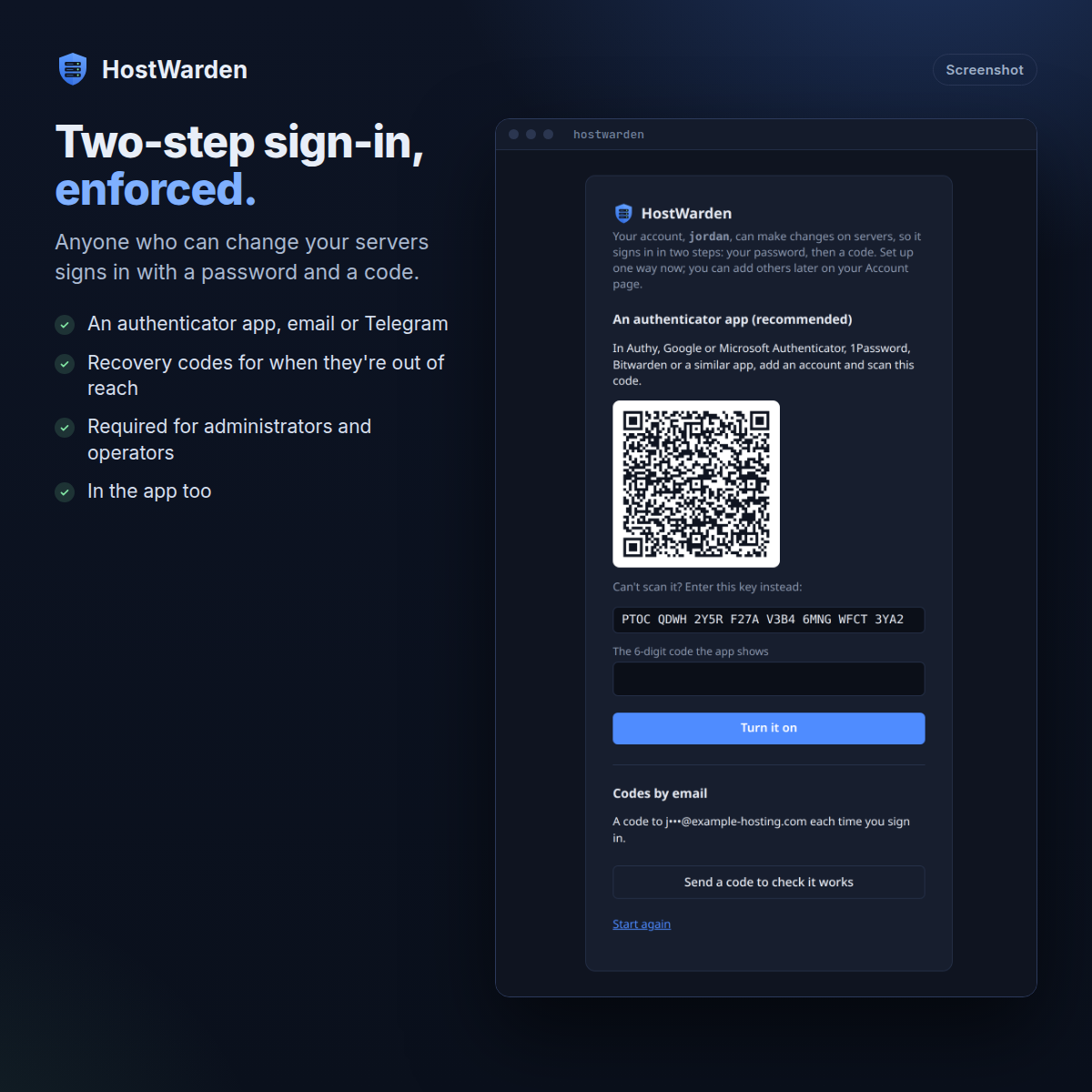
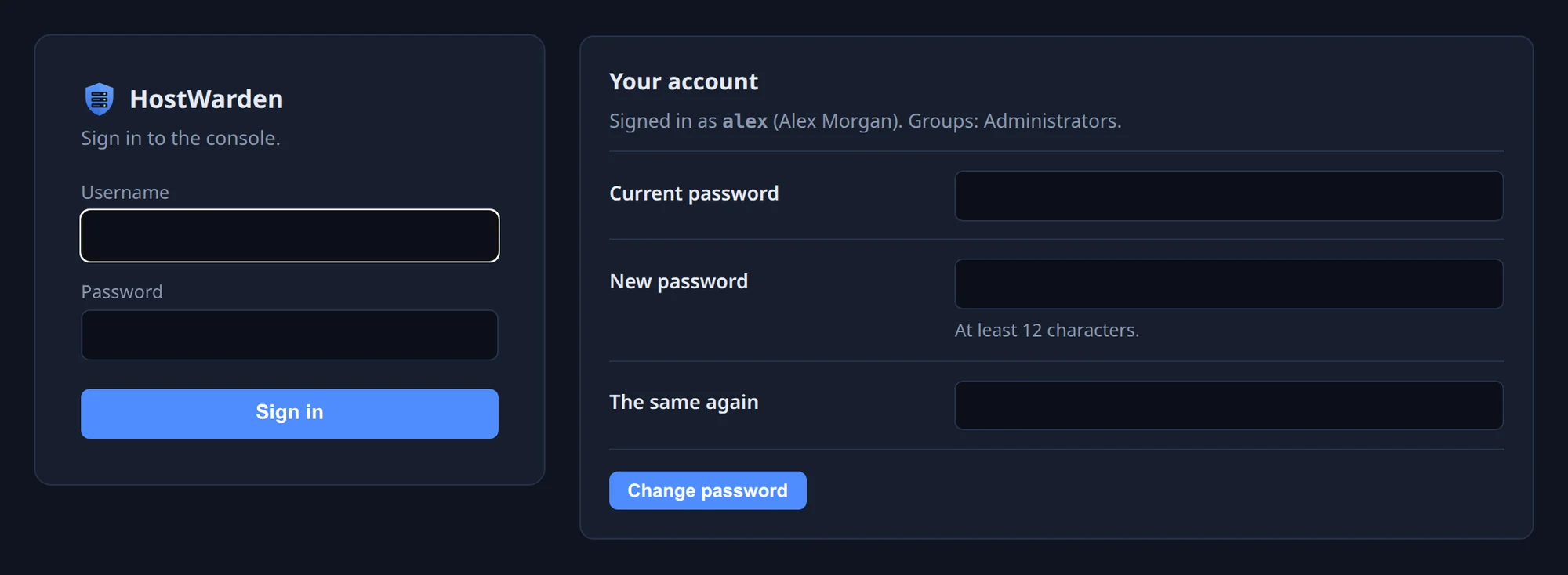
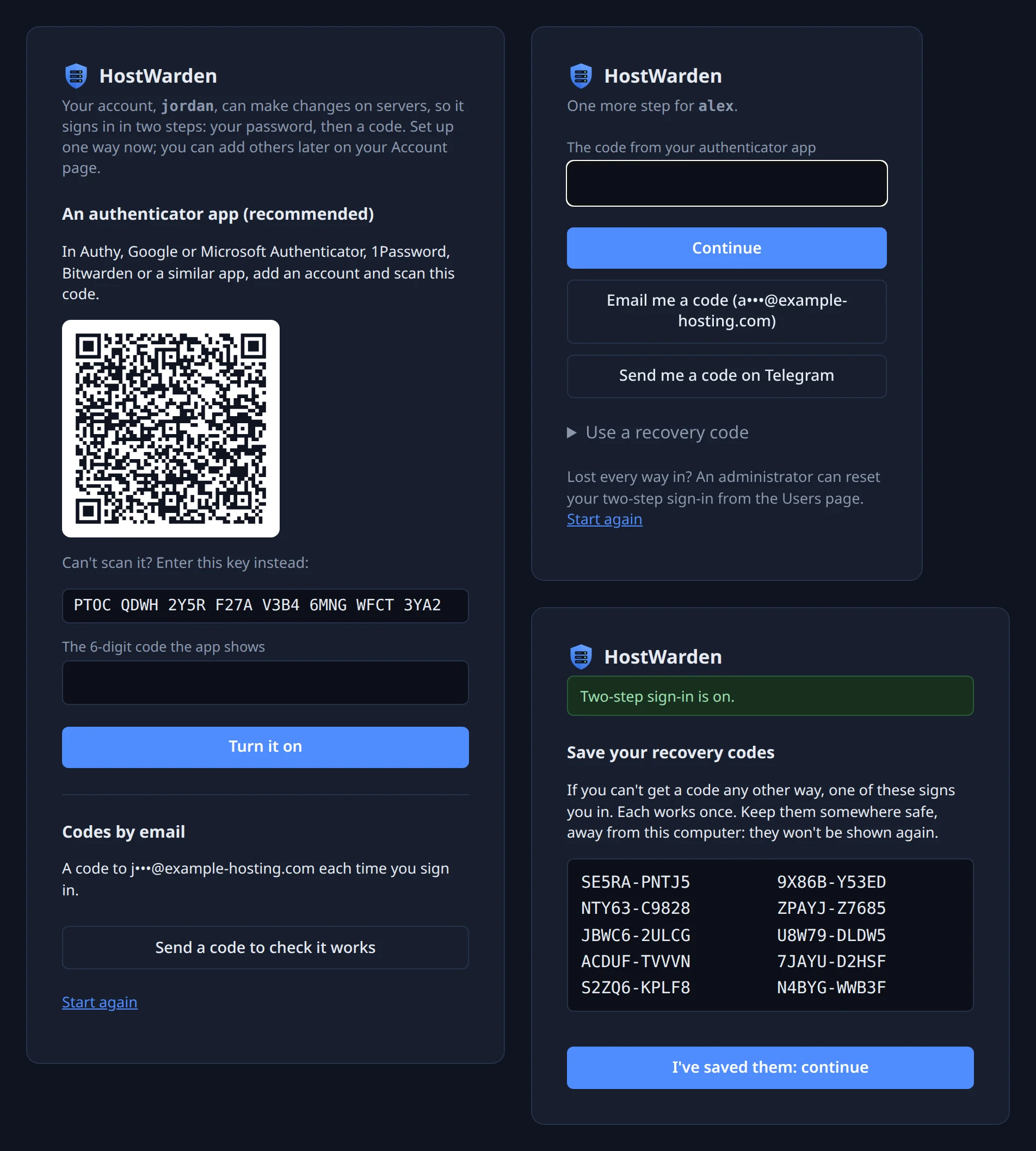
- Anyone who can change your servers or settings signs in with a password and then a code: from an authenticator app, by email or in Telegram. Viewers can turn it on too.
- Recovery codes for when none of those is at hand. Administrators can reset a person’s two-step sign-in, and so can root on the console’s server.
- The app asks for the code too. A phone connected by QR code keeps its own key, and approving needs its lock.
- Five wrong passwords or codes for an account, or 20 from one address, pause signing in for 15 minutes. Forms are protected against cross-site requests, and sessions use secure cookies over HTTPS.
Settings
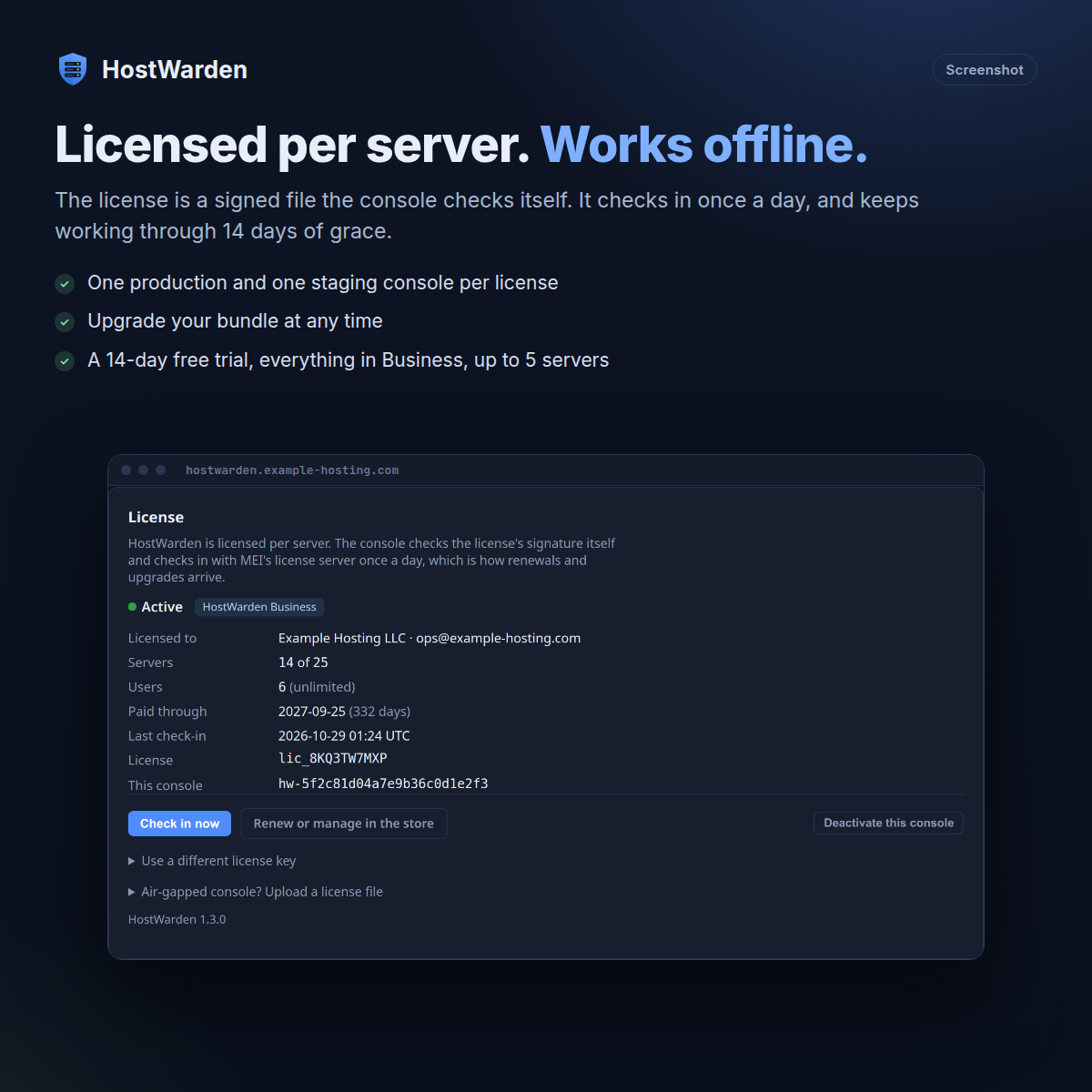
The license, your AI provider and model (Anthropic Claude, OpenAI, DeepSeek, or a local model through Ollama), AI spending limits, the console’s address for links, Telegram and email.
Adding servers
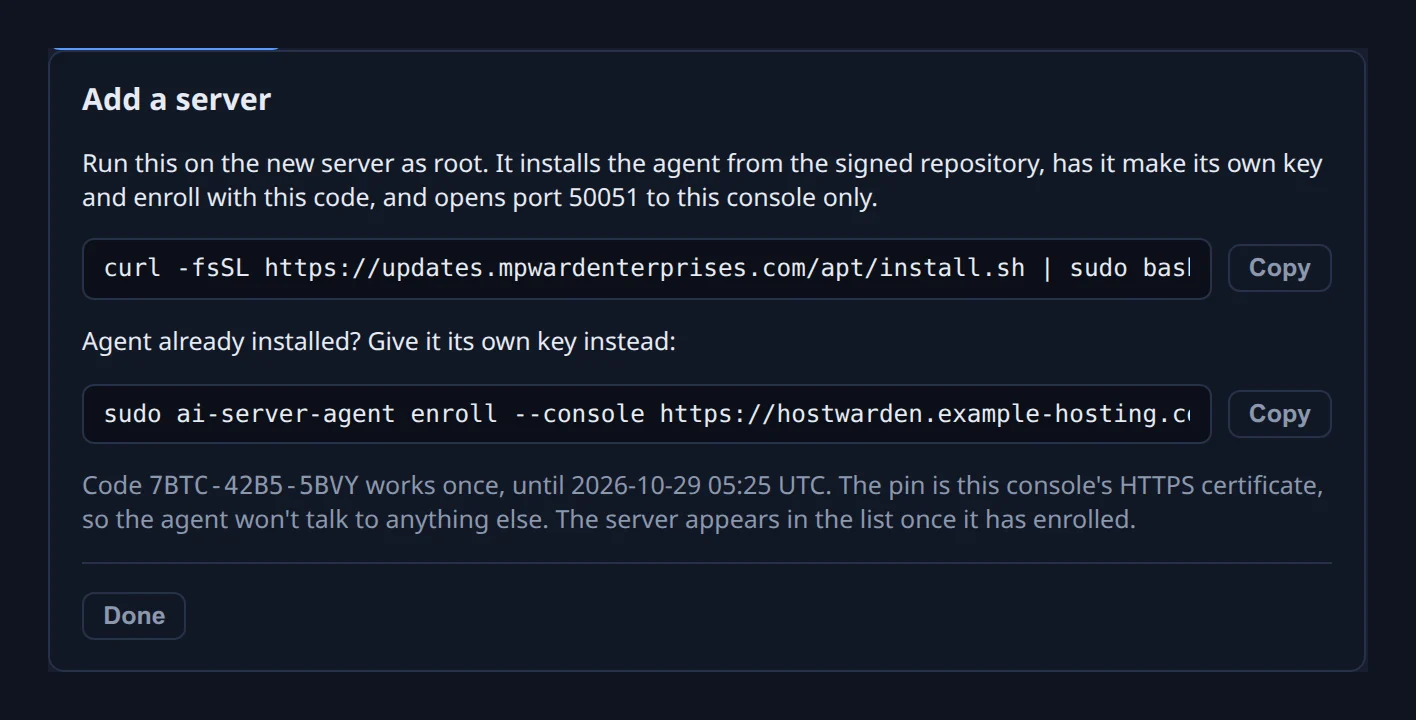
One command installs the agent from HostWarden’s signed package repository. It makes its own key and enrolls with a one-time code, pinned to your console’s certificate, and opens its port to the console only. Agents and the console run on Ubuntu, Debian, RHEL, Rocky Linux and AlmaLinux, on amd64 and arm64.
Pro or Business
| Pro | Business | |
|---|---|---|
| Console users | Up to 10 | Unlimited |
| Everything above: AI analysis, reported problems, Ask AI, updates, the HostWarden app, email and Telegram approvals, two-step sign-in, terminal, bulk actions, rollback, activity log, AI usage, permission groups | ✓ | ✓ |
| Organizations | — | ✓ |
| Audit-log export (CSV, JSON) | — | ✓ |
| Priority support | — | ✓ |
| Consoles per license | 1 production + 1 staging | 1 production + 1 staging |
What you need
- A Linux server for the console: Ubuntu, Debian, RHEL, Rocky Linux or AlmaLinux. It installs from a package with its own database and updates with apt or dnf.
- The agent on each server you manage.
- For the app: an Android phone (8 or later) that can reach your console, on your network, over a VPN or at a public address.
- An API key from your AI provider (Anthropic, OpenAI or DeepSeek), or a local model through Ollama.
Choose the number of servers and how you pay. Annual billing includes two months free. Running more than 100 servers? Contact us for corporate pricing.
Not sure yet? Start a 14-day free trial: everything in Business, for up to 5 servers, and no card needed.
Your license key arrives by email as soon as payment completes, and is always under My Account → Licenses. Subscriptions renew automatically. Cancel any time under My Account → Subscriptions and keep access until the end of the period you paid for.
HostWarden is licensed under the HostWarden License Terms.