The 3-2-1 backup rule says to keep three copies of your data, on two different types of media, with one copy off-site. It is simple enough to remember and strong enough to survive a dead laptop, a failed server, a fire or a stolen computer, which is why it has been standard advice for years. For a small business today it needs two upgrades: one copy that ransomware cannot touch, and a restore test that proves the whole chain works.
This guide explains the 3-2-1 backup rule in plain English, shows three realistic setups for a small business, covers the modern 3-2-1-1-0 version, and ends with a restore test you can run this week. If your only copy of anything important lives in one place, start here.
What is the 3-2-1 backup rule?
The 3-2-1 backup rule is a checklist of three numbers. US-CERT's guide to data backup options, now hosted by CISA, states it this way: keep three copies of any important file, one primary and two backups; keep the files on two different media types to protect against different types of hazards; and store one copy off-site, for example outside your home or business premises. The paper credits photographer Peter Krogh's book on digital asset management as the source of the rule.
Each number answers a different failure. Three copies mean one failure does not take everything. Two media types mean one kind of fault, such as a bad batch of disks or a cloud account problem, cannot hit every copy. One off-site copy means a fire, flood, theft or site-wide attack at your premises leaves something intact.
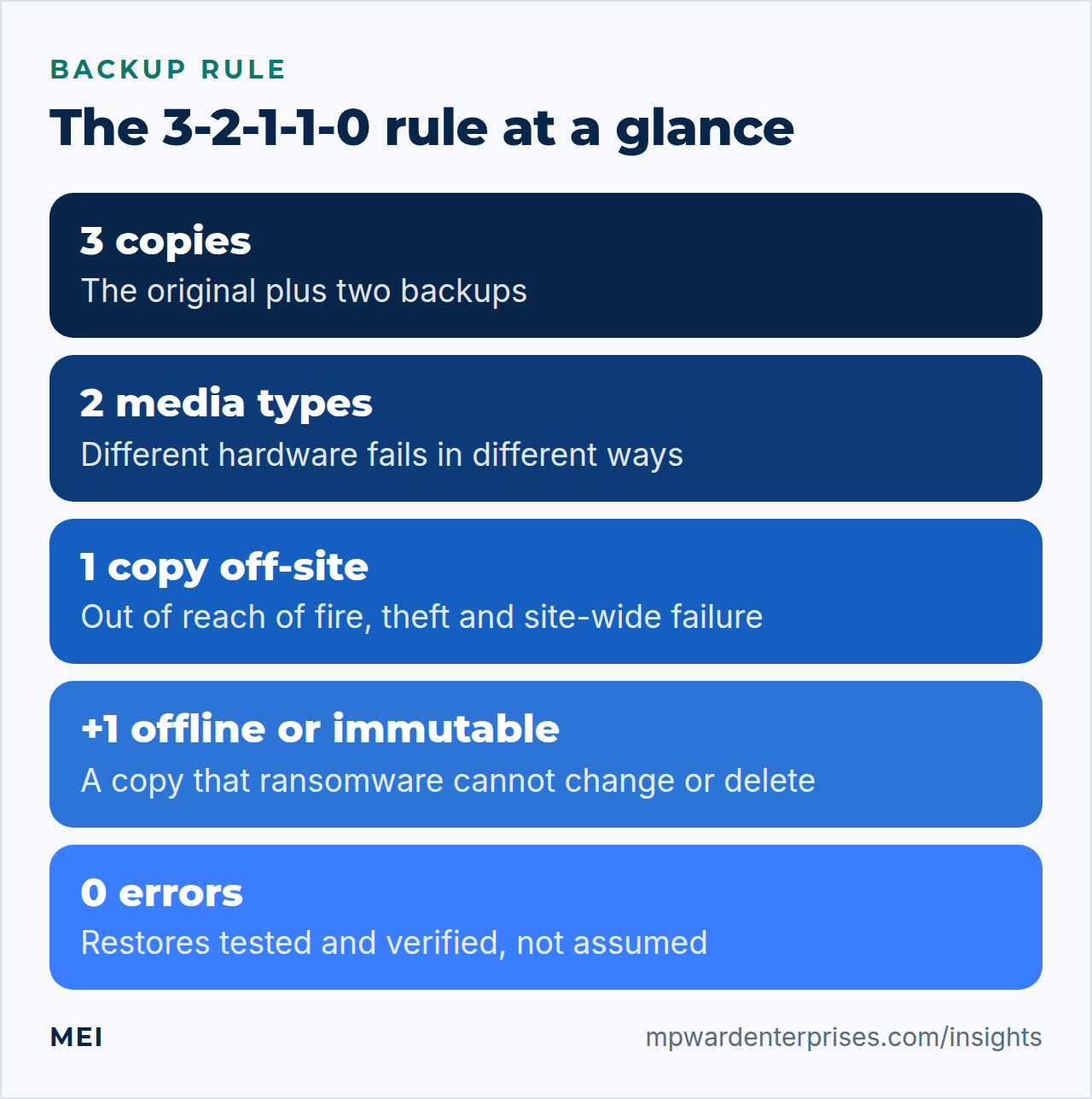
Why each number matters
3 copies: one failure should never be fatal
"Primary plus two backups" sounds like overkill until the first backup fails quietly. Drives die, jobs stop running after a password change, and files get corrupted before they are copied. US-CERT warns that saving just one backup file may not be enough. A second backup is the cheapest insurance in the whole rule, because it covers the case where the first backup is the thing that failed.
2 media types: different hardware fails differently
Two copies on the same kind of storage share the same weaknesses. Keeping your primary files and your backup on the same internal drive is the clearest case: US-CERT points out that if that drive is damaged, stolen or corrupted, you could lose both. Use two different kinds of storage, such as a server and a cloud service, or a disk and a removable drive.
Removable media have their own upside: physically separating a backup from the computer helps protect it from online attackers and power surges, though portable drives are easy to lose or steal, so encrypt them.
1 off-site copy: survive the building
An external drive next to the computer protects you from a dead disk but not from a fire, a flood or a burglary. Keep one copy somewhere else: a cloud backup service, a second location or a drive that lives away from the office. Off-site also helps against an attack that spreads across your office network, provided the off-site copy is not permanently connected to it.
Is the 3-2-1 backup rule enough against ransomware?
Not on its own. CISA's #StopRansomware guide warns that many ransomware variants try to find and then delete or encrypt accessible backups, so that restoring is impossible unless the ransom is paid. Its advice is to maintain offline, encrypted backups of critical data and to test their availability and integrity regularly. A backup that is always online, with a login that the attacker already holds, is not safe.
That is why a newer version of the rule is widely used. The 3-2-1-1-0 rule, described by Veeam, adds one copy that is immutable or air-gapped, meaning it cannot be changed or deleted, and zero errors, meaning recoveries are verified to be complete and ready to restore. Veeam notes that the original rule dates from the early 2000s and was not designed with ransomware in mind.
A caution on immutable storage
CISA notes that some cloud vendors offer immutable storage that protects stored data without a separate environment, but advises using it with caution: it does not meet the compliance criteria for certain regulations, and misconfiguration can impose significant cost. Read the retention terms before you switch it on.
What to back up before you design anything
List what you would need to run the business again. The list is usually longer than people expect, and the items that get missed are rarely the obvious ones.
| Data | Where it lives | Often missed |
|---|---|---|
| Documents and shared files | Server, laptops, cloud drive | Files that exist only on one laptop |
| Website | Files and database on a host | The database and the uploads folder |
| Email and calendars | Hosted suite | Shared mailboxes and archives |
| Customer and accounting records | Cloud apps | An export that you control |
| Configuration | Routers, servers, DNS, tool settings | Notes on how things were built |
| Credentials | Password manager | Recovery codes for multi-factor authentication |
Wherever the honest answer to "where is the backup?" is "the provider has it", ask for that in writing, and keep an export of your own.
Choosing storage for your copies
US-CERT's paper compares the main options, and its trade-offs still hold even though the paper dates from 2012. Remote cloud backup protects against disasters and local device failure, gives you access from anywhere and scales as you grow. The cons are dependence on your internet connection, possible lock-in to one provider and giving up some control over your data, so check the provider's encryption and service agreement before you commit.
An internal drive is quick and cheap, but a rolling backup can silently copy corruption, and a damaged or stolen drive takes the backup with it. Removable drives and tapes give you physical separation and direct control, but you become responsible for protecting and encrypting them.
For small businesses the paper's advice is to keep working files on drives or servers with at least two backup copies on separate servers, optical or solid-state media, tape or the cloud, and, if the data is sensitive, to weigh the risks of cloud storage, encrypt it and keep any media physically secure.
3-2-1 backup rule examples for a small business
The right setup depends on where your data lives. These three examples cover most small businesses.
| Your situation | Copy 1 (primary) | Copy 2 (second medium) | Copy 3 (off-site) |
|---|---|---|---|
| Office with laptops and a file server | Files on the server | A network storage device or external drive, disconnected after the backup | Encrypted cloud backup, ideally with immutability |
| A WordPress website on a host | The live site and database | The host's own snapshots | A backup of files and database to separate cloud storage, under a different login |
| A business that runs on Microsoft 365 or Google Workspace | The data in the suite | A third-party backup service in a separate account | A periodic export stored somewhere you control |
The cloud-suite row deserves a note. The US Chamber of Commerce warns against treating Google Workspace or Microsoft 365 as your backup: they support retention policies but are not full, immutable backups. For a website, back up both the files and the database, because one without the other cannot rebuild the site; our WordPress website maintenance checklist shows how to schedule and test it.
What counts as a backup, and what does not
| It looks like a backup | Why it often is not one |
|---|---|
| File sync (a shared folder that mirrors your files) | Deletions and corruption sync too. US-CERT warns that rolling backups can silently spread corruption or malware from primary files to backups. |
| RAID or mirrored disks | They protect against a failed disk, not against deletion, ransomware or a fire. |
| Snapshots on the same server | Useful for quick rollbacks, but they share fate with the machine they protect. |
| The host's backups in the same account | If the account is locked, compromised or closed, the backups go with it. |
| Cloud suite recycle bins and version history | Helpful for mistakes, but limited by retention windows and not a full backup. |
The restore test that makes the rule real
A copy you have never restored is a hope, not a plan. The US Chamber of Commerce recommends backup verification quarterly, because backups fail and data gets corrupted. NIST's small business guide makes the same point in one line: back up your data and test your backups. Here is a restore test that takes an hour.
- Pick a backup at random.Choose an older one, not last night's, so you also test retention.
- Restore it somewhere else.Use a test folder, a spare machine or a staging site, never on top of live data.
- Check that it is usable.Open files, load the website, log in to the restored system, and look at the database, not just the folder listing.
- Time it.Write down how long the restore took. That number is your real recovery time.
- Record and fix.Log the date and result, fix anything that failed, and book the next test.
The time you measured is what you compare with your recovery targets. Our business continuity plan guide explains recovery time and recovery point objectives and how to set them from what an outage would cost.
How often to back up, and how long to keep copies
Back up as often as you can afford to lose data. If losing a day of work is acceptable, nightly is enough; if losing an hour is not, back up more often. The SBA advises weekly backups to cloud storage as a baseline for financial, HR and accounting files, which for most businesses is a floor rather than a target.
Retention matters too. The US Chamber of Commerce points out that a 30-day default may not be long enough, because malware can sit in a system for weeks before anyone notices. If you only keep a month of history and the infection is six weeks old, every copy is already infected. Keep enough history for the important data that you can go back past the date of the problem.
Common mistakes with the 3-2-1 backup rule
- All three copies sit under the same login, so one stolen password reaches every one of them.
- The backup is always connected and writable, which is exactly what ransomware looks for.
- Nobody has ever restored from it, so nobody knows whether it works or how long it takes.
- Only files are backed up, and the database, configuration or email are left out.
- Backups are unencrypted, so a lost drive is also a data breach.
- Laptops, phones and cloud accounts are missing from the plan because nobody listed them.
- Nobody is alerted when a backup job fails.
If you recognize two or more, your backups are a risk rather than a safeguard. The small business cybersecurity checklist puts backups alongside the other controls worth doing first, and our IT audit checklist includes a backup and restore review as one of its twelve checks.
Getting help with backups
You can set up a basic 3-2-1 plan yourself with a cloud backup service and an external drive. The harder parts are covering servers, databases and websites, keeping copies out of an attacker's reach, and proving that the restore works. MEI's Integration, Backup & Recovery service, which starts at $1,200 and is scoped by your systems, covers backup strategy and automation, off-site and redundant copies, and tested restore and recovery drills. Backup and migration is something we build our own tooling for.
For where backups sit among your other tools, read our guide to the small business tech stack.
Frequently asked questions
What is the 3-2-1 backup rule?
The 3-2-1 backup rule says to keep three copies of any important data (the original plus two backups), on two different types of media, with one copy stored off-site. Each part covers a different failure: a bad copy, a fault that affects one kind of storage, and a disaster at your premises.
Is the 3-2-1 backup rule enough to protect against ransomware?
Not by itself. Many ransomware variants look for backups they can reach and delete or encrypt them. Add at least one copy that is offline, air-gapped or immutable, encrypt your backups, and test restores regularly. This is the idea behind the 3-2-1-1-0 version of the rule.
What is the 3-2-1-1-0 backup rule?
It extends the 3-2-1 backup rule with one extra copy that is offline, air-gapped or immutable, and a requirement of zero errors, meaning recoveries are verified to be complete and ready to restore. It reflects the fact that ransomware now targets backups.
Is cloud storage a backup under the 3-2-1 backup rule?
It can be, if it is a real, separate backup rather than a synced copy of your files. A service that mirrors deletions, or a productivity suite's recycle bin and version history, is not a full backup. Use a dedicated backup service, ideally with immutability, in an account separate from the one it protects.
How often should I test my backups?
At least quarterly. Restore a real backup to a different location, check that files open and systems start, and record how long it took. A backup you have never restored is a hope, not a plan.
Do I need the 3-2-1 backup rule if I only use cloud apps?
Yes. Cloud providers protect their infrastructure, but your data, accounts and configuration are your responsibility. Accidental deletion, a compromised account or a billing problem can all cost you data. Keep a separate backup or regular export of anything you could not recreate.
Sources and further reading
- CISA and US-CERT: Data Backup Options — the 3-2-1 rule, the pros and cons of each storage option, and the risk of rolling backups (2012)
- CISA: #StopRansomware Guide — offline, encrypted backups, restore tests, and why ransomware targets accessible backups
- Veeam: 3-2-1 Backup Rule Explained — the 3-2-1-1-0 extension with an immutable copy and zero recovery errors
- U.S. Chamber of Commerce: How to Implement the 3-2-1 Backup Rule for Cloud Data — why cloud suites are not full backups, quarterly verification and retention windows
- U.S. Small Business Administration: Prepare for emergencies — weekly backups to cloud storage as a baseline
- NIST SP 1300: Cybersecurity Framework 2.0 Small Business Quick-Start Guide — back up your data and test your backups (February 2024)