A business continuity plan for small business is a short, written plan that says how you keep operating, or get back to operating quickly, when something stops you: a cyberattack, a failed server, a lost vendor account, a fire, a flood or the loss of a key person. You do not need a 60-page binder. You need to know what matters most, how long you can be without it, who does what, and that your backups really restore.
Most small businesses do not have a plan, and the cost shows up on the worst day, when decisions are made under pressure with no map. This guide follows the structure of the US government's Ready.gov planning process, adds the IT detail that small businesses most often lack, and gives you eight steps, a copyable one-page template and four scenarios to test it with.
What is a business continuity plan for small business?
A business continuity plan (BCP) is a documented set of instructions that lets a business keep delivering its most important products or services, or restore them quickly, after a disruption. The Small Business Administration puts the benefit plainly: writing and implementing one helps you minimize financial loss when your business faces a disaster. It asks you to identify and document your critical functions and processes, and to organize a team.
People mix up three related plans. This table separates them.
| Plan | The question it answers | Typical contents |
|---|---|---|
| Business continuity plan | How do we keep the business running? | Critical functions, recovery targets, team, communications, workarounds, vendors |
| IT disaster recovery plan | How do we restore our systems and data? | System inventory, backups, restore steps, order of recovery, testing |
| Incident response plan | What do we do in the first hours of a security incident? | Who decides, who to call, how to contain it, what to report and to whom |
For a small business these can live in one short document, because they overlap. NIST's contingency planning guide, SP 800-34, covers how information system contingency planning relates to other security and emergency plans, which is the same point: write the pieces once, in one place, and keep them consistent.
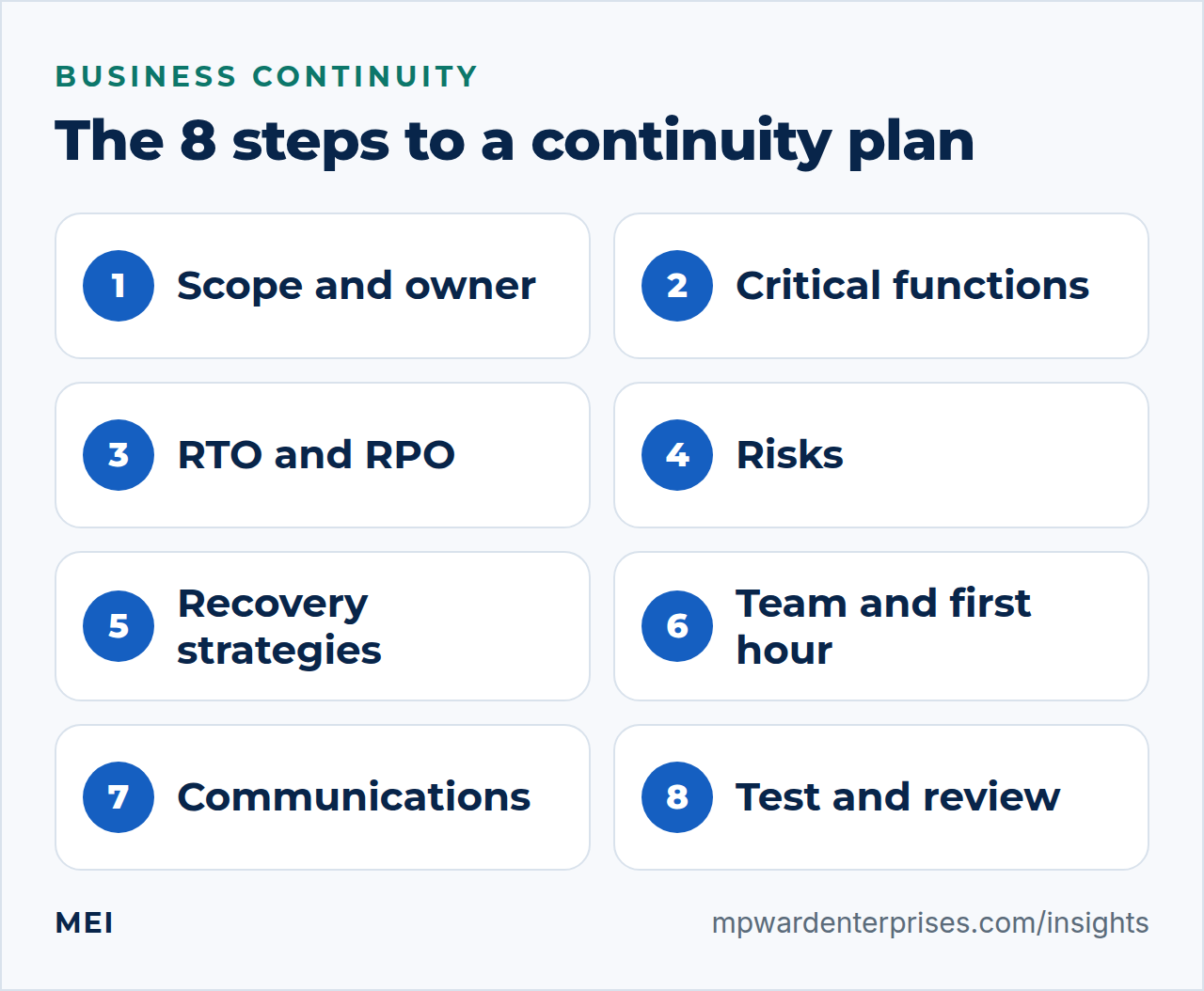
The 8 steps to a business continuity plan for small business
Ready.gov describes six planning steps: prepare, define, identify, develop, teams and test. We split them into eight, with the detail owners usually need spelled out. Work through them in order; each one feeds the next.
Step 1: Set the scope and name an owner
Decide what the plan covers: the whole business, one site, or just IT to begin with. Name one owner who is responsible for writing and maintaining it, plus a deputy. Set a modest first goal. A plan you finish in a month beats a perfect plan you never complete, and a first version can be improved after the first test. Ready.gov begins with the same two moves, preparing to plan and then defining the plan's objectives.
Step 2: List your critical functions and the systems behind them
This is a quick business impact analysis. Ready.gov defines a business impact analysis as predicting the consequences of a disruption and gathering the information needed to develop recovery strategies. For a small business, an hour with a whiteboard is enough. List what the business must do to earn money and serve customers, then write down the systems and people each one depends on and what a day without it costs.
| Critical function | Depends on | What a day without it costs |
|---|---|---|
| Take orders and inquiries | Website, forms, email, phones | Lost sales and leads that go to a competitor |
| Deliver the work | Project files, shared drive, key software | Missed deadlines and possible contractual penalties |
| Invoice and get paid | Accounting, payment processor, bank | Delayed income and extra expenses |
| Pay staff and suppliers | Payroll service, bank access | Late payments and unhappy people |
Ready.gov's list of impacts to consider is a useful prompt: lost sales, delayed income, increased expenses, regulatory fines, contractual penalties, customer dissatisfaction and delayed business plans. Its rule for priorities is simple too: restore first the processes with the greatest operational and financial impact.
Step 3: Set recovery targets in plain English (RTO and RPO)
Two numbers turn a vague wish to "get it back fast" into a plan. The recovery time objective (RTO) is how long a system can be down before the damage to the business becomes unacceptable; NIST defines it as the length of time a system's components can be in the recovery phase before they harm the organization's mission or business processes. The recovery point objective (RPO) is how much data you can afford to lose; NIST defines it as the point in time to which data must be recovered after an outage.
In plain English, RTO is "how long can we be down?" and RPO is "how far back can we go?" If your backups run nightly, your RPO is up to a day, because you could lose everything since last night. If restoring your website takes six hours, your RTO is at least six hours. The targets are a business decision, not a technical one, and shorter targets cost more. These example values show the format; set yours from step 2.
| System (example) | RTO: down no longer than | RPO: lose no more than | What it takes |
|---|---|---|---|
| Email and calendar | 4 hours | 24 hours | Hosted suite plus an independent daily backup |
| Website and contact form | 8 hours | 24 hours | Nightly backups and a tested restore |
| Customer records | 4 hours | 4 hours | Hosted service with frequent exports |
| Accounting | 1 business day | 24 hours | Hosted service with a scheduled export |
| Phones | 2 hours | Not applicable | Call forwarding to mobile numbers |
| Shared files | 1 business day | 24 hours | Cloud sync plus a separate backup |
Step 4: Identify the risks behind those outages
Ready.gov's third step is to identify and prioritize potential risks and impacts. For most small businesses the likely causes are not exotic. Work down this list and mark each as likely, possible or unlikely for you. Then note the first control to check.
| Risk | What happens | First control to check |
|---|---|---|
| Ransomware or account takeover | Systems locked or data stolen | Multi-factor authentication, patching, offline backups |
| Hardware failure or theft | A laptop or server is gone | Backups and device encryption |
| Vendor or software outage | A cloud service is unavailable | Status alerts, a workaround, an offline copy of key data |
| Human error | Files deleted, bad changes published | Version history and restore tests |
| Power or internet loss | The office is offline | Mobile hotspots, battery backup, cloud access from anywhere |
| Fire, flood or storm | The premises are unusable | Remote working, off-site copies, insurance |
| Loss of a key person | Nobody knows the passwords | Two administrators and a company password manager |
| Expired domain or locked account | Website and email vanish | Auto-renewal, registrar lock, recovery contacts |
Step 5: Choose recovery strategies you can afford
For each critical system, pick the cheapest strategy that still meets its RTO and RPO. In Ready.gov's IT guidance the checklist is concrete. Build an inventory of hardware, software and data. Identify the critical software and data and the hardware needed to run them. Make sure all critical information is backed up. Keep copies of program software so you can reinstall it on replacement equipment. Prioritize restoration, and test the plan periodically.
Strategies run from cheap to expensive: manual workarounds such as paper forms or a phone tree; backups with a tested restore; a standby environment; and failover to a second site or cloud region. Insurance transfers some financial risk but restores nothing, and NIST's small business guide suggests assessing whether cyber insurance is appropriate for you. Backups are the strategy nearly every plan depends on, so build them properly with the 3-2-1 backup rule.
CISA recommends offline, encrypted backups and regular tests of their availability and integrity, because many ransomware variants try to find and delete or encrypt accessible backups. The SBA advises weekly backups to cloud storage, including financial, HR and accounting files.
Step 6: Name the team and write the first-hour checklist
Ready.gov's fifth step is to define teams and tasks. In a small business that means a few named roles: a decision-maker with authority to spend money and declare an incident, a technical lead, a communications lead who speaks to customers and staff, and a deputy for each. Write a contact list with mobile numbers, because email may be down.
NIST's quick-start guide sets out the same basics for responding to an incident: a business champion who owns the plan, a "who to call" list with contact details, responsibilities and authority, and a note of what, when and how to report to regulators, customers, insurers or your bank. Put a first-hour checklist on one page:
- Stop the spread: disconnect affected devices from the network, but do not wipe them.
- Call the decision-maker and the technical lead.
- Start a log with times, what was seen and what was done.
- Call your IT partner, and your insurer or bank if money or data is involved.
- Switch to the workaround for each affected function.
- Tell customers and staff what they need to know, and when the next update will come.
Step 7: Plan communications
In a disruption, silence does more damage than the outage. Prepare short messages in advance for four audiences: staff, customers, vendors, and your bank and insurer. Decide where you will post updates if your website and email are down, such as a social profile, a status page hosted on a separate service or a recorded phone greeting. Keep a printed or offline copy of the contact list, because a list stored on the failed system helps nobody.
Step 8: Test it, then keep it current
A plan that has not been tested is a guess, and Ready.gov's last step is to test. Two tests matter most. First, a restore test: restore a real backup to a spare location and time it against your RTO. Second, a tabletop exercise: walk through a scenario with the team and see where the plan has gaps. After any test or incident, write a short after-action note covering what happened, what worked and what you will change, as NIST's quick-start guide recommends.
Review the plan after any major change, such as a new system, a new vendor or a change of staff, and at least once a year. Put the dates in the calendar when you finish the first draft, not later.
A business continuity plan for IT: the technical checklist
If your business depends on its systems, the IT part of the plan carries most of the weight. Use this checklist to make sure it does not depend on one person's memory.
- An inventory of devices, software, services and data, with an owner for each.
- Backups of all critical data that follow the 3-2-1 rule, with at least one offline or immutable copy, encrypted.
- Restore tests on a schedule, with the results and the time taken written down.
- Two administrators for every critical system, and multi-factor authentication recovery codes stored offline.
- Credentials in a company password manager with emergency access, not in one person's head.
- Domain, registrar and DNS details documented, with auto-renewal and registrar lock switched on.
- A vendor list with support contacts, account numbers and contract renewal dates.
- An alternative way to reach staff and customers if email is down.
- A fallback for internet access, such as a mobile hotspot.
- Notes on how key systems are built, enough for another administrator to rebuild them.
Our small business tech stack guide shows how to keep that inventory as a one-page register, and the small business cybersecurity checklist covers the controls that reduce the chance of needing the plan at all.
A one-page business continuity plan template
Copy this into a document, fill it in over a few sessions and print it. The point is a plan short enough that people will read it under stress.
BUSINESS CONTINUITY PLAN - [Company name]
Owner: [name]    Deputy: [name]
Last reviewed: [date]    Next review: [date]

1. WHAT MUST KEEP RUNNING
   Function | Systems and people | RTO | RPO

2. TEAM AND CONTACTS (mobile numbers; keep a printed copy)
   Decision-maker | Technical lead | Communications lead
   IT partner | Insurer | Bank | Key vendors

3. THE FIRST HOUR
   Stop the spread, call the team, start a log,
   call the IT partner, switch to workarounds, tell people.

4. WORKAROUNDS WHILE SYSTEMS ARE DOWN
   Function | Workaround | Who does it

5. WHERE THINGS ARE
   Backups | Password manager | Domain registrar | DNS
   Vendor accounts | System build notes

6. COMMUNICATIONS
   Staff | Customers | Vendors | Bank and insurer
   Where updates are posted if the website is down

7. TEST LOG
   Date | Scenario | What we learned | What we changed
Test it with four scenarios
A tabletop exercise takes about an hour. Gather the team, read out a scenario and ask the questions below. Write down every answer that starts with "I think" or "probably", because each one is a gap.
| Scenario | Questions to answer |
|---|---|
| Monday, 8 a.m.: every file is encrypted and a ransom note is on the screen | Who is in charge? Which backups are clean and offline? What do we tell customers? How long until we can take orders again? |
| Your web host or hosting account disappears | Is there an off-site copy of the site and database? Who controls the DNS? How fast could we stand up a new host? |
| Your email provider locks the account | How do we reach customers meanwhile? Who holds the administrator login? Can we recover multi-factor authentication? |
| The office is unusable for a week | Can everyone work remotely? Where are the files? How are calls answered? How fast can we replace equipment? |
Common mistakes to avoid
- No numbers. "As soon as possible" is not a recovery target. Write the hours.
- Untested backups. A backup you have never restored is a hope, not a plan.
- Storing the plan only on the system that might fail. Keep a printed copy and an offline copy.
- One person holds every password. If they are unreachable, so is the business.
- Assuming the cloud handles it. Under AWS's shared responsibility model, the provider secures the infrastructure while you manage your data, accounts and configuration. Our guide to self hosted vs cloud explains the split.
- Writing it once and filing it. Systems, vendors and people change, and the plan has to change with them.
If a test or an incident shows that something failed, treat it as information. Our guide to root cause analysis for small business shows how to find the cause rather than the symptom, and how to rebuild a business covers what comes after a serious setback.
Getting help with your plan
You can write a first version of this plan yourself in a few focused sessions. The part that benefits most from outside help is the technical half: designing backups that meet your recovery targets and proving that they restore. MEI's Integration, Backup & Recovery service, which starts at $1,200 and is scoped by your systems, includes backup strategy and automation, off-site copies, tested restore drills and business-continuity planning.
If you are not sure where you stand, the Business Tech Rescue Audit starts at $497 and checks backups and recovery readiness alongside your website, email, hosting and security. For routine upkeep, our WordPress website maintenance checklist includes the quarterly restore test, and the IT audit checklist covers the rest of the chain.
Frequently asked questions
What is a business continuity plan?
A business continuity plan is a written set of instructions that helps a business keep operating, or restore its most important functions quickly, after a disruption such as a cyberattack, equipment failure, vendor outage or disaster. It identifies critical functions, sets recovery targets, names a team, plans communications, and is tested and updated regularly.
What should a business continuity plan for small business include?
At minimum: the critical functions and the systems behind them, recovery time and recovery point targets, the main risks, the recovery strategies you have chosen (backups, workarounds, spare equipment, insurance), a named team with a contact list, a first-hour checklist, a communications plan, and a log of tests. A one-page version that people will actually read beats a long document that sits in a drawer.
What is the difference between a business continuity plan and a disaster recovery plan?
A business continuity plan covers keeping the whole business running: people, premises, suppliers, communications and systems. A disaster recovery plan is the IT-focused part, describing how to restore systems and data from backups. A small business can keep both in one short document as long as the recovery targets in each match.
What are RTO and RPO?
RTO, the recovery time objective, is how long a system can be down before the damage to the business becomes unacceptable. RPO, the recovery point objective, is how much recent data you can afford to lose, expressed as the point in time to which data must be recovered. If your backups run nightly, your RPO is up to 24 hours.
How often should a business continuity plan be tested?
Review the plan at least once a year and after any major change, run a tabletop exercise at least annually, and test restores from backup more often. Our WordPress maintenance checklist schedules a restore test every quarter. After each test or incident, record what you learned and update the plan.
How much does a business continuity plan cost?
A first version you write yourself costs mainly your time. The costs that matter are the recovery strategies you choose: backups, standby systems and insurance. Shorter recovery targets cost more, so set them from what an outage would cost rather than from what sounds reassuring. MEI's Integration, Backup & Recovery service starts at $1,200, scoped by your systems.
Sources and further reading
- Ready.gov: Business Continuity Plan — the six planning steps: prepare, define, identify, develop, teams and test
- Ready.gov: Business Impact Analysis — what a business impact analysis predicts and the impacts to consider
- Ready.gov: IT Disaster Recovery Plan — inventory, critical software and data, backups, reinstallation and periodic testing
- U.S. Small Business Administration: Prepare for emergencies — why to write a continuity plan, what it identifies, and weekly cloud backups
- NIST SP 800-34 Rev. 1: Contingency Planning Guide for Federal Information Systems — how information system contingency planning relates to other security and emergency plans
- NIST Glossary: Recovery Time Objective — the definition of RTO, from SP 800-34 Rev. 1
- NIST Glossary: Recovery Point Objective — the definition of RPO, from SP 800-34 Rev. 1
- NIST SP 1300: Cybersecurity Framework 2.0 Small Business Quick-Start Guide — incident response basics, a recovery playbook, after-action reports and insurance (February 2024)
- CISA: #StopRansomware Guide — offline, encrypted backups, regular restore tests, and why ransomware targets accessible backups
- AWS: Shared Responsibility Model — what the provider secures and what the customer still must