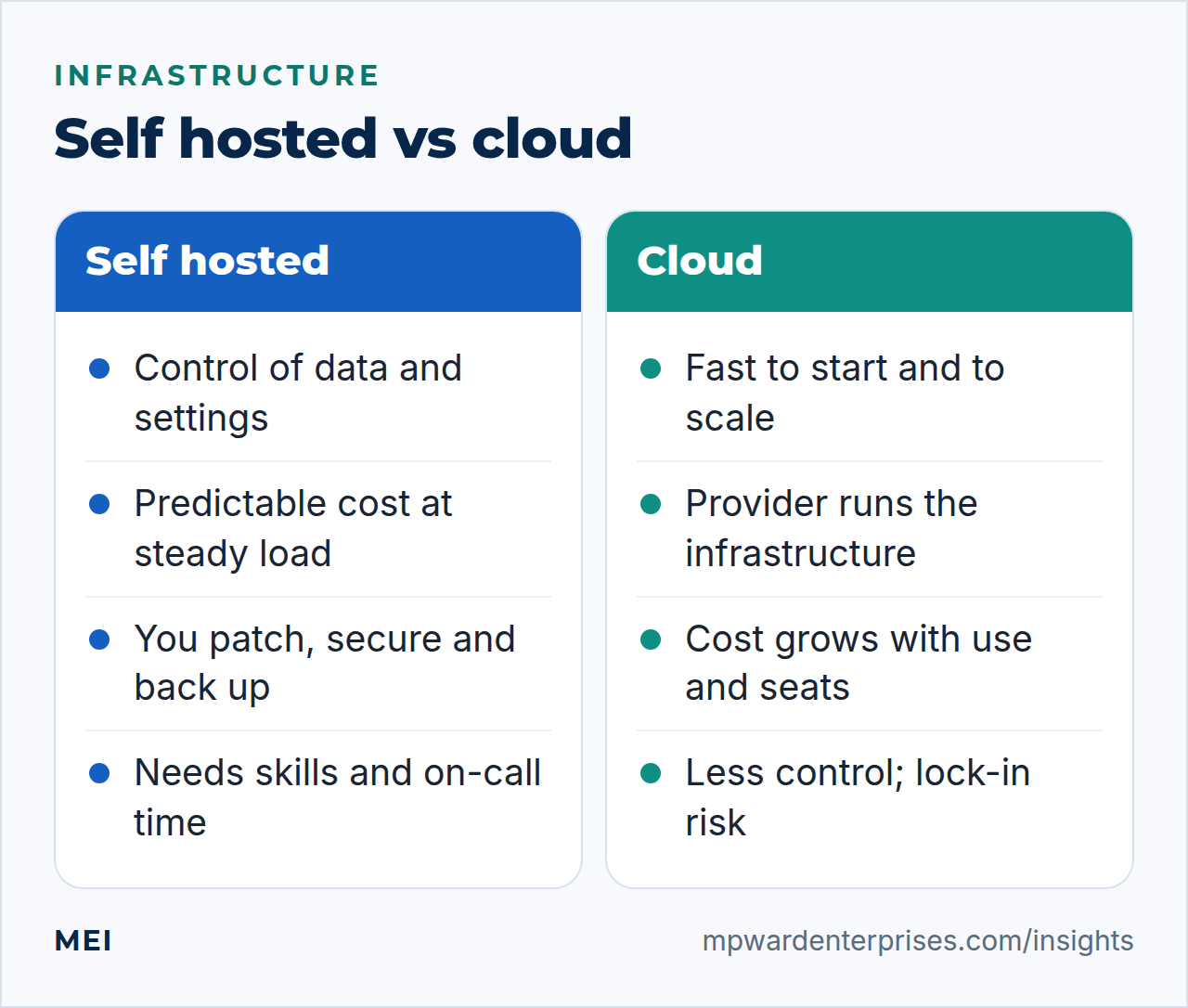
Self hosted vs cloud is not a question with one answer for a whole business. Self hosting means running software on infrastructure you control, which buys control of your data and a predictable cost; the cloud means renting services from a provider, which buys speed, convenience and the ability to scale. The sensible approach is to decide system by system, using five questions.
The debate usually gets framed as ideology: "own your stack" against "never run a server again". Real small businesses are better served by something less exciting. Use the cloud for commodity services where it is clearly the better deal, self-host where control or cost genuinely matter and you can run the thing properly, and know the cost of changing your mind. This guide gives you the questions, the cost checklist and the honest trade-offs, from a team that runs both.
Self hosted vs cloud: what each actually means
Self hosted means you run the software yourself, on servers you control. That can be hardware in your office, a rack in a data center, or a rented virtual or dedicated server where you install and manage everything. The defining feature is not where the machine sits but who runs it: you do.
Cloud means you consume resources or applications that a provider operates. NIST's definition describes cloud computing by five essential characteristics, three service models (software, platform and infrastructure as a service) and four deployment models. In plain terms: you pay for what you use, on demand, and someone else runs the physical estate. The service model decides how much you still run yourself. With software as a service (a hosted email suite, say) you run almost nothing; with infrastructure as a service (a rented virtual machine) you still run the operating system and everything on it.
The 5 questions that decide self hosted vs cloud
1. What does an hour of downtime cost, and who is on call?
Every system fails eventually. Providers of cloud services invest in redundancy that most small businesses cannot match, and they have staff watching around the clock. If you self-host, the same job falls to you: monitoring, alerts and someone who will answer at 2 a.m. If an outage costs you little for a day, self hosting is fine. If an hour offline costs real money and nobody is on call, that is a strong argument for a managed or cloud service.
2. Who will run it, and do they have the time and skill?
Self hosting is a skills and time commitment, not a one-off setup. Someone must apply security patches, harden the server, manage backups and test restores, renew certificates, watch logs and handle upgrades. Our Linux server hardening checklist shows how much that is for one machine. Be honest about whether that person exists, and what they are not doing while they do it. Remember too that the cloud does not remove the work, only moves part of it.
AWS's own shared responsibility model says the provider secures the infrastructure, while the customer manages the guest operating system including updates and patches, the software they install, the firewall configuration and their data.
3. Where must your data live, and who must control it?
Some data has to stay under your control: customer records covered by a contract, regulated information, or intellectual property you do not want in a third party's platform. Check what your clients, insurer and regulator require. For other data, a reputable provider with good contract terms is perfectly acceptable. Whichever route, you want to be able to say where the data is, who can access it and how you would get it out.
4. How predictable is your workload?
Steady, predictable loads favor self hosting, because you pay for capacity you use all the time, and the cost does not grow with every user or request. Spiky or unpredictable loads favor the cloud, which can scale up for a launch and back down afterwards. A business site that has the same modest traffic every day is a poor fit for paying for elasticity it never uses, and a seasonal shop is a good fit for it.
5. What does it cost to leave?
Lock-in is easy to ignore on day one. Ask of every system how you would move away: can you export your data in a standard format, how long would it take, what would it cost in fees, and would anything stop working? Prefer open standards and portable formats for anything important. This is a principle we apply to our own work: client ownership and open standards wherever they are practical.
The true cost of each: a total-cost checklist
Sticker prices mislead on both sides. Use this list to compare like with like, and put a figure, or at least an honest estimate, on every line.
| Cost | Self hosted | Cloud |
|---|---|---|
| Hardware or server rental | Bought or rented; sized for peak | Included in usage price |
| Bandwidth and data transfer | Usually generous or flat | Often metered; moving data out can cost extra |
| Software licenses | Often free or open source; support optional | Per user, per month, rising with headcount |
| Administration time | Yours, or a partner's fee | Reduced, but never zero |
| Security and patching | You are responsible end to end | Shared with the provider |
| Backups and recovery | You design, run and test them | Provided in part; you still need your own copy |
| Scaling up | Slower: capacity must be added | Fast, but cost rises with it |
| Leaving | You already hold everything | Depends on export tools and fees |
The mistake we see most often is leaving the second line of that "administration time" row at zero. A server that costs little to rent but consumes a day a month of a skilled person's time is not cheap.
Is self hosted or cloud more secure?
Neither is safe by default. A large provider's data centers are physically and operationally well run, which is a real advantage. But most breaches in either world come from the layer you control: weak or reused passwords, no multi-factor authentication, exposed admin interfaces, missed patches and misconfigured storage. Whichever you choose, the basics apply: multi-factor authentication on every administrative account, least-privilege access, patching, encryption in transit and at rest, and backups that are separate from the system they protect.
CISA's Cyber Essentials frames this as your systems, your data and your crisis response, regardless of who owns the hardware.
The usual answer: a hybrid, chosen system by system
We run a mix ourselves. We self-host some things where control, privacy or cost made it sensible, such as our newsletter platform and our web analytics. We run our own mail gateway, and it taught us that email is among the hardest things to self-host well, because of authentication and sender reputation. And we deliberately do not self-host payment processing, which belongs with a specialist provider.
The pattern is simple: self-host the things that are mature, valuable to control and survivable if they go down, and rent the things where the provider's scale and expertise are the whole point.
| System | Usually better as | Why |
|---|---|---|
| Email and office suite | Cloud | Deliverability, security and uptime are the provider's core skill |
| Payments and accounting | Cloud | Compliance and reliability matter more than control |
| Business website | Either; managed hosting is often best | Depends on traffic, skills and needs; see VPS vs shared hosting |
| File sync and collaboration | Either | Self hosting gives data control if you can run and back it up |
| Web analytics and newsletters | Often self hosted | Privacy and cost at steady volume |
| Internal automation and tools | Self hosted if you have the skill | Fine control, modest load |
| Backups | Both | One copy off-site and one under your control; see the 3-2-1 backup rule |
Signs you should not self-host yet
Self hosting is a reasonable choice for the right system and the wrong one for an unprepared business. Hold off, or buy a managed service, if any of these is true:
- Nobody owns the job, or the person who does cannot be reached when something breaks.
- You have no tested backup, and no one has ever restored from one.
- There is no patching schedule, and you do not know which software is end of life.
- The system holds regulated or contractually protected data and you have not checked what is required.
- An outage would stop the business and there is no fallback.
None of these is permanent. Each is a gap you can close, and closing it is usually cheaper than recovering from the incident it would otherwise cause.
How to start without betting the business
Pick one low-risk system and treat it as an experiment. Write down the real monthly effort after three months. Document the setup so someone else could rebuild it, test a restore from backup, and set up monitoring before you rely on it. If the experiment goes well, move the next system; if it does not, you have learned cheaply. If you want a second opinion on the economics, MEI's infrastructure and private cloud service models the real costs with you, and the question is part of every Business Tech Rescue Audit.
To see how infrastructure choices fit your whole tool set, read our guide to the small business tech stack, and for continuity planning, our business continuity plan guide.
Frequently asked questions
Is self hosting cheaper than the cloud?
Sometimes, at steady, predictable load and when you already have the skills. Self hosting trades monthly fees for hardware or server rental plus your time to patch, secure, back up and monitor. Count that time honestly: for many small businesses, the staff time is the largest cost in the self hosted column.
Is the cloud more secure than self hosting?
Not automatically. Providers secure the underlying infrastructure well, but under the shared responsibility model you still manage your data, accounts, configuration and, on infrastructure services, the operating system and its updates. Misconfiguration is the common failure in both worlds.
What should a small business never self-host?
Anything where an outage or a breach would be catastrophic and you cannot staff it properly: payment processing, accounting and, usually, your primary email unless you have a deliverability specialist. Self hosting mail is possible, but reputation and authentication make it demanding.
What are good candidates for self hosting?
Systems where data control or privacy matter and the software is mature: file sync and collaboration, web analytics, newsletter platforms, internal automation and a business website on a well-managed server. Start with one low-risk system and learn the real effort before moving more.
What is a private cloud?
A private cloud applies cloud-style practices (virtual machines, automation, self-service, pooled resources) to infrastructure dedicated to one organization, whether on its own hardware, in a colocation facility or on rented dedicated servers.
Sources and further reading
- NIST SP 800-145: The NIST Definition of Cloud Computing — five essential characteristics, three service models (SaaS, PaaS, IaaS) and four deployment models
- AWS: Shared Responsibility Model — what the provider secures and what the customer still must
- NIST SP 800-123: Guide to General Server Security — the work of securing and maintaining servers you control
- CISA: Cyber Essentials — your systems, your data and your crisis response, whoever hosts them