Custom WordPress plugin development is worth it when a small, well-defined piece of code can replace a stack of overlapping plugins, fill the last 10 percent that no plugin covers, connect WordPress to another system, or give you functionality you want to own. It is not worth it when a maintained plugin already does the job. The real test is not "can it be built" but "who will keep it working", and this guide helps you answer that before you spend anything.
WordPress powers a huge range of sites, and its plugin system is why. Most needs are met by an existing plugin, and a good developer will tell you so. But a site that has grown by accretion, with a dozen plugins fighting for control of one job, or one that has hit a limit no plugin solves, can be cheaper, faster and safer with a small custom plugin. Here are the six signs, the costs, the risks and the checklist for owning it.
What is custom WordPress plugin development?
WordPress's own developer handbook puts it simply: at its simplest, a plugin is a PHP file with a WordPress plugin header comment. Custom WordPress plugin development means writing that code for your site, to your requirements, instead of installing a general-purpose plugin written for thousands of sites. The result can be tiny, such as a few hundred lines that add a custom content type, or substantial, such as an integration with your accounting system and an admin screen to manage it.
Common examples include a plugin that adds a custom post type and fields for something you sell or publish, connects a form or an order to your CRM, adds a role-based approval workflow, imports data on a schedule, exposes a secure endpoint for another application, or removes the bloat of a feature-heavy plugin by doing the one thing you actually use.
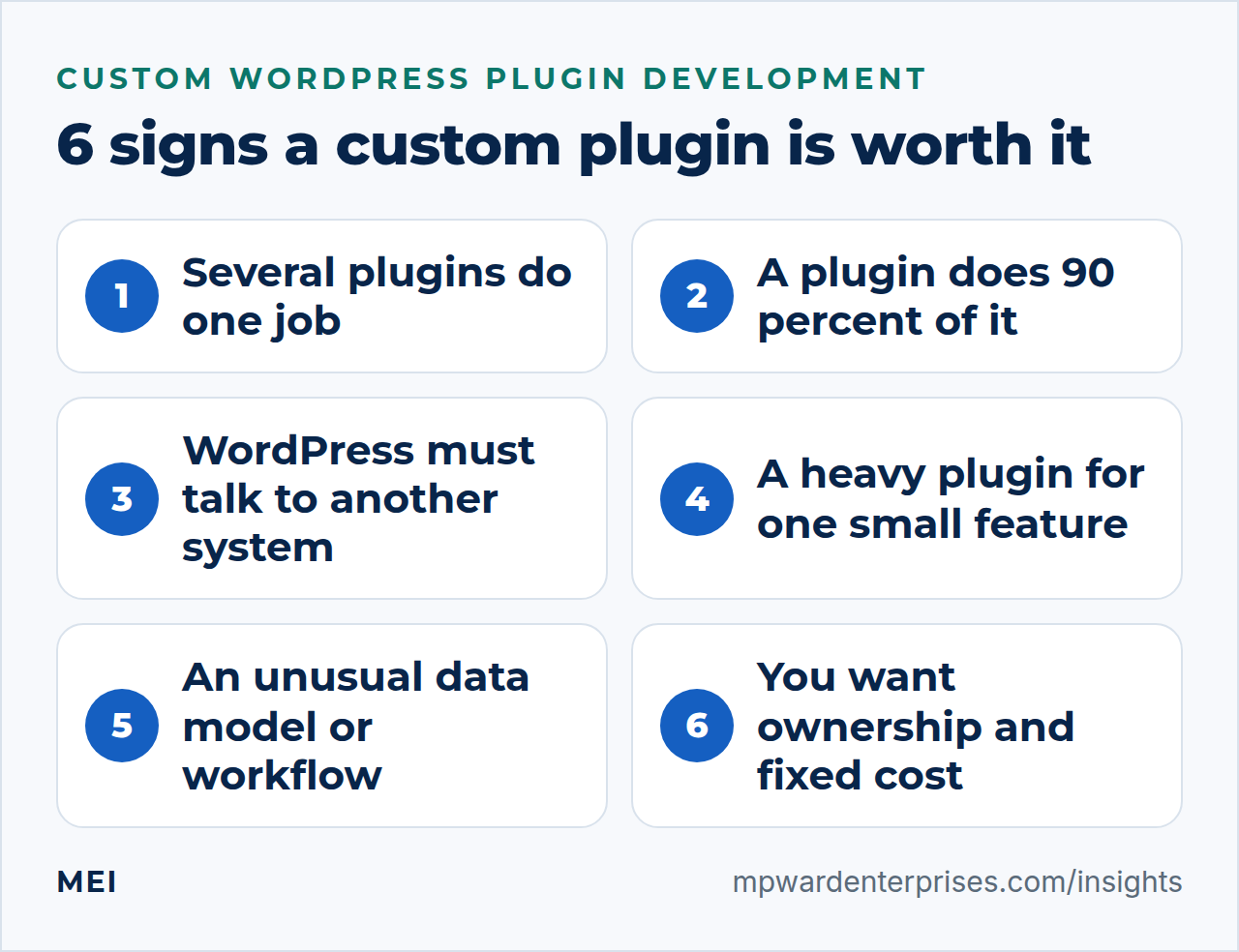
6 signs custom WordPress plugin development is worth it
1. You run several plugins to do one job
Three plugins for forms, a fourth to connect them to email, a fifth to fix the conflict: a stack like this slows the site, multiplies updates and widens your attack surface. If one small plugin could replace the stack, the saving in speed and maintenance can repay the build. Our guide to why your WordPress site is slow explains how to measure what each plugin costs you.
2. A plugin does 90 percent and you keep working around the rest
The signs are custom CSS to hide parts of its interface, scripts that patch its output, or manual steps to fill the gap. These workarounds break on the next update. A small custom extension, or a replacement built to your need, removes the fragile layer.
3. WordPress needs to talk to another system
If orders must flow to accounting, leads to a CRM, or inventory from an external system, an integration is usually the right answer, and on WordPress that often means a plugin that calls the other system's API. Read API integration for small business to decide between a no-code tool and custom code.
4. A heavy plugin loads on every page for one small feature
Some plugins add scripts, styles and database queries to every page when you only use a sliver of their features. Replacing that sliver with focused code can improve page speed and remove a dependency.
5. Your data or workflow is genuinely unusual
Custom content types, special fields, approval stages, calculators, member-only tools and unusual pricing rules are where generic plugins stretch thin. If the unusual process is part of why customers choose you, encode it in code you control.
6. You want ownership and predictable cost
Premium plugins can change price, change terms or disappear. A custom plugin has no per-site license fee and no vendor to lose, provided the contract gives you the code and the documentation and someone is able to maintain it. This is the same trade-off as in our custom software vs off the shelf guide.
How many signs are enough? One is a reason to look more closely. Two or three are a reason to scope a small plugin. The strongest cases are signs three and five, where no existing plugin does what you need at all. If none of the six applies, keep configuring what you have, and revisit the question when your site or your process changes.
When you should not build a custom plugin
- A reputable, actively maintained plugin already does it. Features such as caching, security scanning, backups and SEO are better bought.
- The requirement is still vague. Run it manually or with a plugin first, then build what you learn you need.
- Nobody will maintain it. Code without an owner decays with each WordPress and PHP update.
- The change is purely visual. That belongs in the theme or the page builder, not in a plugin.
- The need is short-lived. A one-off task does not justify a lasting piece of software.
Alternatives to try first
| Option | Best when |
|---|---|
| Configure the plugin you have | You have not yet used its settings or extensions fully |
| Replace it with a better-fit plugin | A maintained alternative covers your needs with less bloat |
| A no-code automation | The need is moving data between products at low volume |
| A small snippet or site-specific plugin | The change is a few lines, such as one filter or one setting |
| A custom plugin | You need ongoing functionality, an admin screen, custom data or an integration |
| Custom software outside WordPress | The need is bigger than the website, such as an internal tool |
What drives the cost of custom WordPress plugin development
A plugin is mostly people's time, and the price follows the scope. The Bureau of Labor Statistics reports a median annual wage of $135,980 for software developers (May 2025); with benefits at about 30 percent of employer compensation, that is roughly $93 an hour in employer cost before overhead and profit. These are the factors that change how many hours a plugin takes.
| Factor | Smaller | Larger |
|---|---|---|
| Interface | No admin screen, one setting | Several admin screens, roles and reports |
| Data model | One content type | Related types, imports, migrations |
| Integrations | None | One or more external APIs with authentication |
| Security and permissions | Admin-only | Public forms, user roles, payment or personal data |
| Compatibility | One site, one theme | Multisite, multiple themes and plugins |
| Quality assurance | Manual checks | Automated tests and a staging workflow |
| Documentation and handover | A readme | Full documentation and training |
Ask for a fixed scope after a short discovery phase, a price per phase, and a separate quote for maintenance. MEI's WordPress Engineering & Plugin Development service starts at $1,200, as a fixed scope or hourly.
Security and quality: what a good plugin does
Plugins and themes are, in the words of WordPress's developer handbook, key points of weakness in WordPress ecosystems, because the same code runs on many sites and mishandled data creates vulnerabilities. The handbook's rules are the foundation: never trust data, whether it comes from users, third-party APIs or your own database; validate and sanitize input; escape on output; rely on WordPress's own functions where possible; and keep code current. Here is the checklist we hold our own plugins to.
- Every action checks the user's capability, and every form and AJAX request checks a nonce.
- Every REST route declares a permission callback.
- All input is validated and sanitized, and all output is escaped.
- Database queries use prepared statements.
- Function, class and option names carry a unique prefix, or use a namespace, so they cannot clash with other code.
- Secrets such as API keys are stored outside the code and never printed.
- The plugin cleans up after itself on uninstall and does not load assets on pages that do not need them.
- It is readable. The WordPress.org plugin guidelines require code to be mostly human readable and forbid obfuscation, a good rule even for private plugins.
- It does not phone home or track users without consent, another WordPress.org rule worth following.
Who owns the plugin? An ownership checklist
- The contract assigns or licenses the code to you in writing, and states which license applies. WordPress.org requires plugins in its directory to be compatible with the GPL; ask your developer how that applies to yours.
- The source code lives in a repository under your account, with a history of changes.
- Documentation explains what the plugin does, how it is configured and how to deploy and recover it.
- Updates are tested on a staging copy before they reach the live site.
- There is a named person, with a backup, responsible for maintenance, and a response time in writing.
- The plugin is included in your backups, and a restore has been tested; see the 3-2-1 backup rule.
Start with the smallest useful version
The cheapest way to avoid a failed custom build is to ship less. Pick the single most valuable behavior, build only that, and use it for a few weeks before adding anything. Features you imagined at the start often turn out to be unnecessary, and the ones you really need become clear from use. A small first release also gives you a working base to extend, instead of a large untested one.
Questions to ask before you hire a plugin developer
Whether you hire a freelancer, an agency or a partner, these questions separate careful developers from risky ones. Good answers are specific; vague ones are a warning.
- Have you built and maintained WordPress plugins before, and can I see the code or the plugin pages?
- How do you handle security: capability checks, nonces, input validation, output escaping and secrets?
- Will you test on a staging site, and on which WordPress and PHP versions?
- Who owns the code, where will it live, and what license will it carry?
- What documentation will I receive, and will another developer be able to pick it up?
- What happens when WordPress or PHP updates break something, and what does support cost?
- What is explicitly out of scope, and how do you handle changes during the build?
- Is there a simpler or cheaper way to meet the need, and have you considered it?
A simple process for a custom plugin
- Discovery.Describe the problem, the users, the data and the rules, and agree what is out of scope.
- Written specification.One to three pages that say what the plugin does and does not do, with examples.
- Prototype.A small working version, built on staging, so you can react to something real.
- Build and review.Development with code review against the security checklist above.
- Test on staging.Test with realistic data, with your real theme and plugins, on the PHP version you run.
- Deploy and monitor.Release with a backup taken first, and watch logs for the first weeks.
Keeping it alive: updates and compatibility
WordPress recommends PHP 8.3 or greater, MariaDB 10.11 or greater or MySQL 8.0 or greater, and HTTPS. It describes older versions as no longer officially supported and warns that they may expose a site to security vulnerabilities. Any custom plugin has to move with those versions. Test it on staging whenever WordPress, PHP or a related plugin is updated, and review it each quarter alongside the rest of your WordPress website maintenance checklist.
Getting help
MEI's WordPress Engineering & Plugin Development service starts at $1,200, as a fixed scope or hourly, and covers custom plugin and block development, performance and database work, security hardening, migrations, third-party and API integration, and code review, documentation and handoff. We build and maintain our own WordPress plugins, and we recommend the simpler, cheaper path whenever one solves the problem, even when it means less work for us.
If you are unsure whether a plugin is the answer, the Business Tech Rescue Audit starts at $497 and reviews your site, hosting and workflows together. For larger needs beyond the website, see our Custom Software Development service.
Frequently asked questions
How much does custom WordPress plugin development cost?
It depends on scope. A tiny plugin that adds one custom content type can take a few hours; a plugin with admin screens, an external integration and automated tests is a project. Custom work is mostly people's time, roughly $93 an hour in employer cost for a median developer before overhead and profit. MEI's WordPress Engineering service starts at $1,200, as a fixed scope or hourly.
Should I put custom code in functions.php or in a plugin?
Put site functionality in a plugin. Code in a theme's functions.php disappears when you change themes, while a plugin keeps working. Reserve the theme for presentation. For a few lines of site-specific code, a small site-specific plugin is better than editing the theme.
Do I have to publish my custom plugin on WordPress.org?
No. A custom plugin can be private and installed only on your sites. If you do submit a plugin to the WordPress.org directory, it must follow the directory's guidelines: GPL-compatible licensing, human-readable code, no trialware and no tracking without consent.
Can I outsource WordPress custom plugin development?
Yes, and many businesses do. Make sure the contract assigns or licenses the code to you, the source lives in your repository, documentation is included, updates are tested on staging, and a named person is responsible for maintenance. Ask for a fixed scope after a short discovery phase.
How do I know a plugin is secure?
Look for capability and nonce checks on actions, input that is validated and sanitized, output that is escaped, permission callbacks on REST routes, prepared database queries, prefixed names, no secrets in the code and a code review. WordPress's developer handbook summarizes the core rule as never trust data.
Will a custom plugin break when WordPress updates?
It can if nobody tests it. WordPress, PHP and related plugins change. WordPress currently recommends PHP 8.3 or greater, so test the plugin on staging after each relevant update and review it each quarter. A maintenance plan with response times keeps compatibility problems small.
Sources and further reading
- WordPress Developer Resources: Plugin Basics — a plugin is a PHP file with a plugin header comment
- WordPress Developer Resources: Security — never trust data; validate, sanitize and escape; plugins and themes as key points of weakness
- WordPress.org: Requirements — recommended PHP, database and HTTPS requirements, and the warning about older versions
- WordPress Developer Resources: Detailed Plugin Guidelines — GPL-compatible licensing, readable code, no trialware and no tracking without consent
- US Bureau of Labor Statistics: Software Developers — median annual wage of $135,980 for software developers (May 2025)
- US Bureau of Labor Statistics: Employer Costs for Employee Compensation — benefits as 30.0 percent of total private-industry compensation (June 2026)