
Disaster recovery testing is how you find out whether the plan works while it is still cheap to be wrong. Most small businesses have backups, a rough idea of what they would do, and no evidence that either functions. Five tests — none of which requires taking the business offline — convert that hope into a number you can rely on.
This guide covers the five tests, how often to run each, what the results actually tell you, and the findings that appear almost every single time. It is written for businesses without a dedicated IT team.
Why disaster recovery testing is the part that gets skipped
Backups are bought once and then assumed. Testing is recurring, slightly tedious, and produces no visible improvement when it passes — which is precisely why it is skipped, and why failures are discovered at the worst moment.
The cost asymmetry is stark. A failed restore during a quarterly drill costs an afternoon. The same failure during a real incident costs days of trading, and sometimes the data permanently. Everything below is an attempt to move that discovery earlier.
There is a second benefit people underestimate. Testing produces numbers — how long a restore takes, how much data you would lose — and numbers turn vague anxiety into decisions you can actually make about what to spend.
The two numbers everything else serves
Before testing anything, decide what you are testing against. Two figures define it, and most businesses have never written them down.
| Number | Question it answers | Typical small business |
|---|---|---|
| Recovery time objective | How long can we be down? | 4 to 24 hours for core systems |
| Recovery point objective | How much data can we afford to lose? | 1 hour for a shop, 24 hours for a brochure site |
Write both down per system, because they differ. Losing a day of marketing pages is an inconvenience; losing a day of orders is a day of customers who paid and have no record. Those two numbers decide your backup frequency and your spend, and every test below measures whether you actually meet them.
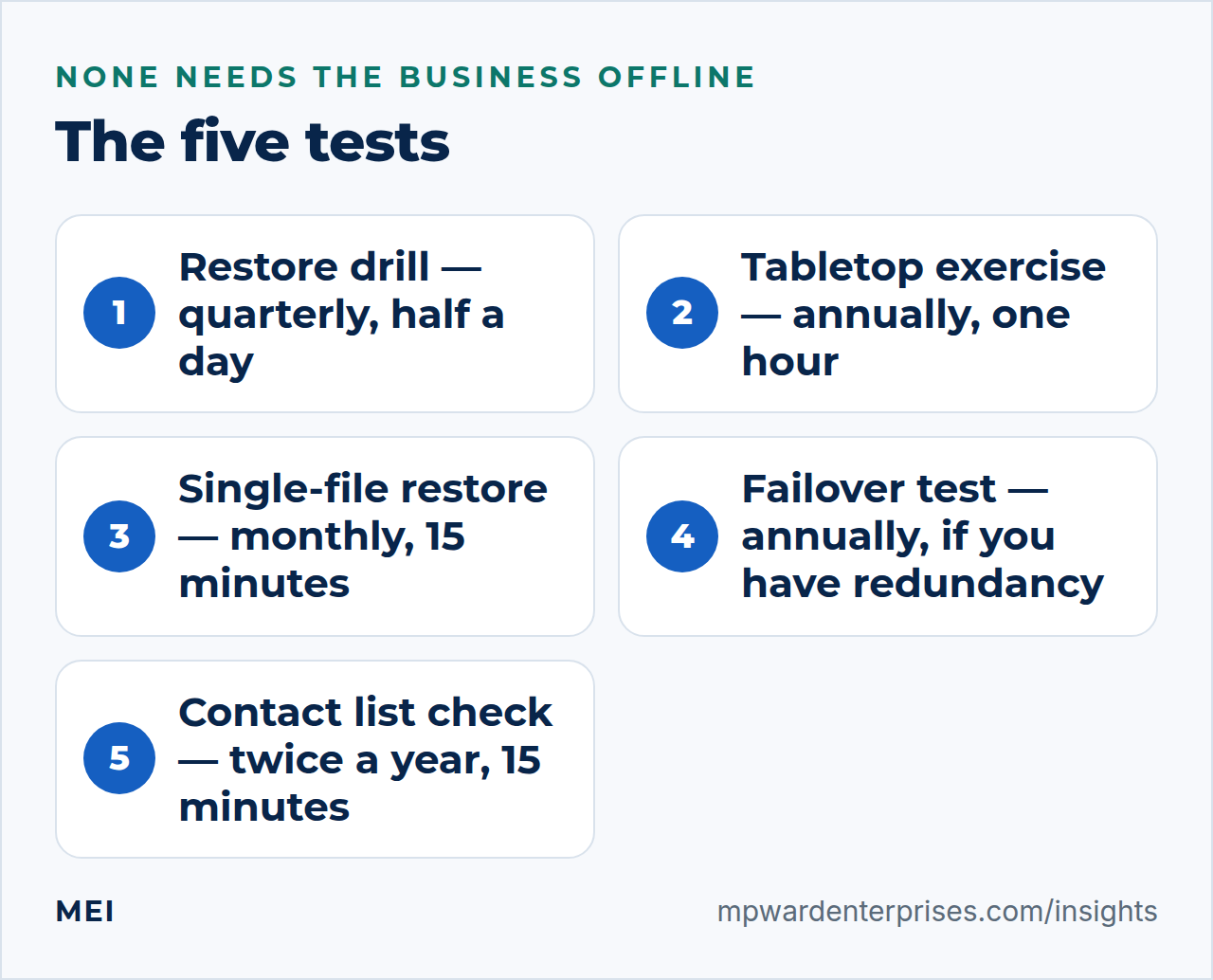
The five tests
- The restore drill (quarterly). Take the most recent routine backup, restore it somewhere isolated, and confirm the system works. Time it. This is the single most valuable test and the one most often never run.
- The tabletop exercise (annually). One hour, around a table, with a scenario: "it is 7am Monday and the file server is encrypted." No systems are touched. Walk through who does what, in order.
- The single-file test (monthly). Ask for one specific file from six weeks ago. Most real requests are this, not a full restore, and it checks retention as well as mechanism.
- The failover test (annually, if you have redundancy). Actually switch to the secondary. Untested failover frequently does not work, and discovering that during an incident doubles the outage.
- The contact test (twice a year). Confirm the printed contact list is current and reachable without email. Call two numbers. People change roles and suppliers change numbers constantly.
Running a restore drill properly
Four rules separate a drill that proves something from one that proves nothing.
Use the routine backup, not a fresh one. Making a new backup for the test proves the backup software works today. It does not prove the scheduled job has been working, which is the thing you actually depend on.
Restore somewhere isolated. A staging server or a separate machine. Never over production, which turns a test into an incident.
Have someone else do it. If only one person can restore, you have not tested recovery — you have tested that person's availability. Give the documentation to a colleague and watch where they get stuck. That is the most useful output of the whole exercise.
Time it and check four things: the system starts, you can log in, recent data is present, and connected services still work. Write the elapsed time down. That number, compared with your recovery time objective, is the result.
What disaster recovery testing nearly always finds
These appear so consistently that you can expect at least two on a first attempt.
- A backup that stopped weeks ago. Silent failure is the norm, because nothing alerts on a job that simply does not run.
- A missing database. Files were backed up, the database was not — or the reverse. Either leaves you with nothing usable.
- An expired credential. The backup destination rejected writes months ago and nobody was told.
- Documentation that no longer matches. Written for the previous server, the previous version, or the previous provider.
- Recovery time far longer than assumed. "A couple of hours" is usually most of a day once downloads and reconfiguration are counted.
- A dependency nobody mapped. The restored system works but cannot reach the payment provider, because the API key lived somewhere else.
None of those is unusual or embarrassing. Finding them on a Tuesday afternoon is the entire point of the exercise.
The tabletop exercise is the cheapest hour you will spend
No technology, no risk, one hour. Get the people who would be involved in a room, describe a scenario, and walk through it minute by minute. Someone writes down every question nobody can answer.
It reliably surfaces the problems that technical testing cannot: nobody knows who has authority to declare an incident or to spend money, the insurer's number is in an email account that is part of the scenario, nobody knows what to tell customers, and the person who understands the backups is the single point of failure for the whole plan.
Run it against a realistic scenario rather than an exotic one. Ransomware, a failed server, and a compromised email account cover most of what actually happens — the first of which is covered in detail in our ransomware recovery plan.
A testing schedule that survives contact with reality
| Test | Frequency | Time needed |
|---|---|---|
| Single-file restore | Monthly | 15 minutes |
| Full restore drill | Quarterly | Half a day |
| Contact list check | Twice a year | 15 minutes |
| Tabletop exercise | Annually | 1 hour |
| Failover test | Annually | Half a day |
That totals roughly two days a year, which is less than a single day of unplanned downtime costs most businesses. Put the dates in the calendar as recurring appointments with a named owner, because disaster recovery testing that depends on someone remembering will not happen.
What to do with the results
A test that finds nothing is useful but rare. A test that finds something is only valuable if the finding is fixed, so close the loop deliberately.
Write down what you found, what you changed, and the measured recovery time. Keep that record with the plan — it is also exactly what an insurer or a larger client will ask for when they want evidence rather than assurance. Then update the recovery plan itself, because the version written after a real test is always more accurate than the one written from imagination.
If a test shows you cannot meet your recovery time objective, you have a genuine decision: spend more on recovery capability, or accept a longer outage and plan the business around it. Both are legitimate. Not knowing which one you have chosen is not.
Where this fits
Disaster recovery testing is the verification step for everything else — the backups in the 3-2-1 rule, the plan in your business continuity plan, and the monitoring that tells you a backup stopped, which is one of the seven signs in server monitoring for small business.
If you would rather this ran on a schedule without being your job, tested restores are part of Managed Website & IT Care, and a Business Tech Rescue Audit includes a restore test so you find out now rather than later.
Frequently asked questions
How often should disaster recovery be tested?
A single-file restore monthly (15 minutes), a full restore drill quarterly (half a day), a contact list check twice a year, and a tabletop exercise annually (one hour). Add an annual failover test if you have redundancy. That totals roughly two days a year, which is less than a single day of unplanned downtime costs most small businesses.
What is the difference between RTO and RPO?
Recovery time objective is how long you can be down. Recovery point objective is how much data you can afford to lose. They differ per system: a brochure site might tolerate 24 hours of both, while a shop taking orders needs a recovery point measured in an hour because every missed hour is real customers who paid and have no record. Those two numbers decide your backup frequency and your spend.
How do I run a restore test without disrupting the business?
Restore to somewhere isolated — a staging server or a separate machine — never over production. Use the most recent routine backup rather than making a fresh one for the test. Have a colleague perform it from the documentation while you watch where they get stuck. Then check four things: the system starts, you can log in, recent data is present, and connected services still work. Time the whole thing.
What is a tabletop exercise?
An hour around a table with no systems touched. Someone describes a realistic scenario — "it is 7am Monday and the file server is encrypted" — and the group walks through who does what, in order, while someone writes down every question nobody can answer. It reliably surfaces the non-technical gaps: who declares an incident, who can authorise spending, what customers are told, and whether key contact details live inside the system that is down.
What do disaster recovery tests usually find?
Most commonly a backup that stopped running weeks ago, because silent failure is the norm and nothing alerts on a job that simply does not run. Then a missing database (or missing files), an expired credential at the backup destination, documentation written for a previous server, recovery times far longer than assumed, and a dependency nobody mapped — such as a restored system that cannot reach the payment provider because the API key lived elsewhere.
What should I do if a test shows we cannot recover in time?
You have a genuine decision: spend more on recovery capability — more frequent backups, faster restore paths, redundancy — or accept a longer outage and plan the business around it. Both are legitimate choices. What is not acceptable is not knowing which one you have made. Record the measured recovery time alongside the plan; it is also what insurers and larger clients ask for when they want evidence rather than assurance.
Sources and further reading
- Ready.gov: Business — continuity planning, exercises and the business-impact thinking behind recovery objectives
- NIST: Cybersecurity Framework — recovery as a named function, with tested restoration rather than assumed capability
- CISA: Cyber Essentials — backup verification as routine practice rather than annual review