
A DMARC setup guide that never blocks your own email follows one rule: monitor first, enforce last. You publish a record that changes nothing, read the reports to find every system that sends as your domain, fix the ones that fail, and only then ask receivers to quarantine and finally reject what does not pass.
Skipping the middle is how businesses lose invoices, password resets and sales inquiries. This guide takes you through six safe steps from p=none to p=reject, shows what to look for in the reports, and explains the alignment trap that caught us out on our own domain. If you want the background first, start with SPF, DKIM and DMARC explained.
What you need before this DMARC setup guide
You need three things. First, access to your domain's DNS, wherever it is managed: your registrar, your host or a service such as Cloudflare. Second, a mailbox or reporting service that can receive DMARC reports, because those reports are the whole point of the monitoring stage. Third, patience: the slow part is waiting for reports, not editing DNS.
It also helps to know why you are doing this now. Gmail and Yahoo require a DMARC policy from bulk senders, Microsoft requires one from high-volume senders to Outlook.com, and a published policy stops other people forging your exact domain. Our guide to emails going to spam covers what each provider asks for.
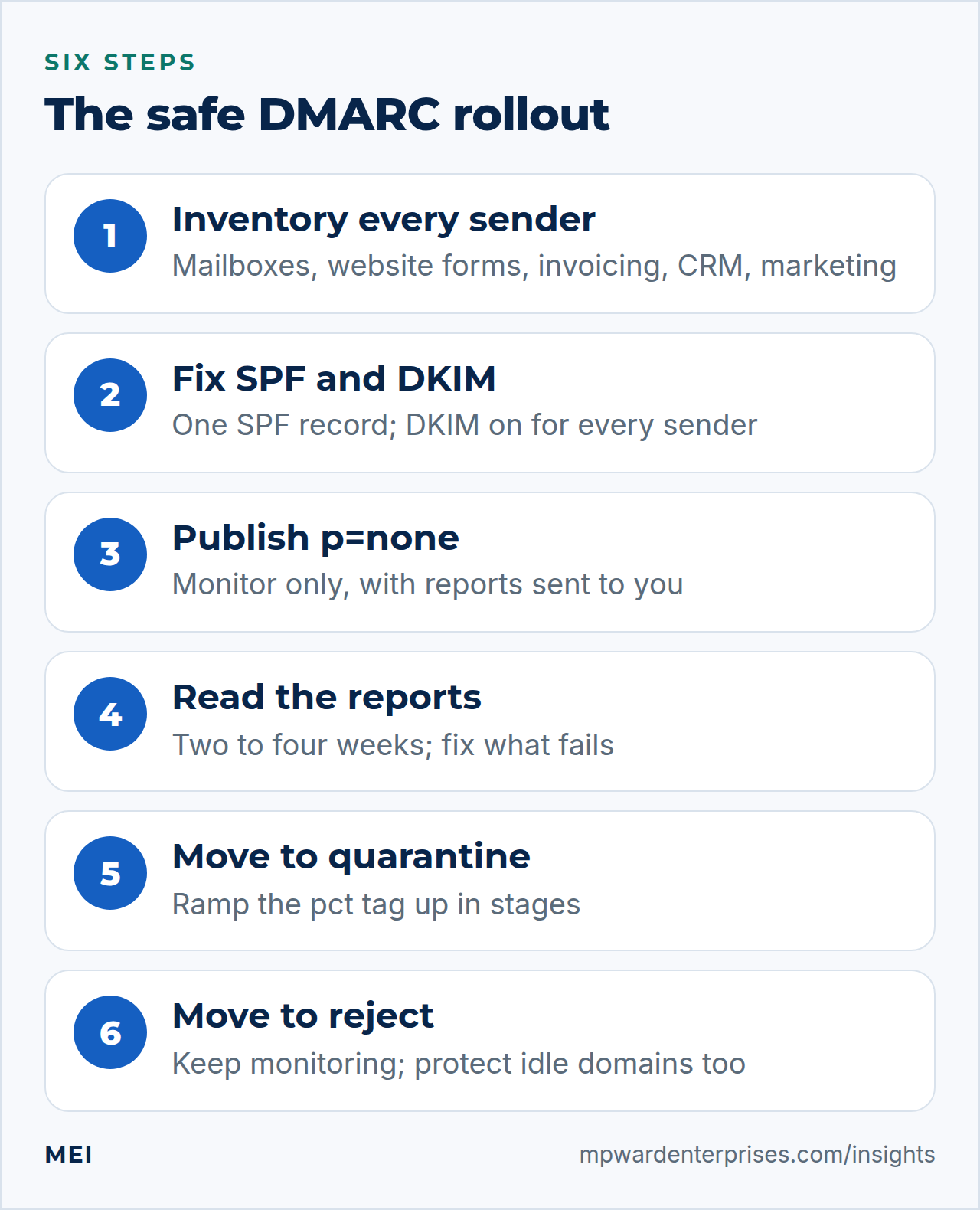
The six-step DMARC setup, from p=none to p=reject
1. Inventory every system that sends as your domain
Write down everything that sends email using your domain name. The obvious ones are your mailbox provider (Google Workspace, Microsoft 365 or similar) and your marketing platform. The ones that cause trouble are the ones nobody thinks of: the contact form on your website, shop and booking notifications, invoicing and payment software, your CRM, the helpdesk, a scanner or printer that emails documents, and any server or script that sends alerts. Ask each department; then let the reports in step 4 catch what they forget.
2. Get SPF and DKIM working and aligned for each sender
DMARC is only as good as the two checks beneath it. Publish a single SPF record that includes every sender within the 10-lookup limit, and switch on DKIM signing in each service, using a custom sending domain so the signature carries your domain. Google's own rollout advice is to let SPF and DKIM authenticate mail for at least 48 hours before turning on DMARC, so you can see them working first.
3. Publish a DMARC policy of p=none
Add a TXT record at _dmarc.yourdomain.com. Monitoring mode changes nothing about how mail is handled; it just asks receivers to report:
v=DMARC1; p=none; rua=mailto:[email address]The rua address receives aggregate reports. Point it at a mailbox you actually read, or better, at a reporting service that turns the XML into a readable table; free and paid ones exist, and we use one for our own domain. Google recommends starting at p=none, and so does every provider we have worked with.
4. Read the DMARC reports for two to four weeks
Within a day or two, receivers such as Google, Microsoft and Yahoo begin sending daily DMARC reports. Each lists the sending IP addresses they saw using your domain, how many messages, and whether SPF, DKIM and alignment passed. Sort the senders into three piles. Known and passing needs nothing. Known and failing is your to-do list: usually a missing DKIM signature or a sender whose return-path uses its own domain. Unknown is either a system you forgot or somebody spoofing you; look up the IP address to tell which.
Stay at this stage for at least two to four weeks, and longer if you send seasonally.
5. Move to quarantine, ramping the pct tag
When every legitimate sender passes, ask receivers to treat failures as suspicious. Use the pct tag to apply the policy to only a share of mail at first, and raise it in stages:
v=DMARC1; p=quarantine; pct=25; rua=mailto:[email address]RFC 7489 says receivers must not apply the policy to more than that percentage of affected messages, and that a message not selected for a reject policy should be treated as quarantine instead. A sensible ramp is 10, 25, 50 and then 100 over a few weeks, watching the reports after each change. Note that some receivers may not honor pct exactly, so treat it as a brake rather than a guarantee.
6. Move to reject, and keep monitoring
Once quarantine at 100% has run cleanly for several weeks, change the policy to p=reject. That is the strongest protection against someone forging your domain, and it is what Google's own example record uses. Keep the rua reporting on permanently: new tools get added to businesses all the time, and each one is a potential failure. Review the reports monthly at first, then quarterly.
The alignment trap: when everything passes and DMARC still fails
Alignment means the domain that passed SPF or DKIM must match the domain in the From address. You can set this to relaxed (the default, where subdomains of the same organizational domain count as a match) or strict (an exact match only) with the aspf and adkim tags. For most small businesses, relaxed is the right choice, and you should leave it alone unless you have a reason.
We have a reason on our own domain, so we publish p=reject with strict alignment, and it taught us the trap in a very practical way. The first time one of our own servers sent a message as the company, SPF passed, but for the server's own subdomain hostname rather than the company domain, because that is what the server used as its envelope sender by default. Under relaxed alignment that would have been fine. Under strict alignment it failed DMARC, and a mailbox provider enforcing our reject policy would have refused it.
The fix was a single setting: tell the server to use an address on the main domain as the envelope sender. The lesson applies at any strictness: test every system that sends, including your own servers and scripts, before and after you tighten the policy, and read the headers of what arrives to confirm the passing domain is yours.
Subdomains and domains you do not send from
A DMARC policy at your main domain also covers its subdomains by default: the sp tag sets a different policy for them, and if it is absent, RFC 7489 says the p policy applies. Be aware that sp is ignored in a record published on a subdomain, which should carry its own record if it needs different treatment.
Parked and retired domains are the easy wins. A domain that never sends email should say so, with an SPF record that authorizes nobody and a DMARC record that rejects everything:
v=spf1 -all
v=DMARC1; p=reject;
Publish those at the root of each idle domain (and its common typo twins) and scammers lose a free disguise.
Troubleshooting a DMARC setup
| What the DMARC reports show | Likely cause | Fix |
|---|---|---|
| SPF passes but DMARC fails | The return-path domain is the vendor's, not yours | Set up a custom return-path or sending domain in the vendor's settings |
| DKIM passes but DMARC fails | The signature uses the vendor's domain (d=) | Enable branded DKIM so the signature uses your domain |
| Only forwarded mail fails | Forwarding broke SPF and the DKIM did not survive | Make sure every sender signs with DKIM; keep p=quarantine longer |
| Unknown IP addresses with high volume | A forgotten system, or spoofing of your domain | Look up the IP; authorize it if it is yours, otherwise it is what reject will stop |
| Everything fails after a DNS change | A second SPF record, or a typo in the DMARC record | Re-check there is one SPF record and valid DMARC syntax |
DMARC setup checklist
- List every system that sends as your domain, and check with each department.
- One SPF record, within 10 lookups, including every sender.
- DKIM on for every sender, signing with your domain.
- A p=none record published, with a reporting address you will actually read.
- Two to four weeks of DMARC reports reviewed, and every legitimate sender passing.
- Quarantine with a rising pct, then reject, with a few weeks between each change.
- Idle domains protected with an SPF -all and a reject policy.
- A monthly or quarterly reminder to review the reports.
DMARC is one item on the larger list in our IT audit checklist, and part of the broader small business cybersecurity checklist. If you would rather hand the whole rollout to someone who has done it many times, MEI's email deliverability service includes sender inventory, DNS fixes, report review and a tested move to enforcement.
Frequently asked questions
How long should I stay at p=none?
Long enough to see every legitimate sender in the reports, which usually means two to four weeks, longer if you send seasonally (invoices at quarter-end, for instance). Stay until a full cycle of your normal mail shows only passing senders.
What is the difference between quarantine and reject?
Quarantine asks receivers to treat failing mail as suspicious, which usually means the spam folder. Reject asks them to refuse it outright. Reject gives the strongest protection against spoofing but offers no safety net for a sender you forgot, which is why the rollout goes through quarantine first.
Does DMARC reject break forwarded email?
It can. Forwarding often breaks SPF, so a forwarded message passes only if its DKIM signature survives and aligns. DKIM usually does survive, which is why signing every sender with DKIM matters before you enforce.
Do I need DMARC if I send very little email?
Yes, for two reasons. Gmail, Yahoo and Microsoft require it of bulk senders and judge small senders by the same logic, and a published DMARC policy stops other people from forging your exact domain, however little you send.
What do DMARC reports look like, and who reads them?
Aggregate reports (the rua address) are XML files sent daily by receivers such as Google and Microsoft, summarizing which servers sent mail as your domain and whether it passed. They are unreadable by eye, so use a free or paid report-reading service that turns them into a table of senders.
Sources and further reading
- Google Workspace: Set up DMARC — start at p=none, ramp with pct, and authenticate for at least 48 hours first
- IETF RFC 7489: DMARC — tags, alignment modes, pct sampling and subdomain policy
- Google: Email sender guidelines — DMARC and alignment requirements for bulk senders
- Yahoo: Sender best practices — a DMARC policy of at least p=none that passes
- Microsoft: Fix NDR error 550 5.7.515 in Outlook.com — authentication and alignment requirements for high-volume senders