
A password manager for small business solves a problem that willpower cannot: nobody can remember forty unique passwords, so without one, people reuse. Reuse is how a breach at a company you have never heard of becomes a breach at yours. The tool is cheap, the rollout takes a fortnight, and it is the second-best security investment after multi-factor authentication.
This guide covers the seven things to look for, why the business version matters rather than everyone using a personal one, how to migrate without losing anything, and the shared-credential problem that is the real reason small businesses need one.
The actual problem it solves
Ask how many online accounts your business uses and the honest answer is usually between forty and a hundred and fifty. Nobody memorises that many distinct passwords, so three coping strategies appear: one password everywhere, a pattern with a changing suffix, or a spreadsheet.
All three fail the same way. When any one service is breached, the password appears in a list that gets tried against every other service automatically. That is credential stuffing, and it is the most common route into a small business after phishing.
A password manager removes the trade-off. Every account gets a long random password nobody needs to remember, which means a breach at one service stays at that service. That is the whole proposition, and it is enough.
Choosing a password manager for small business: seven criteria
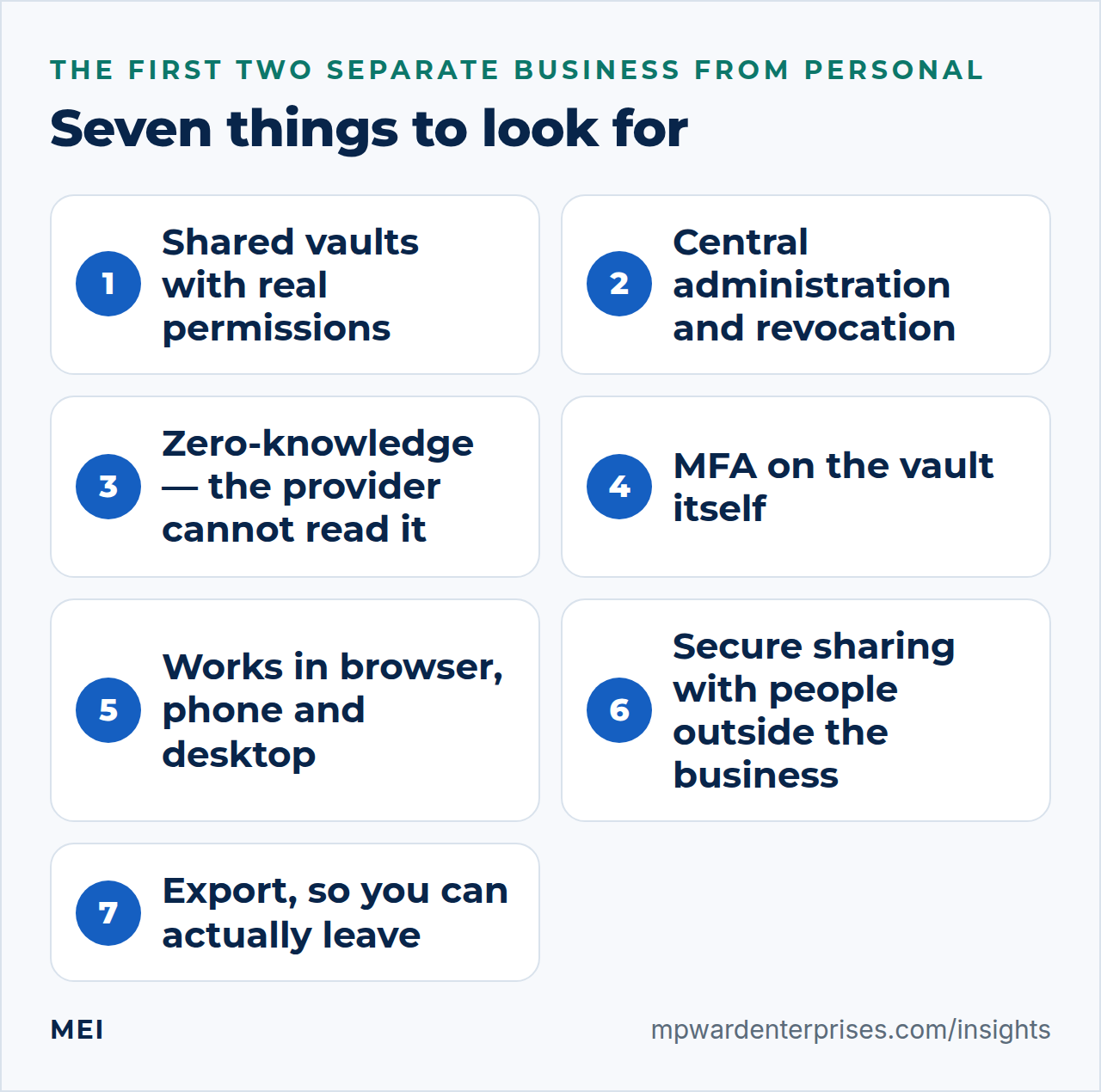
- Shared vaults with real permissions. The feature that separates business tools from personal ones: a team can share the credentials it needs without everyone seeing everything.
- Central administration. Add a person, grant access, revoke it entirely when they leave — in one place, provably.
- Zero-knowledge architecture. The provider cannot read your vault. Check this is stated plainly; it determines what a breach at the vendor would mean.
- MFA on the vault itself. It protects everything else, so it needs the strongest second factor you can manage.
- Works where your people work. Browser, phone, desktop. A manager that is awkward on a phone gets bypassed.
- Secure sharing with outsiders. A way to send a credential to your accountant that is not email.
- Export. You must be able to leave. A vault you cannot export is a hostage situation with a monthly fee.
Why the business version, not everyone's personal one
Staff using their own personal password managers feels like it solves the problem and does not. The difference is not features; it is ownership.
When an employee leaves, a personal vault leaves with them — including the credentials to systems the business owns. Nobody can see what shared logins exist or who holds them. There is no way to revoke access, only to ask. And the one account everyone shares is still stuck on a sticky note, because a personal manager has no concept of a team.
A password manager for small business adds exactly the things that matter at the business level: shared vaults, central revocation, and visibility into who can reach what. The per-user cost is a few dollars a month, which is negligible against the cost of not being able to remove someone's access.
The shared-credential problem a password manager solves
This is the one most small businesses actually have. Several services genuinely cannot be split into individual accounts — a shared support mailbox, a social media profile, a supplier portal that allows one login, a utility account.
Those credentials end up in a spreadsheet, a group chat, or one person's head. All three are bad in different ways: the spreadsheet is copied, the chat is searchable forever, and the person goes on holiday.
A shared vault fixes it properly. The credential lives in one place, the people who need it have access through their own authenticated account, and removing someone removes their access without changing the password for everybody else. When the password does need changing, it changes once and everyone has it immediately.
Keep a record of which shared credentials exist and who is responsible for each. That list is also exactly what you need when someone leaves, and it pairs with the leaver checklist discussed in the MFA rollout.
Migrating without losing anything
The rollout is where this succeeds or quietly fails. Two weeks, four steps.
- Set it up and seed it yourself first. Create the vaults, add your own credentials, learn the quirks before anyone else meets them.
- Import, then audit. Import from browsers and spreadsheets, then use the built-in audit to find reused, weak and breached passwords. Expect the result to be worse than you assumed.
- Fix the important ones first. Do not change ninety passwords in a week. Change the ones that matter — email, registrar, banking, anything reused — and let the rest be replaced naturally as people log in.
- Train in fifteen minutes. Install, unlock, save a password, share one. That is the whole curriculum, and it is enough.
Then delete the spreadsheet. Genuinely delete it, including the copies in email and chat, because a stale list of credentials is more dangerous than no list at all.
The master password and the recovery question
Everything depends on one password, which people find uncomfortable until they realise it is one password instead of a hundred. It should be long — a passphrase of several unrelated words rather than a short string of symbols, which is the direction NIST's guidance moved years ago, because length beats complexity for both security and memorability.
Recovery is the harder question. Zero-knowledge means the provider genuinely cannot reset it for you, which is the point and also the risk. Business products handle this with administrator-assisted recovery or a recovery key. Decide which you are using and test it before you depend on it.
Store the emergency recovery material somewhere physical and secure — a sealed envelope in a safe is not old-fashioned, it is appropriate. And make sure more than one person can reach it, because the alternative is a business locked out of everything by one person's unavailability.
Six mistakes that undo the benefit
- Keeping the spreadsheet "just in case". It will not be updated and it will be found.
- No MFA on the vault. The one account that protects everything else, left with a single factor.
- Everyone in one shared vault. Defeats the point. Separate by team and purpose.
- Not revoking on departure. Central revocation only helps if someone remembers to use it.
- Ignoring the audit report. It tells you exactly which passwords are reused or exposed; acting on it is the quickest win available.
- Sharing credentials outside the tool anyway. Old habits return under time pressure unless the sanctioned route is genuinely easy.
What about passkeys?
Passkeys replace passwords entirely for services that support them, using a key stored on your device and unlocked biometrically. They are genuinely better — nothing is typed, so nothing can be phished or reused.
They do not remove the need for a password manager yet, for two reasons. Most business services still use passwords, so you will run both for years. And the better password managers now store passkeys too, which means the vault remains the single place your credentials live and the single thing you revoke when someone leaves.
Adopt passkeys wherever they are offered, keep the manager for everything else, and treat the two as the same programme rather than competing choices.
Where to start with a password manager
Choose a product that meets the seven criteria, set it up yourself, and seed the shared vaults with the credentials currently living in a spreadsheet. Run the audit, fix the reused passwords on your most important accounts, and roll it out team by team over a fortnight.
Combined with multi-factor authentication, a password manager for small business removes the two most common routes into a small business — reused credentials and unprotected accounts — for a few dollars per person per month. The rest of the baseline is in our small business cybersecurity checklist, and if you would rather have it chosen, rolled out and kept tidy for you, that is part of Managed Website & IT Care. A Business Tech Rescue Audit will show you where credentials are currently shared and who still has access they should not.
Frequently asked questions
Does a small business really need a password manager?
If it uses more than a handful of online accounts, yes. A typical small business has between forty and a hundred and fifty, and nobody memorises that many distinct passwords — so people reuse one, use a pattern, or keep a spreadsheet. All three mean a breach at any service gets tried against every other one automatically. A manager gives every account a long random password nobody needs to remember.
Why not let staff use their own personal password managers?
Because the difference is ownership, not features. When someone leaves, a personal vault leaves with them, including credentials to systems the business owns. You cannot see which shared logins exist or who holds them, you cannot revoke access — only ask — and genuinely shared accounts still end up on a sticky note, because a personal product has no concept of a team.
How do we handle logins that several people share?
With a shared vault. Some services genuinely cannot be split into individual accounts — a support mailbox, a social profile, a supplier portal that allows one login. The credential lives in one place, the people who need it reach it through their own authenticated account, and removing someone removes their access without changing the password for everyone else. Keep a record of which shared credentials exist and who owns each.
What happens if we forget the master password?
With zero-knowledge architecture, the provider genuinely cannot reset it — that is the point and also the risk. Business products handle this with administrator-assisted recovery or a recovery key. Decide which you are using and test it before you rely on it. Store the emergency recovery material somewhere physical and secure, reachable by more than one person, or you risk the whole business being locked out by one person's unavailability.
How long does it take to roll one out?
About two weeks for a small team. Set it up and seed it yourself first so you meet the quirks before anyone else does. Import from browsers and spreadsheets, then run the built-in audit for reused, weak and breached passwords. Fix the important accounts rather than all of them. Train in fifteen minutes — install, unlock, save, share. Then genuinely delete the spreadsheet, including the copies in email and chat.
Do passkeys make password managers unnecessary?
Not yet. Passkeys are genuinely better where supported — nothing is typed, so nothing can be phished or reused — but most business services still use passwords, so you will run both for years. The better managers now store passkeys too, which keeps the vault as the single place credentials live and the single thing you revoke when someone leaves. Adopt passkeys where offered and keep the manager for everything else.
Sources and further reading
- NIST SP 800-63B: Digital Identity Guidelines — why length beats complexity, and the move away from forced rotation that pushed people toward patterns
- CISA: Cyber Essentials — credential management and access revocation as baseline controls
- CISA: Secure Our World — plain-language material on strong unique passwords, useful for the fifteen-minute staff session