VPS vs shared hosting comes down to a simple trade: shared hosting is cheap and managed for you, but you share resources and control with strangers; a VPS gives you reserved resources and full control, along with the job of running the server. The right choice depends on what you can measure about your site today, not on which plan sounds bigger.
Most hosting comparisons are written by companies that earn a commission when you click. This one is written to help you decide, not to sell you a plan. It explains how each type works, what you give up, and seven measurable signs that you have outgrown shared hosting, so you can move for a reason rather than a hunch.
VPS vs shared hosting at a glance
| Shared hosting | VPS | |
|---|---|---|
| What you get | An account on a server that hosts many customers | A virtual machine with its own operating system |
| Resources | Shared, with limits the host enforces | Reserved share of CPU, memory and storage |
| Control | Limited: the host sets PHP, modules and settings | Full: root access, install what you need |
| Who maintains the server | The host | You, a partner, or the provider if it is a managed VPS |
| Performance consistency | Varies with your neighbors | Predictable, if sized and configured well |
| Isolation and security | Depends on the host's setup | Stronger isolation, but you secure it |
| Cost | The lowest tier of hosting | Higher, and more if managed |
| Best for | Brochure sites and small blogs | Busy sites, shops, several sites, custom software |
How shared hosting works
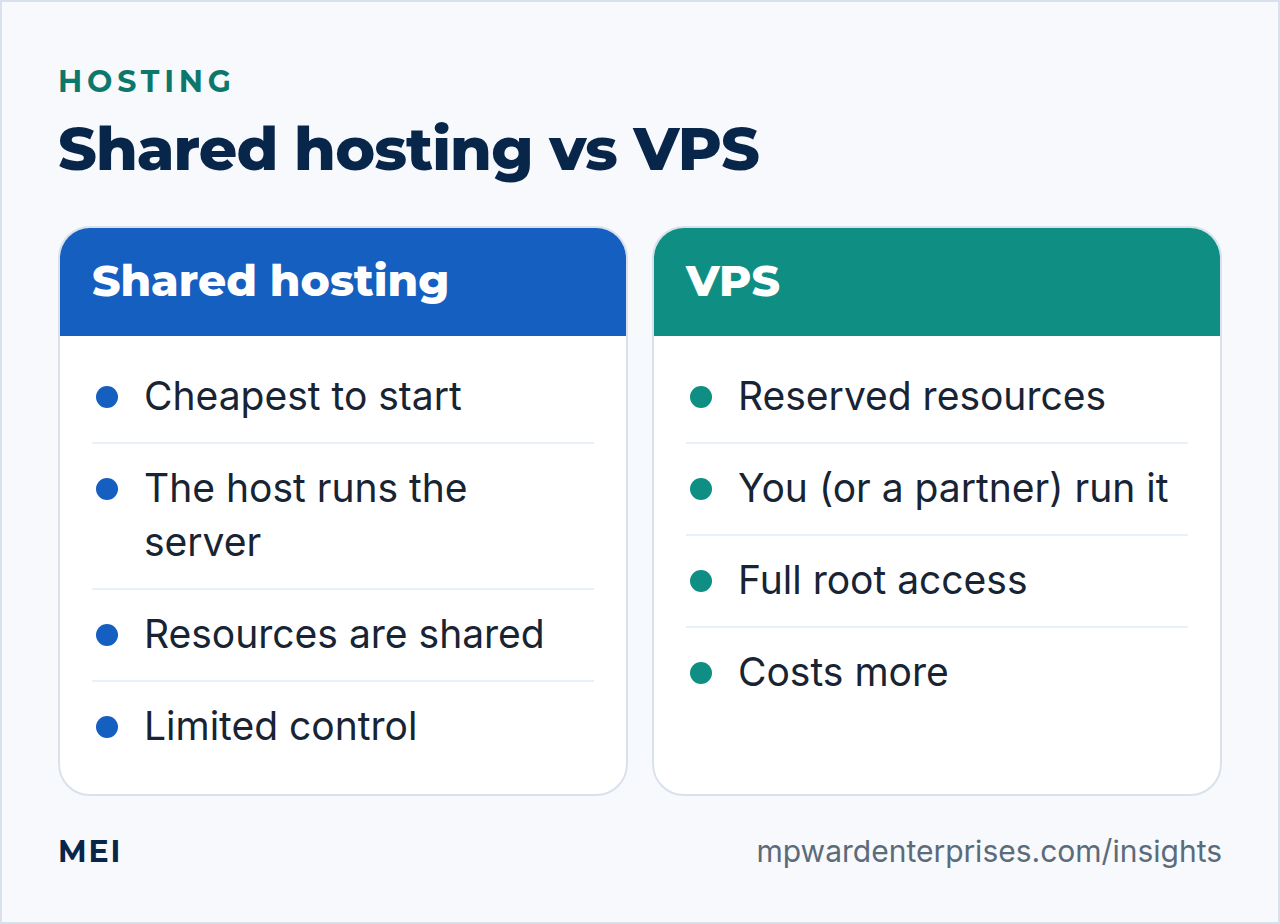
On shared hosting, one physical server runs hundreds or thousands of customers' sites, and the host sets limits so no one site starves the others. Those limits are usually on CPU time, memory, simultaneous processes, disk input and output, and the number of files. Within them you get a control panel, one-click installs and, most importantly, someone else patching the operating system, the web server and the mail system.
The price of that convenience is the "noisy neighbor" effect (a busy or compromised site on the same server can slow yours down) and a lack of control: you cannot install your own software, change deep server settings or choose the exact PHP configuration beyond what the panel offers. Good shared hosts manage this well; poor ones oversell, and you feel it as slow, uneven performance.
How a VPS works
A virtual private server is a virtual machine carved out of a larger physical server. It has its own operating system, a reserved allocation of CPU, memory and storage, and a root login. You can install a web server, a database, a cache such as Redis, a firewall and anything else you like, and you can size the machine up as the site grows.
The catch is responsibility. On an unmanaged VPS nobody patches the operating system, hardens SSH, configures the firewall or watches the logs unless you do. NIST's server-security guide describes this work as the fundamentals of securing and maintaining servers, and cloud providers describe the same split: the provider secures the underlying infrastructure while the customer manages the operating system, its updates and security patches, and what runs on it. If you take a VPS, take the job too, or buy a managed plan, or hire a partner.
Our Linux server hardening checklist shows what the job involves.
7 signs you have outgrown shared hosting
Do not move because a plan sounds more professional. Move when you can point at one of these.
- Slow server response even with caching on.If time to first byte stays above 0.8 seconds (web.dev's "good" threshold, measured at the 75th percentile) with page caching enabled, the host is the bottleneck. Our guide to why your WordPress site is slow shows how to measure it.
- Resource-limit errors.Pages returning 503 or 508 errors, "resource limit reached" messages, or a host that keeps throttling your processes.
- Backups, updates or imports that time out.The server cannot do heavy work within its limits.
- Traffic spikes take the site down.A newsletter, a mention or a promotion that your plan cannot absorb.
- You need software the host will not allow.A specific PHP extension, an object cache, a background worker, a custom service or a different language.
- Security or compliance needs isolation.A client or regulator wants your site separate from other customers, or you hold sensitive data.
- Email from the site keeps failing.Shared mail servers are shared reputations; if site email is being junked and you cannot fix it, see emails going to spam.
The hidden cost of a VPS
The monthly price of a VPS is only part of the cost. Add the time to set it up, secure it, patch it, back it up and monitor it, or the fee for someone to do those things. An unmanaged VPS that nobody maintains is riskier than good shared hosting, because it is a full server on the internet with an out-of-date system. For a business without technical staff, "managed VPS" or "managed WordPress hosting" is usually the honest sweet spot: more power than shared hosting without the sysadmin burden.
How to size a VPS without guessing
If the signs above say you should leave shared hosting, size the replacement from evidence. During your busiest hours, note how much CPU and memory your current account uses (most control panels and hosts show this), how many visitors you serve at peak and how large your database is. Choose a plan with comfortable headroom above that peak, as a rule of thumb 30 to 50 percent, then watch real usage for the first month.
One of the advantages of a VPS over shared hosting is that you can resize it, so start sensibly rather than buying the biggest plan on day one.
Remember that the site is not the only thing that needs memory. A database, a page cache, an object cache such as Redis and the web server all share the machine, and background jobs such as backups and imports run on it too. Test the backup job, not just page loads.
What a managed VPS should include
If you do not want to run the server yourself, a managed plan is only as good as what it covers. Before you buy, ask for each of these in writing:
- Operating system and security patching, with a stated schedule.
- Backups of files and database, kept off the server, with restore tests.
- Firewall and SSH hardening, in line with a checklist such as ours for Linux servers.
- Uptime and resource monitoring with alerts that reach a person.
- A staging environment for testing updates before they go live.
- Response-time targets, and what is excluded from the plan.
The questions "who patches it, who backs it up, and who is on call" separate a managed VPS from an unmanaged one that is merely being resold at a higher price than the shared hosting you left.
The options between the extremes
Hosting is not a binary choice. Managed WordPress hosting runs your site on infrastructure tuned for WordPress, with caching, backups and staging included, and costs between shared and a managed VPS. Cloud hosting spreads resources across a pool of machines so it can scale and survive hardware failures. Containers and platform services suit applications rather than traditional websites. NIST's definition of cloud computing names infrastructure, platform and software as the three service models, which is a useful way to think about how much of the stack you want to own.
If you are weighing more than websites, read self-hosted versus cloud too.
| Your situation | Usually the best fit |
|---|---|
| A brochure site or small blog with modest traffic | Good shared hosting, kept updated and backed up |
| A WooCommerce shop with steady orders | Managed WordPress hosting or a managed VPS |
| Several client or business sites | A VPS with proper isolation and management |
| Custom software, a cache or background workers | A VPS or cloud instance you control |
| Strict compliance or isolation requirements | A dedicated or private environment |
If you decide to move: a safe migration
Migrations go wrong when they are rushed. Lower the DNS time-to-live a day or two before the move so changes take effect quickly. Build and test the new server completely, using your computer's hosts file to view the site there before the domain points at it. Take a fresh backup, copy the site, and re-test forms, checkout and email. Switch DNS at a quiet hour, keep the old host running for a few days as a fallback, and only then cancel it. After the move, add the new server to your maintenance routine.
Getting a second opinion
Our advice starts from your measurements, not from a hosting product we need you to buy. MEI's infrastructure and private cloud service designs, builds and manages hosting for small businesses, and a hosting review is part of every Business Tech Rescue Audit. For the wider view of what ongoing technical help costs, see our guide to small business IT support cost.
Frequently asked questions
What is the main difference between VPS and shared hosting?
On shared hosting many customers' sites run on one server and compete for the same resources, with the host controlling the configuration. A VPS is a virtual machine with its own reserved share of CPU and memory and its own operating system, which you control, and are responsible for.
Is a VPS faster than shared hosting?
Usually more consistent rather than automatically faster. A VPS removes noisy neighbors and lets you tune the stack, but a badly configured VPS can be slower than a good shared host. Measure time to first byte before and after.
Can I run WordPress on a VPS without being a sysadmin?
You can, with a managed VPS, where the provider handles updates, security and backups, or with a partner who does. An unmanaged VPS left alone is a security risk, because nobody is patching it.
When should a small business move from shared hosting to a VPS?
When you can show a problem the host cannot fix: slow server response with caching on, repeated resource-limit errors, traffic spikes that take the site down, a need for software the host forbids, or security or compliance requirements that need isolation.
What is the difference between a VPS and the cloud?
A VPS is a single virtual server. Cloud hosting spreads resources over a pool of machines, so it can scale up and down and survive a hardware failure more easily, usually billed by usage. Many modern VPS products are built on cloud platforms, so the line is blurry.
Sources and further reading
- WordPress.org: Requirements — recommended PHP, database and HTTPS support, whatever hosting you choose
- web.dev: Time to First Byte (TTFB) — a good TTFB is 0.8 seconds or less, measured at the 75th percentile
- NIST SP 800-123: Guide to General Server Security — the work of securing and maintaining a server you control
- AWS: Shared Responsibility Model — who secures what when you rent virtual infrastructure