

Microsoft 365 vs Google Workspace is rarely decided on features any more. Both cover email, documents, storage, video calls and device management competently. The decision that matters for a small business is which one fits how your people already work, what your industry expects, and what it will cost you to leave in five years.
This guide skips the feature-by-feature grid, which both vendors win depending on who wrote it, and goes at the four questions that actually change the answer: your documents, your desktop software, your compliance obligations and your exit. It ends with the cases where each one is clearly the better choice.
Microsoft 365 vs Google Workspace at a glance
Both are mature, both are reliable, and neither will lose your email. Here is the honest summary before the detail.
| Microsoft 365 | Google Workspace | |
|---|---|---|
| Best at | Desktop apps, complex documents, Windows estates | Browser-first working, real-time collaboration, simplicity |
| Entry price | About $6 to $8 per user per month | About $7 to $8 per user per month |
| Where it gets expensive | Tiers for security and compliance features | Tiers for storage and advanced controls |
| Learning curve | Familiar if your team grew up on Office | Shallow, but Excel users feel the gap in Sheets |
| Weak spot | Sprawl — many overlapping apps, unclear which to use | Desktop-grade documents and offline work |
If you read nothing else: pick the one your staff already use at home and your accountant already uses at work. The switching cost of fighting habit is larger than the price difference between the two.
Question one: how complex are your documents?
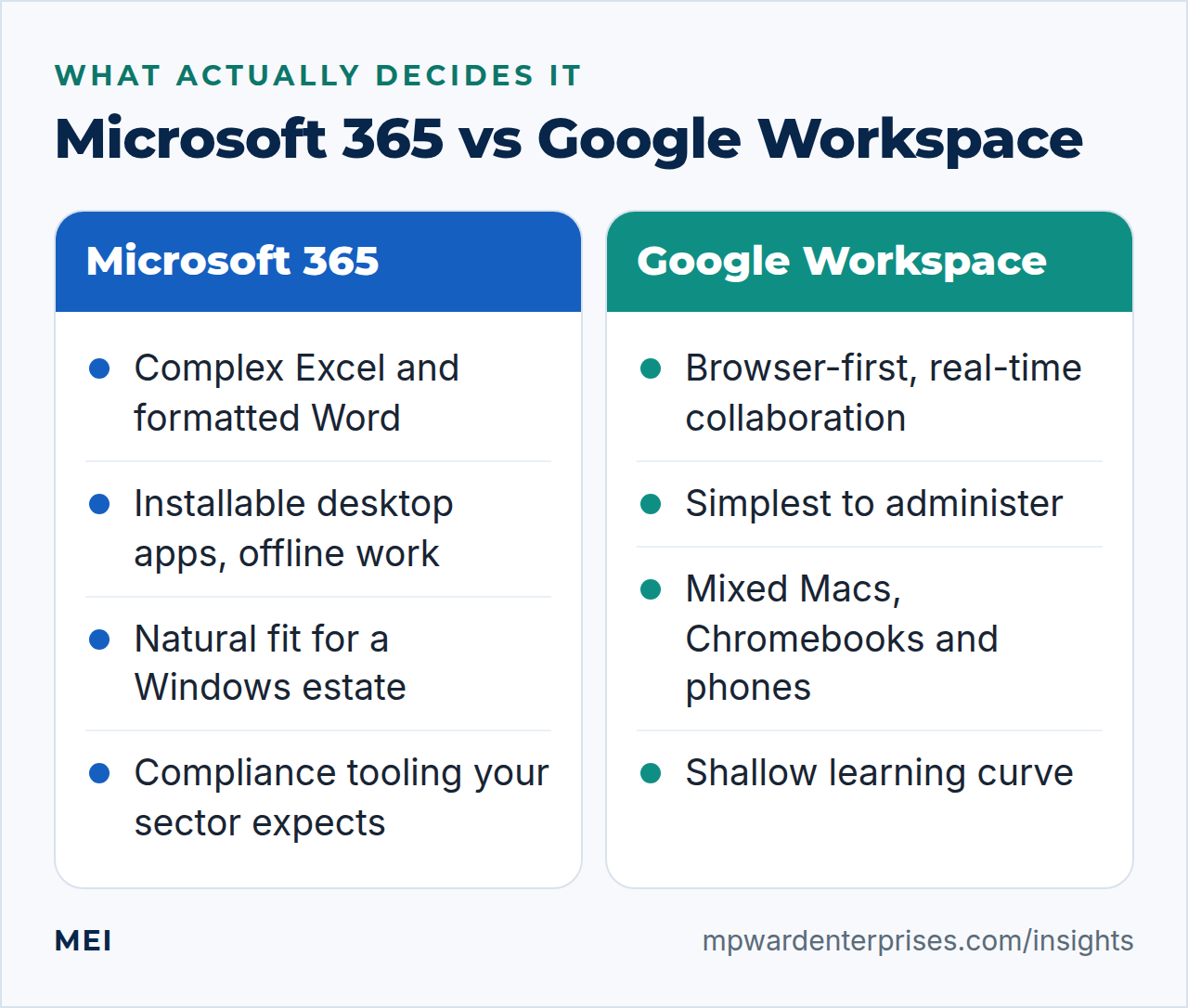
This is the single best predictor. If your business lives in heavily formatted Word documents, Excel models with macros, pivot tables and add-ins, or PowerPoint decks with precise layout, Microsoft 365 is the safer choice and it is not close. Google Workspace handles those files, but complex spreadsheets in particular lose fidelity, and the people who notice are the ones who least want to be retrained.
If your documents are mostly straightforward — proposals, invoices, simple sheets, shared notes — and several people edit the same file at once, Google Workspace is genuinely pleasant and your team will be productive faster. Real-time collaboration was built in from the start rather than added later, and it shows.
A test that takes an afternoon: take your three gnarliest spreadsheets and your most formatted template, open them in both, and have the person who owns them look. That answers the Microsoft 365 vs Google Workspace question faster than any comparison article, this one included.
Question two: do you depend on desktop software?
Microsoft 365 includes installable desktop applications on most business plans; Google Workspace is browser-first with offline modes. For a lot of small businesses that distinction has quietly stopped mattering, because the work happens in a browser anyway. For others it is decisive.
It still matters if you work offline often, if you use add-ins that only exist for desktop Office, or if you exchange files with larger organisations who will send you things built in desktop Office and expect them back unchanged. It matters less if your team is on laptops with good connections doing ordinary office work.
Device management is worth a glance here too. Both suites can enforce policy on company laptops and phones. If your estate is mostly Windows, Microsoft 365 integrates with it more naturally. If it is a mix of Macs, Chromebooks and phones, Google Workspace is usually simpler to administer.
Question three: what does your industry expect?
Some sectors effectively decide this for you. If you work with healthcare, legal, financial services or government clients, ask them what they require before you choose. Both platforms can meet most common obligations, but the features that satisfy an auditor — retention policies, legal hold, data loss prevention, detailed audit logs — sit in the higher tiers of both, and that is where the price gap opens up.
The mistake is pricing the entry tier and discovering a year later that the control you need lives two tiers up for every user. Before you commit, write down the three compliance things you are actually asked about, and check which plan includes them in each product.
Security baseline matters more than either badge. CISA's Cyber Essentials and NIST's identity guidance apply identically whichever you pick: company accounts, multi-factor authentication everywhere, admin accounts separated from daily accounts, and a leaver process that genuinely revokes access. A well-run Google Workspace is safer than a badly run Microsoft 365, and the reverse is equally true.
Question four: how hard is it to leave?
Nobody asks this and everybody eventually needs it. Both vendors provide export tools and both will give you your data. The friction is not the export; it is everything built around the suite — the shared drives with inherited permissions, the forms feeding spreadsheets, the automations, the identity integration with other applications.
The practical defence is the same in either product: keep your domain registration somewhere independent of your suite provider, keep a separate backup of mail and files that is not the provider's own replication, and document which business processes depend on suite-specific features. That last one is what turns a migration from archaeology into a project.
Backing up the suite is the part most small businesses skip. Neither Microsoft 365 nor Google Workspace is a backup — they protect against their own failures, not against deletion, a departing employee clearing a mailbox, or ransomware. The 3-2-1 backup rule applies to both.
What it really costs
Headline prices are close enough to ignore. The differences show up in tiers and in storage.
- Entry tiers land around $6 to $8 per user per month in both products and cover email, storage, documents and video calls for most small businesses.
- Mid tiers roughly double that, and are where device management and better security controls live.
- Storage is pooled differently. Google Workspace pools per organisation; Microsoft 365 is more per-user. Heavy-storage businesses should model this with real numbers rather than assume.
- Third-party backup adds $2 to $8 per user per month and should be in your budget for either.
- Migration is a one-off $1,500 to $8,000 for a ten-person business, which is why switching for a $1 price difference never pays.
When each one is clearly right
After the four questions, most small businesses find the answer is obvious. These are the clear cases.
| Choose Microsoft 365 when | Choose Google Workspace when |
|---|---|
| Excel is load-bearing in your business | Most work happens in a browser already |
| Your estate is mostly Windows | You run a mix of Macs, Chromebooks and phones |
| Clients send you formatted Office files | Several people edit the same documents at once |
| Your sector expects Microsoft compliance tooling | You want the smallest administrative burden |
| Staff already know Office and resist change | You are starting fresh with no Office habit |
If both columns describe you equally, pick Microsoft 365 — not because it is better, but because the file-compatibility risk runs one way. You will be sent Office documents whether or not you use Office.
What neither suite does for you
Both vendors market their platform as though signing up were the whole job. It is not, and the gaps are identical in each. These are the five things that remain entirely your responsibility after you choose, and they cause more small-business pain than any feature difference.
- Deciding where things live. A suite gives you shared drives; it does not tell you which folder a contract belongs in. Without a simple, written convention, you get the same sprawl you had before, now searchable but no clearer.
- Removing leavers. Accounts are created eagerly and removed late. Whoever owns the leaver checklist should own it in writing, including the handover of files the person owned personally.
- Reviewing sharing. Links set to "anyone with the link" accumulate silently for years. Schedule a review — twice a year is enough for most businesses — and actually run it.
- Training the awkward cases. Everyone can send mail. Far fewer know how to share a file properly, recover a deleted one, or recognise a phishing attempt aimed at the suite itself, which is where credential theft usually starts.
- Keeping the domain independent. Your domain registration is the one asset that must not live inside the thing you might leave. Keep it somewhere separate, with access that does not depend on the suite you are evaluating.
None of that is exciting, and none of it appears in a sales comparison. It is also, consistently, where the value of a well-run platform comes from. A tidy, well-administered deployment of the cheaper option beats a sprawling, unmanaged deployment of the expensive one, every time and by a wide margin.
If you decide to switch
Treat it as a migration, not a sign-up. The order that works is the same one in our cloud migration guide: fix identity first, clean the data, move files, then mail, then anything built on top. Keep the old mailboxes readable for a month, and do not cancel the previous tenancy until a restore has been tested.
Whichever you land on, the email side needs the same attention: authenticate the domain properly so your mail arrives, which is what SPF, DKIM and DMARC cover, and watch for the deliverability problems in emails going to spam. If you would rather not run the comparison yourself, a Business Tech Rescue Audit includes it, and Managed Website & IT Care covers running whichever you choose.
Frequently asked questions
Is Microsoft 365 or Google Workspace better for a small business?
Neither is better in general; they are better at different things. Microsoft 365 wins when complex spreadsheets, precisely formatted documents, offline desktop work or a Windows estate matter. Google Workspace wins when work already happens in a browser, several people edit the same files at once, and you want the smallest administrative burden. The fastest way to decide is to open your three most complicated spreadsheets in both and have their owner look.
Which is cheaper, Microsoft 365 or Google Workspace?
At the entry tier they are close enough that price should not decide it — roughly $6 to $8 per user per month in both. Real differences appear in the mid and upper tiers, which roughly double that and hold device management, security and compliance controls, and in how storage is pooled: Google Workspace pools across the organisation, Microsoft 365 is more per-user. Model storage with your real numbers if you hold a lot of files.
Can I use Microsoft Office files in Google Workspace?
Yes, Google Workspace opens, edits and exports Office formats. The caveat is fidelity: simple documents round-trip fine, while complex spreadsheets with macros, pivot tables or add-ins, and precisely laid-out presentations, can lose formatting or functionality. If files like those are load-bearing in your business, that is the strongest argument for Microsoft 365.
Do I need to back up Microsoft 365 or Google Workspace?
Yes. Both replicate your data to protect against their own hardware failing, which is not the same as protecting you. Neither saves you from a folder someone deletes, a departing employee emptying a mailbox, or ransomware encrypting files that sync to every device. Third-party backup costs roughly $2 to $8 per user per month and belongs in the budget for either product.
How hard is it to switch between them later?
The data export is the easy part — both vendors provide tools. The friction is everything built around the suite: shared drives with inherited permissions, forms feeding spreadsheets, automations, and identity links to other applications. Keep your domain registered independently of your suite provider, keep a separate backup, and document which processes rely on suite-specific features. That turns a future migration into a project rather than archaeology.
Does the choice affect email deliverability?
Not materially — both are reputable senders. What affects deliverability is whether you authenticate your domain properly with SPF, DKIM and DMARC, and whether you keep your sending practices clean. Those requirements are identical in both products, and skipping them is a far bigger risk to your mail arriving than the choice of suite.
Sources and further reading
- CISA: Cyber Essentials — the baseline controls that apply identically whichever suite you choose
- NIST SP 800-63B: Digital Identity Guidelines — authentication guidance behind the multi-factor and account separation advice
- Google Workspace Admin Help: Email sender guidelines — the authentication and sending requirements that apply regardless of which suite hosts your mail