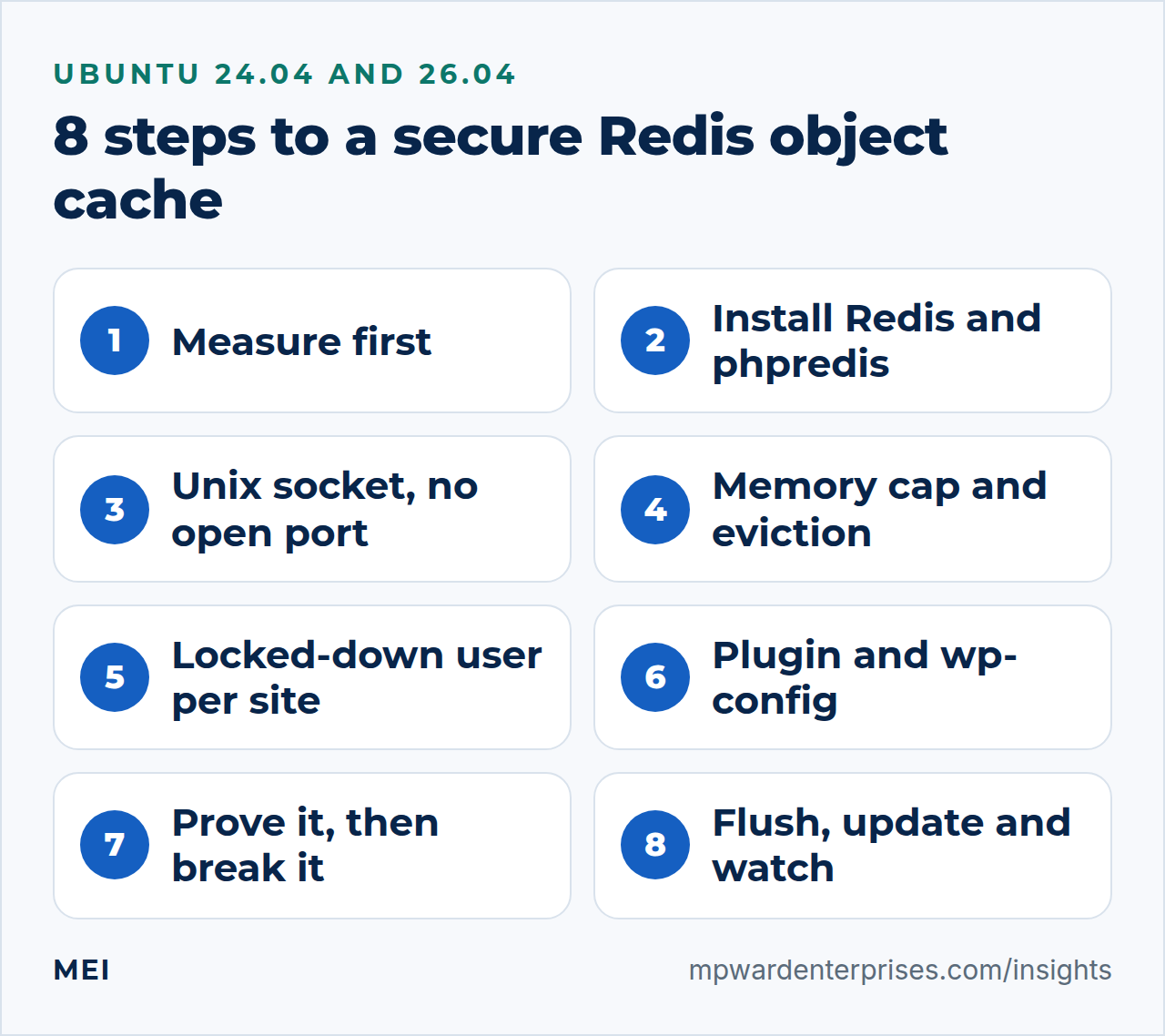
A WordPress Redis object cache keeps the answers to WordPress's most repeated database questions in fast memory, so a shop, a members area or a busy admin dashboard stops asking MariaDB the same thing dozens of times per page. This guide sets one up on Ubuntu 24.04 LTS or 26.04 LTS in eight steps, with a Unix socket instead of an open port, a memory limit, a locked-down Redis ACL user for each site, and the plugin installed with WP-CLI. On 26.04 the server can be Redis or Valkey. Pick your release with the switch below. Allow about an hour, and be comfortable in a terminal.
We ran every command twice in disposable labs, never on a live server: on Ubuntu 24.04 (Redis 7.0, PHP 8.3, MariaDB 10.11) with a small blog and a WooCommerce shop of 150 products, and on Ubuntu 26.04 (Redis 8.0 and Valkey 9.0, PHP 8.5, MariaDB 11.8) with a small blog. Both used WordPress 7.1.3 and Redis Object Cache plugin 3.0.0. Where the two releases differ, the page shows only the one you picked.
We also broke things on purpose. The main finding: with default settings, a Redis problem becomes an error page on your website, so the safety steps matter more than the speed-up. We also show when an object cache is not worth installing.
Choose your Ubuntu version
This guide covers both releases. Commands, file paths and version numbers change with your choice; everything else is the same.
JavaScript is off, so both versions are shown below and each block says which release it is for.
Before you start: what you need and how to back out
You need an Ubuntu 24.04 LTS or 26.04 LTS server that already runs WordPress on nginx, PHP-FPM and MariaDB. Our guide to the WordPress, nginx, PHP-FPM and MariaDB stack builds exactly that. Examples use example.com, a site account called siteuser, and alex as the administrator. Swap in your own names.
- Back up first. Nothing here changes your database, but you will edit
wp-config.phpand restart services. The 3-2-1 backup rule explains how many copies to keep. - Rehearse on a copy if the site takes orders, and pick a quiet hour. Step 7 stops Redis on purpose, and restarts cut requests in flight.
- Know your way out.
wp redis disableremoves the object cache cleanly, and one line inwp-config.phpswitches it off without deleting anything (Step 7). - Keep a firewall on. A default-deny firewall such as UFW is your second lock. Step 3 tests it.
WordPress Redis object cache: what it is and when it is worth it
Building one WordPress page takes dozens of small database questions. What is the site called? Which plugins are active? Who is this visitor? Most of them repeat on every page. By default WordPress remembers the answers only until the page is finished, then forgets them. An object cache is a notepad that stays open between page loads, so WordPress can read an answer instead of asking MariaDB again. Redis is the fast memory that holds the notepad.
A page cache also remembers things, but it does a different job. It keeps the finished page and hands it to anonymous visitors without running PHP. An object cache keeps the small answers PHP still needs while it builds a page, so it also helps the pages a page cache must never store.
| Page cache | Object cache | |
|---|---|---|
| What it remembers | The finished page | Answers to database questions |
| Who it helps | Anonymous visitors | Everyone, including logged-in users and shop customers |
| Where it sits | In front of PHP, for example in nginx | Inside PHP, between WordPress and the database |
| What it cannot do | Help carts, checkout, accounts or the admin area | Fix slow images, heavy scripts or slow PHP code |
Our guide to nginx FastCGI caching covers the page cache, and why is my WordPress site so slow helps you find which problem you have. The two work at different levels, so a busy shop can use both.
What we measured
On the Ubuntu 24.04 lab server we switched the object cache off and on in turn, three rounds of 21 requests per page, with the database on the same machine. The table shows medians. It is a shared test machine, so treat differences under about 10 percent as noise.
| Page | Database queries, cache off, then on | Median first byte, cache off, then on |
|---|---|---|
| Shop page (WooCommerce) | 69, then 9 | 103 ms, then 92 ms |
| Cart with one item | 70, then 9 | 100 ms, then 93 ms |
| Checkout | 72, then 9 | 108 ms, then 99 ms |
| Shop admin dashboard | 129, then 12 | 128 ms, then 121 ms |
| Blog home page | 30, then 6 | 46 ms, then 44 ms |
| Blog admin dashboard | 48, then 8 | 35 ms, then 36 ms |
Queries fell by 80 to 90 percent everywhere, which is the object cache doing its job. Time to first byte barely moved. A database on the same machine answers a simple query in a fraction of a millisecond, so removing 60 of them saves little. With eight visitors at once, the cart served between 25 and 37 pages per second across our runs, and the cache made at most a difference of about 20 percent, because PHP, not the database, was the limit.
We repeated the blog pages on Ubuntu 26.04, one round of 20 requests per page, first against Redis 8.0.5 and then against Valkey 9.0.4. The blog home page cost about 32 queries without the cache and about 6 with it, and a single post about 27 and 7. Median first byte moved by only a few milliseconds (47 against 44 ms on the home page, 37 against 35 ms on a post), and the two servers gave the same figures within a millisecond or two.
We did not rebuild the WooCommerce shop on 26.04, so the shop figures above come from the 24.04 lab.
The picture changes when each query is slow. In the same 24.04 lab we added one millisecond of delay to every packet between PHP and MariaDB, to imitate a database on another machine. The shop pages then took about 280 ms without the cache and about 125 ms with it. That is where an object cache earns its keep: remote or busy databases, large tables, and many plugins asking many questions.
When it is worth it, and when it is not
WordPress ships its own rule of thumb. We read the code of WordPress 7.1.3 and WooCommerce 11.2.0. Site Health recommends a persistent object cache on multisite, or at more than 500 autoloaded options, more than 100,000 bytes of them, or 1,000 or more rows in the comments, options, posts, terms or users tables. WooCommerce adds a trigger at 100 or more products or orders. Our shop crossed that line and our blog did not.
- Worth it: shops, member sites and forums, where a page cache has to skip the logged-in pages.
- Worth it: a database on another machine, or one that is busy, large or slow, and admin areas with several editors.
- Probably not: a brochure site served from a page cache. Anonymous visitors never reach PHP, so little is left to cache.
- Not yet: a site nobody monitors. Step 7 shows that the plugin treats Redis as essential.
Why this way and not the other ways
A Redis object cache is not the only way to remember things, and for some sites it is not the right one. The rest of this guide builds the Redis row, because that is the one that needs care.
| Option | In plain English | Our verdict |
|---|---|---|
| No object cache | WordPress asks MariaDB every time | Fine for a small site behind a page cache. Nothing to break and nothing to maintain |
| APCu | A notepad inside PHP's own memory | Simple and fast. In our test web requests shared it, WP-CLI and cron jobs could not see it, and a PHP-FPM restart emptied it. One server only |
| Memcached | A shared notepad service | Works. Its optional login (SASL) decides who may connect, not which keys they may use, so it cannot give each site its own permissions |
| Redis with the free Redis Object Cache plugin (this guide) | A notepad service with users, permissions and a memory limit | Our default for shops, member sites and busy admin areas |
| Object Cache Pro (paid) | The same vendor's commercial plugin | The vendor lists faster serialization, compression, prefetching and analytics. Worth a look for large shops. We have not tested it |
| A page cache only | Remember finished pages for anonymous visitors | Do this first for public pages. It cannot help carts or logins |
On Ubuntu 26.04 the Redis row has a close relative. Valkey is a community fork of Redis that speaks the same protocol (its INFO output reports redis_version:7.2.4 next to its own valkey_version), and Ubuntu packages both servers. The plugin and the PHP extension in this guide work with either one, and Step 2 helps you choose. We write "Redis" for short throughout, and the 26.04 notes say where Valkey needs different names.
Three ideas behind every step
- Cache, not database. Redis holds copies. If it loses everything, WordPress rebuilds the answers from MariaDB, so we spend no effort on durability.
- A hard dependency. Once the plugin is on, WordPress expects Redis to answer. In our lab a stopped Redis, a full Redis and a Redis that could not save a snapshot each produced an error page, not a slower site.
- A door and a key. Redis trusts every connection it accepts. So security means controlling who can connect (the Unix socket's file permissions are the door) and what a connection may do (the Redis ACL is the key).
Step 1: Measure first, so you know what you are fixing
Count how much work one page costs today. MariaDB keeps a running total in its Queries counter, so the difference across a few requests gives queries per page. Do it on a quiet server or a staging copy, because every visitor adds to the count. Use a page that matters to you in place of /shop/.
q() { sudo mariadb -N -e "SHOW GLOBAL STATUS LIKE 'Queries'" | cut -f2; }
curl -s -o /dev/null https://example.com/shop/
before=$(q)
for i in $(seq 20); do curl -s -o /dev/null https://example.com/shop/; done
after=$(q)
awk -v a="$after" -v b="$before" 'BEGIN { printf "about %.0f database queries per page\n", (a - b - 2) / 20 }'
curl -s -o /dev/null -w 'first byte after %{time_starttransfer} seconds\n' https://example.com/shop/
The first curl is a warm-up that is not counted, and the - 2 removes the cost of reading the counter twice, which we measured on an idle server. Our settled 24.04 lab shop printed about 70 queries per page, and our 26.04 lab blog about 32. Right after we installed WooCommerce it printed 109, because a new shop runs one-off background jobs for a while, so measure a site that has been in use. Write your number down.
Carts and admin screens need a login, so for those use the free Query Monitor plugin, which lists the queries behind the page you are viewing.
Why this way?
A number you measured beats a promise. If your pages already run few queries, or your database is local and quick, the table above says the gain will be small, and you can stop here. If Site Health already recommends a persistent object cache, that is a second reason to continue.
Step 2: Install Redis and the PHP extension from Ubuntu's repository
You need two pieces. redis-server is the notepad service, and php8.38.5-redis (phpredis) is the extension that lets PHP talk to it. Both come from Ubuntu, so automatic security updates cover them. On Ubuntu 26.04 you can use valkey-server instead of redis-server; read the box below before you copy the commands.
Redis or Valkey on Ubuntu 26.04?
Ubuntu 26.04 packages two servers that speak the same protocol: redis-server and valkey-server. We ran every step of this guide against both, with the same plugin and the same PHP extension, and the results matched. What differs is packaging and naming, so this table is what to weigh.
| Redis | Valkey | |
|---|---|---|
| Version we tested | 8.0.5 | 9.0.4 |
| Ubuntu component | universe | main |
| License, as the package's copyright file states it | Your choice of the Redis Source Available License 2.0, the Server Side Public License v1 or the GNU AGPLv3 | BSD 3-clause |
| Service and configuration file | redis-server, /etc/redis/redis.conf |
valkey-server, /etc/valkey/valkey.conf |
| Unix socket and group | /run/redis/redis-server.sock, group redis |
/run/valkey/valkey-server.sock, group valkey |
| Command-line client | redis-cli (package redis-tools) |
valkey-cli (package valkey-tools) |
| Named in the plugin's documentation | Yes | No |
Without a strong preference we would pick Valkey on 26.04. It is in Ubuntu's main component (our WordPress stack guide explains what main and universe mean for security updates), its package says BSD, and nothing in this guide needs a feature that only one of the two has. Choose Redis if your team already runs it elsewhere, or if you want the plugin's and Redis's own documentation to match what you see. Install one of them, not both: they listen on the same default port, 6379.
If licensing matters to you, read the licenses; this guide is not legal advice.
The plugin's page and README name Redis and say nothing about Valkey. Its bundled Predis library describes itself as a Redis and Valkey client, and in our tests the plugin worked against Valkey 9.0.4 through phpredis with no errors. Read that as our result, not as a promise from the plugin's author. The plugin's screens and the comment it adds to the page source still say "Redis" when Valkey is the server.
To follow this guide with Valkey, replace redis with valkey in service names, file paths, user and group names and the command-line client, so the install line becomes sudo apt install -y valkey-server php8.5-redis. That gives valkey-server, /etc/valkey/valkey.conf, /etc/valkey/users.acl, /run/valkey/valkey-server.sock, usermod -aG valkey, valkey-cli and valkey-server@.service. Leave these alone: the PHP package php8.5-redis, the redis-cache plugin, the WP_REDIS_* constants and the wp redis commands.
The helper functions in Step 5 work unchanged, because valkey-cli reads REDISCLI_AUTH as well as its own VALKEYCLI_AUTH. We replayed every block that way, and Valkey words a few messages differently, for example Could not connect to Valkey at ....
sudo apt update
sudo apt install -y redis-server php8.38.5-redis
sudo systemctl restart php8.38.5-fpm
redis-server --version
systemctl is-enabled redis-server && systemctl is-active redis-server
sudo ss -tlnp | grep 6379
php --ri redis | grep -E '^Redis Version'
In our lab that printed Redis 7.0.158.0.5, enabled, active, listeners on 127.0.0.1:6379 and [::1]:6379, and phpredis 5.3.76.2.0. Ubuntu's Redis listens on the loopback addresses only and starts in protected mode, so the internet cannot reach it. It has no password, though, so every program and user account on the server can read, change and wipe the object cache. The next steps fix that with a Unix socket and a Redis ACL.
Why this way?
We use Ubuntu's own package. Our lab image's build had already received five Ubuntu security updates, some for remote code execution and denial of service (the version ends in ubuntu0.24.04.5)Our 26.04 lab packages had already received security updates, for use-after-free bugs and denial-of-service flaws (the versions end in ubuntu0.1 for Redis and ubuntu0.2 for Valkey), and unattended-upgrades keeps itthem current with no extra repository to follow.
Step 3: Use a Unix socket and close the network port
A Unix socket is a file that programs on one machine use to talk to each other instead of a network port. Files have owners and permissions, so Linux itself decides who may knock. Append three lines to the Redis configuration, then let the site's PHP account into the redis group.
sudo tee -a /etc/redis/redis.conf >/dev/null <<'EOF'

# --- local settings: when a directive appears twice, the last one wins ---
port 0
unixsocket /run/redis/redis-server.sock
unixsocketperm 770
EOF
sudo usermod -aG redis siteuser
sudo systemctl restart redis-server php8.38.5-fpm
port 0 turns the network listener off, and unixsocketperm 770 lets the owner and the redis group use the Unix socket. If your pool runs as www-data rather than its own account, add that user instead. Group membership is read when a process starts, which is why PHP-FPM restarts too. Now test it.
sudo ss -tlnp | grep 6379 || echo "nothing listens on port 6379"
ls -l /run/redis/redis-server.sock
sudo -u siteuser redis-cli -s /run/redis/redis-server.sock ping
sudo -u nobody redis-cli -s /run/redis/redis-server.sock ping
You should see no listener, a socket owned by redis:redis with mode srwxrwx---, PONG for siteuser, and Permission denied for nobody. The last line is the point: an account outside the group cannot even connect.
Why this way?
A port on 127.0.0.1 is open to every program on the machine, including a hacked plugin on a different site. A Unix socket can be limited to one group, and there is no port to remember in the firewall. Listening on a network address so other servers can share one Redis needs TLS and strict firewall rules, and a small site does not need it.
Watch out: never expose Redis to the internet
Redis's documentation says it is built for trusted clients, and that one FLUSHALL from outside deletes the whole data set. We tested a throwaway Redis from a second machine. A firewall and a password are both worth having, and neither is a reason to open the port.
| Redis setting, tested from a second machine | What the other machine got |
|---|---|
| Ubuntu default: loopback only, no password | Connection refused |
bind 0.0.0.0, protected mode on, no password |
DENIED Redis is running in protected mode |
bind 0.0.0.0, protected-mode no, no password |
OK to a write and to FLUSHALL: anyone can do anything |
bind 0.0.0.0 with a password |
NOAUTH or WRONGPASS until the password is known: a lock on a door that still faces the internet |
| The wide-open case with UFW default deny active | The connection timed out, while port 80, which we allowed, answered normally |
On Ubuntu 26.04 we ran the same five tests against Redis 8.0.5 and Valkey 9.0.4 and got the same answers. Valkey words the protected-mode refusal as DENIED Running in protected mode because.... Our "second machine" there was a separate network namespace inside the lab, which has its own network stack and reaches the server the way another host would.
Step 4: Cap the memory and decide what happens when it is full
Out of the box Redis has no memory limit. If you add one, the default policy, noeviction, answers every new write with an error. WordPress writes to the object cache on almost every request, so a full Redis means errors, and the plugin turns errors into error pages. We reproduced it: with the limit below the data size, both lab sites returned HTTP 500 (OOM command not allowed when used memory > 'maxmemory'). With allkeys-lru they stayed at 200 while Redis discarded old entries.
sudo tee -a /etc/redis/redis.conf >/dev/null <<'EOF'
maxmemory 256mb
maxmemory-policy allkeys-lru
save ""
EOF
sudo systemctl restart redis-server
maxmemory 256mb is a ceiling, not a reservation. Our 150-product shop used about 1 MB of cache after we visited every page and admin screen, so 256 MB is generous. A large catalog, many plugins or a multisite network needs more. Start at 128 to 256 MB and watch the eviction counter in Step 8.
allkeys-lru makes Redis discard the least recently used entries when it is full, and Redis's documentation calls it a good default. Why not volatile-lru? It only discards entries that have an expiry time, and in our lab 224 of 235 keys had none. save "" switches snapshots off. Redis may log a warning about vm.overcommit_memory; the message ties it to background saves and replication, which this setup does not use.
| Persistence choice | What it does | For an object cache |
|---|---|---|
None (save "") |
Memory only. A restart starts empty | Our choice. The next pages are slightly slower while it refills: 132 ms for the first page after a flush in our lab, against about 90 ms warm |
| RDB snapshots (Ubuntu's default) | Copies memory to a file now and then, so a restart comes back warm | Costs periodic forks and disk writes. If the disk is full or unwritable, Redis refuses writes. In our lab that gave MISCONF and an error page |
| AOF (append-only file) | Logs every write | A cache writes constantly, so this means heavy disk activity for data you can rebuild. Skip it |
Step 5: Give each site its own locked-down Redis ACL user
Redis 6 and later hold named users, each with a password, a list of allowed commands and a pattern of key names it may touch. This is the Access Control List, or Redis ACL. Think of a hotel key card: it opens your room and the lift, not the master cupboard. We create a full-power user for you and a limited user for the site, and switch off the built-in user that needs no password.
First make two long random passwords. The ACL file holds only their SHA-256 hashes, so the file itself contains nothing usable. Keep SITE_PASS in this shell until Step 6, because it goes into wp-config.php.
ADMIN_PASS=$(openssl rand -hex 32)
SITE_PASS=$(openssl rand -hex 32)
echo "$ADMIN_PASS" | sudo tee /root/redis-admin.pass >/dev/null
sudo chmod 600 /root/redis-admin.pass
sha256hex() { printf %s "$1" | sha256sum | cut -d' ' -f1; }
sudo tee /etc/redis/users.acl >/dev/null <<ACL_FILE
user default off
user admin on #$(sha256hex "$ADMIN_PASS") ~* &* +@all
user siteuser on #$(sha256hex "$SITE_PASS") ~example.com:* resetchannels +select|0 +ping +info +get +mget +set +setex +del +incrby +decrby +flushdb +eval +scan +zadd +zcount +zrangebyscore +zremrangebyscore
ACL_FILE
sudo chown redis:redis /etc/redis/users.acl
sudo chmod 640 /etc/redis/users.acl
echo 'aclfile /etc/redis/users.acl' | sudo tee -a /etc/redis/redis.conf >/dev/null
sudo systemctl restart redis-server| Rule | In plain English |
|---|---|
user default off |
Switches off the built-in user that needs no password. A connection that does not log in can do nothing |
user admin on #... ~* &* +@all |
Your full-power account. The # form stores the password's hash, not the password |
~example.com:* and resetchannels |
The site may touch only keys whose names start with example.com:, and no publish or subscribe channels. Step 6 makes WordPress use that prefix |
+select|0 |
May switch to database 0 and no other. It matters when sites share one Redis (see the section on database numbers) |
+get +mget +set +setex +del +incrby +decrby +ping +info |
Read, write and delete entries and counters. The plugin also checks the connection and server version each time PHP connects |
+flushdb +eval +scan |
Flushing. WordPress flushes its cache during core updates and the plugin runs FLUSHDB. A single cache group is flushed by a small Lua script, which WooCommerce uses for coupons |
+zadd +zcount +zrangebyscore +zremrangebyscore |
The plugin's metrics screen. If you set WP_REDIS_DISABLE_METRICS to true, you can drop these four |
We did not guess that list. We ran the plugin as a user with almost no rights and read Redis's ACL LOG after each round of visitors, admin screens, publishing, comments, transients and flushes, adding only what was refused, until nothing was. Now look around as the admin, and prove the limits from the site's side.
rcli() { REDISCLI_AUTH="$(sudo cat /root/redis-admin.pass)" sudo --preserve-env=REDISCLI_AUTH redis-cli -s /run/redis/redis-server.sock --user admin "$@"; }
rcli acl whoami
rcli acl list
site() { REDISCLI_AUTH="$SITE_PASS" sudo --preserve-env=REDISCLI_AUTH -u siteuser redis-cli -s /run/redis/redis-server.sock --user siteuser "$@"; }
site set example.com:test 1
site set other:test 1
site flushall
site config get dir
ACL WHOAMI prints admin, and ACL LIST shows the default user off. The site user's first write works. The next three each answer NOPERM: a key outside its prefix, FLUSHALL, and CONFIG. Both functions pass the password through the environment, so it never appears in a process list.
Watch out: no comments in the Redis ACL file
On Ubuntu 24.04's Redis 7.0Ubuntu 26.04, both Redis 8.0 and Valkey 9.0, a comment line in users.acl stops Redisthe server from starting at all. Ours failed with /etc/redis/users.acl:1 should start with user keyword followed by the username (/etc/valkey/users.acl:1 ... on Valkey), and every site using it went down with it. Redis's documentation says comment lines are allowed only from Redis 8.8, which Ubuntu 26.04 does not ship, and Valkey's ACL page does not mention comments.
After any later edit, run rcli acl load before you restart anything. It refuses a bad file, prints the same error and keeps the working rules; our site kept answering with HTTP 200.
Why this way?
A single shared password (requirepass) beats nothing, but every site and tool that has it can run FLUSHALL and CONFIG. With a Redis ACL each site gets only what it needs, and ACL LOG names the command or key that was refused. The deprecated +select|0 form is the one corner we rely on. It works on Ubuntu 24.04's Redis 7.0Ubuntu 26.04's Redis 8.0 and Valkey 9.0, and Redis's documentation saysthe documentation of both projects says it may be removed in a future release.
Step 6: Install the plugin and connect WordPress to Redis
The Redis Object Cache plugin supplies a file called object-cache.php, which WordPress loads in place of its built-in cache. WP-CLI installs the plugin and writes the connection settings, including the Unix socket path, into wp-config.php. The helper below runs WP-CLI as the site account, never as root, from a folder that account can enter. It is the same one our stack guide uses.
wps() { ( cd /tmp && sudo -u siteuser -- wp --path=/var/www/example.com/public "$@" ); }
wps plugin install redis-cache --activate
wps config set WP_REDIS_SCHEME unix
wps config set WP_REDIS_PATH /run/redis/redis-server.sock
wps config set WP_REDIS_PREFIX 'example.com:'
wps config set WP_REDIS_PASSWORD "['siteuser', '$SITE_PASS']" --raw
wps redis enable
wps redis status | head -6
The status should begin with Status: Connected, Client: PhpRedis (v5.3.76.2.0), Drop-in: Valid, Disabled: No, Ping: 1 and Errors: []. PHP-FPM re-reads wp-config.php every couple of seconds, so a page may need a moment to notice. If it says Not connected, read the error line, then rcli acl log 5, which names any command or key Redis refused. As an optional tidy-up, the plugin's FAQ suggests deleting the transients that sat in the database before the cache existed: wps transient delete --all.
| Constant | Our value | What it does (from the plugin's README) |
|---|---|---|
WP_REDIS_SCHEME, WP_REDIS_PATH |
unix and the socket path |
Connect over a Unix socket instead of TCP |
WP_REDIS_PASSWORD |
['siteuser', 'password'] |
The array form carries a Redis ACL user name and password |
WP_REDIS_PREFIX |
example.com: |
Prefix for every cache key, to avoid collisions between sites |
WP_REDIS_DATABASE |
not set (0) | Database number, 0 to 15. Set it per site when sites share a Redis |
WP_REDIS_MAXTTL |
not set | Caps the lifetime of every key. Optional, because allkeys-lru already bounds memory |
WP_REDIS_DISABLED |
not set | Emergency switch that bypasses the cache without deleting the drop-in |
Why set the prefix yourself?
A site created with WP-CLI already has a random WP_CACHE_KEY_SALT, and the plugin quietly uses it as the key prefix when you set none. That keeps sites apart, but it is random text full of symbols such as ? and *, which are wildcards in a Redis key pattern, so you cannot write a sensible Redis ACL rule for it. A readable prefix such as example.com: can go into the Redis ACL, and it shows up in every key, for example example.com:wp:options:alloptions.
Watch out: the password is on a command line
While wps config set runs, other accounts on the server can see the password in the process list for a moment. If other people have shell accounts, open wp-config.php in a text editor and paste the line instead. Keep the Redis constants above the line that says "That's all, stop editing". The plugin's instructions require it, and wp config set puts them there.
Step 7: Prove it works, then prove it fails safely
Start with evidence that it works. Redis counts every lookup it answers. A hit means WordPress found the answer in Redis, and a miss means it had to ask MariaDB and store the result. Compare the counters before and after a few page loads.
curl -s -o /dev/null https://example.com/
rcli info stats | grep -E 'keyspace_(hits|misses)'
for i in $(seq 5); do curl -s -o /dev/null https://example.com/; done
rcli info stats | grep -E 'keyspace_(hits|misses)'
curl -s https://example.com/ | grep -A3 'Performance optimized'
On our lab shop, five page loads added about 500 hits and 220 misses. A miss is a lookup that found nothing, and some lookups find nothing every time, so the ratio settles near 70 percent rather than 100. The last command shows a comment in the page source, such as Retrieved 2444 objects (187 KB) from Redis using PhpRedis; WP_REDIS_DISABLE_COMMENT hides it. Repeat the query count from Step 1: our shop went from about 70 queries per page to 9.
Logged in as an administrator, you also see the hit ratio in the toolbar.
On our 26.04 lab blog, five page loads added about 400 hits and no new misses. A busier site adds misses too, because some lookups find nothing every time: our 24.04 shop settled near a 70 percent hit ratio rather than 100. The last command shows a comment in the page source, such as Retrieved 1232 objects (162 KB) from Redis using PhpRedis (v6.2.0), which says "Redis" even when Valkey is the server; WP_REDIS_DISABLE_COMMENT hides it.
Repeat the query count from Step 1: our blog went from about 32 queries per page to 6. Logged in as an administrator, you also see the hit ratio in the toolbar.
Now the part most guides skip. On a staging copy, or in a quiet moment, stop Redis and load the site.
sudo systemctl stop redis-server
curl -s -o /dev/null -w '%{http_code}\n' https://example.com/
wps config set WP_REDIS_DISABLED true --raw
sleep 3
curl -s -o /dev/null -w '%{http_code}\n' https://example.com/
wps config delete WP_REDIS_DISABLED
sudo systemctl start redis-server
The first request returned HTTP 500 with a page saying the Redis connection failed, and the nginx error log showed RedisException: No such file or directory, because the socket file disappears when Redis stops. After we set WP_REDIS_DISABLED and waited a few seconds for PHP to notice the file change, the same page returned 200 with Redis still stopped. That constant is your emergency switch, so remove it once Redis is back.
The plugin's README lists a WP_REDIS_GRACEFUL setting that suppresses the errors, but the vendor marks it unsupported and warns that it can corrupt data, so we leave it alone.
Real failures often repair themselves. Ubuntu's service unit tells systemd to restart Redis whenever it dies. We killed the process with kill -9: a few test requests failed, and the site answered normally about half a second later. A package update restarts Redis the same way, so expect a moment of error pages when redis-server is upgraded.
Watch out: Redis is now a hard dependency
Treat it like the database. In our lab each of these produced an error page: Redis stopped, Redis over its memory limit under noeviction, Redis unable to save a snapshot, and a Redis ACL that refused a command the plugin needed. Add an uptime check on a real page, not only on port 80, so you hear about it from a tool and not from a customer.
Step 8: Flush, update and watch it without surprises
wp cache flush and the Flush Cache button empty the object cache, but what they empty surprised us. The plugin runs FLUSHDB, which erases the whole Redis database number, prefix or no prefix. We put two sites in one database with different prefixes and flushed one: the other lost all 105 of its keys. Only WP_REDIS_SELECTIVE_FLUSH limits a flush to one prefix, and the vendor lists it as unsupported because it scans the whole key space with a Lua script.
A flush is safe for visitors. Afterward the administrator session still worked and a shopper's cart still held its item, because logins and WooCommerce sessions live in the database. What disappears are the cached answers, which cost the next visitor a slower page, and transients, which live only in Redis once the object cache is on.
| When | What to do |
|---|---|
| After raw SQL edits, an import or a restored backup | Run wps cache flush. The cache cannot see changes made behind WordPress's back |
After wp search-replace |
Run wps cache flush. WP-CLI itself says "Please remember to flush your persistent object cache". We saw the old site title keep appearing until we did |
| After updating the plugin | Run wps redis status. If the drop-in is outdated, run wps redis update-dropin. In our test wp plugin update did not refresh it |
| After a PHP upgrade | Confirm php --ri redis still works, then restart PHP-FPM |
| Before removing the plugin | Run wps redis disable first, so no orphaned object-cache.php is left behind |
For day-to-day watching, two numbers matter: how full the cache is, and how often Redis has to throw entries away.
rcli info memory | grep -E '^(used_memory_human|maxmemory_human)'
rcli info stats | awk -F: '/^keyspace_hits/{h=$2} /^keyspace_misses/{m=$2} /^evicted_keys/{e=$2} END { r = (h + m) ? 100 * h / (h + m) : 0; printf "hit ratio %.0f%%, evicted keys %d\n", r, e }'
The counters start at zero whenever Redis restarts. A hit ratio that climbs afterward and settles high is healthy, and a few evictions are normal for a cache. Evictions that keep rising while the hit ratio falls mean the cache is too small, so raise maxmemory. Zero evictions with memory far below the cap means you can lower it.
Why this way, and what not to cache
Keep anything you cannot rebuild out of this Redis. Other applications use Redis for locks and queues, and a policy that discards old entries can silently drop them. Redis's documentation suggests two instances in that case, and so do we. For a plugin whose data goes stale or misbehaves with a persistent cache, the plugin's FAQ shows how to exclude its cache group with WP_REDIS_IGNORED_GROUPS.
Several sites on one server: database numbers are not walls
Many guides give every site its own Redis database number, from 0 to 15, and call the sites separated. The number is only a namespace. We tested it three ways. On a default Redis, a script running as the shop's account read the blog's cached options: all 116 autoloaded settings on our small blog, including the site address and the admin email. An unrelated account, nobody, could count the keys in and flush every database.
Next we tried the half-fix that most tutorials stop at: a Redis ACL user for the blog with a key pattern, but free to switch databases. It could no longer read the shop's keys. It could still select the shop's database and run FLUSHDB there, and the shop's 39 keys became zero. Key patterns guard only commands that name a key, and flushing a database names none. The accidental version is two sites sharing one database and one prefix: the shop then showed the blog's title and 52 links to the wrong domain.
| Approach | Can site B read site A's cache? | Can site B flush it? | Verdict |
|---|---|---|---|
| Database numbers on a default Redis | Yes | Yes | Housekeeping, not security |
| One shared password | Yes, everyone who knows it has full power | Yes | Better than nothing, no more |
| Redis ACL users with key patterns only | No | Yes, FLUSHDB on any database |
Half a fence |
Redis ACL users with key patterns and a pinned database (+select|N) |
No | Only its own database, plus database 0 | Good if database 0 stays empty. Uses one deprecated ACL form |
| One Redis instance per site, Unix socket owned by the site's group | No | No | Strongest, and the simplest to reason about |
For pinned databases, add one line to users.acl for each extra site, give its wp-config.php a WP_REDIS_DATABASE, and run rcli acl load. The second site's line has its own hash, prefix and number:
user shopuser on #<sha256 of the shop's password> ~shop.example.com:* resetchannels +select|1 +ping +info +get +mget +set +setex +del +incrby +decrby +flushdb +eval +scan +zadd +zcount +zrangebyscore +zremrangebyscoreWith that in place, the blog's user got NOPERM when it tried to select the shop's database, and for FLUSHALL and CONFIG, and Lua scripts that tried to switch databases or touch another prefix were refused as well. Its own FLUSHDB worked and left the shop's 39 keys alone. A default Redis has 16 databases, and the next box explains why only 15 of them can be used.
Watch out: database 0 is open to everyone
Every new connection starts in database 0, and FLUSHDB needs no SELECT. So a user pinned to database 1 can still empty database 0. In our re-test the shop's pinned user ran FLUSHDB straight after connecting and deleted a key that the blog had stored in database 0. The fix is to give no site database 0: number your sites from 1, so the first site's line uses +select|1 and its wp-config.php gets WP_REDIS_DATABASE set to 1, and leave database 0 empty.
With a single site, database 0 is fine, which is why Step 5 uses it. Keeping database 0 free leaves room for 15 sites.
Valkey's current manual describes a cleaner tool, per-database permissions written as db=1, and says Valkey 9.1 added the matching databases field to ACL GETUSER. The 9.0.4 package in Ubuntu 26.04 rejects db=1, alldbs and resetdbs with a syntax error (we tried all three), so on 26.04 the +select|N pinning above is what you have. We re-ran the pinned-database and flush tests on 26.04 against Redis 8.0.5 and Valkey 9.0.4, and they behaved as described here.
The cleanest answer is a separate Redis for each site. Ubuntu ships a template unit, redis-server@.service, that reads /etc/redis/redis-NAME.conf. A small drop-in makes the instance run under the site's own group, so only that site's PHP can open its Unix socket. Each site also gets its own memory limit and its own FLUSHALL.
SHOP_PASS=$(openssl rand -hex 32)
sudo install -d -o redis -g redis -m 750 /var/lib/redis/shopuser
sudo tee /etc/redis/redis-shopuser.conf >/dev/null <<EOF
port 0
unixsocket /run/redis-shopuser/redis-server.sock
unixsocketperm 660
dir /var/lib/redis/shopuser
maxmemory 128mb
maxmemory-policy allkeys-lru
save ""
requirepass $SHOP_PASS
EOF
sudo chown redis:redis /etc/redis/redis-shopuser.conf
sudo chmod 640 /etc/redis/redis-shopuser.conf
sudo mkdir -p /etc/systemd/system/[email address].d
printf '[Service]\nGroup=shopuser\n' | sudo tee /etc/systemd/system/[email address].d/group.conf >/dev/null
sudo systemctl daemon-reload
sudo systemctl enable --now redis-server@shopuser
ls -l /run/redis-shopuser/
The shop's Linux account must exist before you start the instance, because the drop-in names its group. If the group is missing, systemd 259 refuses to start the unit and says Failed to determine credentials for group 'redis': Unknown group. In our test the message named redis (the instance's user) rather than the missing group, so check the drop-in first.
The shop then uses WP_REDIS_PATH /run/redis-shopuser/redis-server.sock and WP_REDIS_PASSWORD set to the plain password, and its account does not need the redis group at all. In our lab the other site got Permission denied on that Unix socket, and a FLUSHALL there left the shared instance's keys untouched. The price is one more service per site to restart, update and monitor.
Why this way?
For one trusted site, a single Redis ACL user is plenty. For a few sites you control, pinned databases work. For sites owned by different people, or any site where a compromise must not spread, use separate instances: the operating system enforces the wall, with no reliance on ACL details. The layout of one account and one PHP pool per site, from our multiple WordPress sites guide, is what makes a group-owned socket possible.
Check your WordPress Redis object cache in five minutes
Run these and compare the results with what you intended.
sudo ss -tlnp | grep 6379 || echo "OK: no network listener"
ls -l /run/redis/redis-server.sock
rcli config get maxmemory-policy
rcli config get save
rcli acl list
site set other:test 1
wps redis status | head -6
rcli info stats | grep -E 'keyspace_(hits|misses)|evicted_keys'
You are looking for: no listener on 6379; a Unix socket owned by redis:redis (valkey:valkey on Valkey) with mode srwxrwx---; policy allkeys-lru and an empty save value; the default user off and each site user limited to its own prefix; NOPERM for a key outside that prefix; Status: Connected; and hits that grow much faster than misses. From another machine, nc -vz your-server-address 6379 should fail. That is the test that matters.
Common Redis object cache mistakes
- Opening port 6379, or binding to every address, "so another server can use it". If you truly need that, use TLS, a Redis ACL and a firewall rule for one address.
- Setting a memory limit but leaving the policy at
noeviction. The first time the object cache fills, the site returns errors. - Trusting database numbers to keep sites apart, or giving two sites the same database and the same prefix.
- Editing the database with SQL, restoring a dump or running
wp search-replacewithout flushing the cache afterward. - Running
redis-cli FLUSHALLon a Redis shared with other sites or applications. - Putting a comment line in
users.acl, or restarting Redis before testing the file withACL LOAD. - Forgetting to add the PHP account to the
redisgroup (valkeyon Valkey), or to restart PHP-FPM afterward. The result isPermission deniedand an error page. - Deleting the plugin before running
wp redis disable, which leaves a drop-in with no plugin behind it. - Sharing this Redis with locks or queues that must not be evicted, or pointing a monitoring tool that expects no password at a Redis whose default user is off. Give such tools their own limited user.
Keep it healthy: a monthly 10-minute routine
- Run
systemctl is-active redis-server(valkey-serveron Valkey) and check that your uptime monitor still loads a real page. - Read the memory and eviction numbers from Step 8, and change
maxmemoryif the trend says so. - Run
wps redis statusfor every site. After a plugin update, runwps redis update-dropinif it reports an outdated drop-in. - Compare
rcli acl listwith your list of sites, and remove users for sites that no longer exist. - Rotate a site's Redis password when someone who knew it leaves. Add a second hash to the user's line in
users.acland runrcli acl load, changewp-config.php, then delete the old hash and load again. Both passwords work in between, so there is no outage. - Skim
sudo journalctl -u redis-server --since "30 days ago"for warnings, and make sure your WordPress maintenance routine flushes the cache after migrations.
Getting help
If you would rather have someone tune the stack for you, MEI's WordPress Engineering & Plugin Development service starts at $1,200, with fixed scope or hourly work, and covers performance, security hardening and migrations. Our Infrastructure & Private Cloud service starts at $2,500, scoped by systems and scale, and covers provisioning, Linux administration, performance tuning and monitoring. No setup is perfectly secure; we focus on the highest-impact, most likely risks.
For the bigger picture, read our 12-step guide to harden Ubuntu Server, or start with a Business Tech Rescue Audit from $497.
Frequently asked questions
What is a WordPress Redis object cache?
It is a persistent cache for the small database answers WordPress asks for while building a page, such as settings, user records and post data. By default WordPress forgets them when the page finishes. A Redis object cache, added with a plugin, keeps them in memory between requests so fewer queries reach MariaDB. It also helps logged-in pages that a page cache cannot store.
Do I need Redis for WordPress?
Not always. In our lab it cut database queries by 80 to 90 percent, but response time changed little because the database was on the same machine. It pays off for shops, member sites, busy admin areas and databases that are remote or slow. A small brochure site behind a page cache usually does not need it.
Is it safe to run Redis on a WordPress server?
Yes, if you do not expose it. Use a Unix socket or the loopback address, never an open port, give each site a Redis ACL user with a password and a key prefix, and set a memory limit. Redis is built for trusted clients: a default Redis with no password lets any local account read and flush the cache of every site.
How do I know the Redis object cache is working?
Run wp redis status and look for Status: Connected. Then compare the keyspace_hits and keyspace_misses counters in redis-cli INFO stats before and after a few page loads: hits should climb while misses stay flat. You can also compare database queries per page, using MariaDB's Queries counter or the Query Monitor plugin.
What happens if Redis stops?
With default settings the plugin shows an error page and the site returns HTTP 500. The same happens when Redis is over its memory limit under the noeviction policy, or cannot save a snapshot. Ubuntu's service restarts Redis within about a second of a crash. Keep the WP_REDIS_DISABLED constant ready as an emergency switch.
Should I use Redis, Valkey, Memcached or APCu for WordPress?
A Redis-protocol server is our default for dynamic sites because it has users, permissions, memory limits and a maintained plugin. On Ubuntu that means Redis, or on 26.04 its fork Valkey, which worked the same in our tests. APCu is simple but lives inside PHP, is emptied when PHP-FPM restarts and is not shared with WP-CLI. Memcached works, but its optional login only controls who can connect, not which keys they may use.
Sources and further reading
- Redis documentation: Redis security — the trusted-clients model, network exposure, protected mode and authentication
- Redis documentation: ACL — ACL rules, key patterns, the aclfile, why FLUSHDB ignores key patterns, comment lines in the ACL file from Redis 8.8 and the deprecated +select|N form
- Redis documentation: Key eviction — maxmemory, the eviction policies and the allkeys-lru recommendation
- Redis documentation: Persistence — RDB snapshots, AOF, and running with no persistence for a cache
- Redis Object Cache plugin: README — configuration constants, ACL password arrays, the Unix socket example, WP-CLI commands and unsupported options
- Redis Object Cache plugin: FAQ — multiple sites on one Redis, out-of-memory errors, flushing, transients and removing the drop-in
- WordPress developer documentation: WP_Object_Cache — the built-in cache is non-persistent, and persistent caches replace it through a drop-in
- Memcached wiki: SASL howto — Memcached's login is a connection-level SASL setting enabled with a server flag
- Valkey documentation: ACL — the same deprecation note for the +select|N form, and per-database permissions (db=) described for Valkey 9.1 and later