
Bulk sender requirements are the rules the large mailbox providers now enforce on anyone sending meaningful volumes of email: authenticate your domain, make unsubscribing trivial, and keep complaints low. They are not guidelines. Mail that does not meet them is rejected or filtered, and the sender usually finds out from a customer rather than from an error message.
This guide covers the six things every bulk sender must do, the thresholds that matter, how to tell whether you are affected, and what to fix first if you are already seeing problems. It applies to newsletters, campaigns, and any automated mail going to a large number of recipients.
Who counts as a bulk sender
The commonly used line is around 5,000 messages a day to a single major provider, but treating that as a threshold to stay under is the wrong instinct. The requirements are simply good practice, every one of them improves deliverability at any volume, and the number is measured per provider rather than across your whole list.
It is also easier to cross than owners expect. A list of 10,000 split across providers, a quarterly newsletter sent in one go, or an automated sequence firing on a busy day can all put you over for a day — and a day is enough to be filtered.
The sensible position is to meet the bulk sender requirements regardless of volume. Everything on the list below is worth doing for a thousand-recipient list.
The six bulk sender requirements
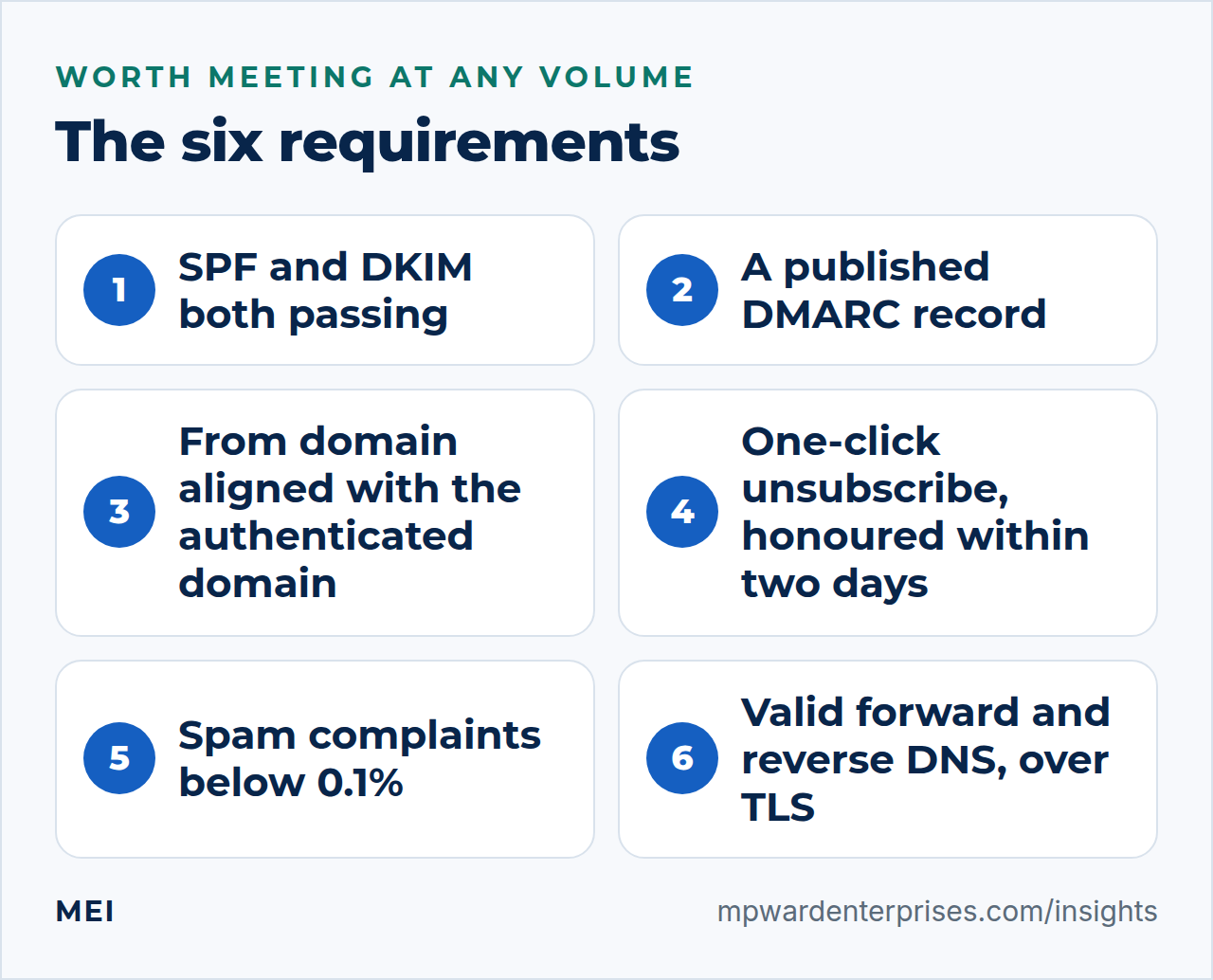
- Authenticate with SPF and DKIM. Both, on the domain you actually send from. One SPF record covering every sending service, and DKIM signing enabled at each.
- Publish a DMARC record. Even
p=nonesatisfies the baseline, though enforcement is where the protection is. - Align your From domain. The visible From address must match the authenticated domain. This catches businesses sending "from" a personal address through a marketing platform.
- Offer one-click unsubscribe. A list header that lets the mailbox provider unsubscribe the recipient without them visiting your site, honoured within two days.
- Keep spam complaints low. Below 0.1% as a working target, with 0.3% treated as the point where filtering begins in earnest.
- Use valid forward and reverse DNS and a TLS connection. Normally your provider's job, but worth confirming if you send from your own server.
One-click unsubscribe, properly
This is the requirement most often misunderstood. It does not mean a link in your footer — you already needed that. It means the headers that let the mail client show its own unsubscribe control, so the recipient never visits your site at all.
Two headers are involved: one listing the unsubscribe methods, and one declaring that a single POST request is enough. Most reputable sending platforms add both automatically, which is a good reason to send campaigns through one rather than scripting your own.
The second half matters as much: the request must actually be honoured, and quickly. Continuing to mail someone who used the mailbox provider's unsubscribe control is the fastest route to being classified as spam, because the provider knows exactly what happened.
The complaint rate, and why it decides everything
Of all the bulk sender requirements, the complaint rate is the one you cannot fix on the day. It is a trailing measure of how people feel about receiving your mail.
| Complaint rate | What it means |
|---|---|
| Below 0.1% | Healthy. One complaint per thousand messages. |
| 0.1% to 0.3% | Warning territory. Review list sources and frequency. |
| Above 0.3% | Filtering, and it will get worse before it gets better. |
Complaints come from a small number of recoverable causes: people who do not remember subscribing, mail that arrives more often than expected, a hard-to-find unsubscribe link, and old addresses mailed after long silence. Every one is a list-hygiene or expectation problem rather than a technical one.
The fastest way to reduce complaints is usually to mail fewer people more relevantly — drop anyone who has not engaged in a year, and the rate falls immediately because the denominator was never the issue.
Checking whether you comply
Four checks, none of which requires a tool you must pay for.
- Send yourself a campaign at an address on a major provider and view the full message source. Look for SPF, DKIM and DMARC all passing, and for the list-unsubscribe headers.
- Check From alignment. The visible From domain and the authenticated domain should match. A mismatch here fails DMARC even when SPF passes.
- Read your DMARC reports. They show every source sending as your domain, including ones you have forgotten.
- Look at your platform's complaint rate over the last few sends, not just the latest one.
If any check fails, fix it before your next campaign rather than after. The underlying records are explained in SPF, DKIM and DMARC explained, and the safe path to enforcement in our DMARC setup guide.
What to fix first
If you are already being filtered, order matters, because some fixes take effect immediately and others take weeks.
- Authentication, today. SPF, DKIM and alignment are DNS and platform settings, and they take effect as soon as they propagate.
- Unsubscribe headers, this week. Usually a platform setting or a move to a platform that does it properly.
- List hygiene, immediately. Remove dormant addresses before the next send. This is the single fastest improvement available.
- Frequency and relevance, this month. Slower to show results, but it is what keeps complaints down permanently.
- Reputation, over weeks. Once damaged, it recovers at the pace of consistent good behaviour — effectively an email warm up.
What changes as your list grows
The requirements do not change with volume, but the consequences of failing them do, and the shift catches businesses out as their list crosses a few thousand.
At small volumes, a provider has little evidence about you and tends to give the benefit of the doubt. A handful of complaints is statistically meaningless and your mail mostly arrives. The same complaint rate at twenty times the volume is a clear pattern, and the response is no longer tolerant — the message does not bounce with an explanation, it simply goes to the spam folder for everyone at that provider.
That is why the failure is so often invisible. There is no error, no rejection notice, no support ticket. Open rates drift downward over a few campaigns, replies dry up, and the business concludes that email marketing has stopped working. By the time anyone investigates, the reputation damage has been accumulating for months.
Three habits prevent it. Watch open rate per provider rather than overall, because a single provider filtering you is invisible in a blended average. Keep a seed address at each major provider and actually look at where the message lands. And treat any sudden drop as a deliverability question first, before rewriting subject lines — the content is rarely the cause when the decline is sharp.
Transactional mail is not exempt
Receipts, password resets, booking confirmations and alerts are not marketing, and the unsubscribe requirement is aimed at promotional mail. But authentication applies to everything, and transactional mail is the mail you can least afford to have filtered.
The practical advice is to separate the two onto different subdomains and authenticate both. That way a marketing campaign that attracts complaints cannot take your password resets with it — which is exactly the failure that turns an email problem into a support problem. If your forms or receipts are already not arriving, the causes are usually in contact form email failures.
Staying compliant without thinking about it
Meeting bulk sender requirements once is easy; staying compliant is a habit. Four things keep it maintained with almost no ongoing effort.
Send through a reputable platform that handles headers and complaint feedback for you. Keep every sending service listed in one SPF record, and check it whenever you add a tool. Read the DMARC aggregate reports monthly — it takes minutes and catches new senders before they cause damage. And remove dormant subscribers on a schedule rather than when something goes wrong.
If you would rather have it set up and verified once, that is our Email Deliverability & Domain Authentication service, and a Business Tech Rescue Audit will tell you which of the six requirements you currently fail.
Frequently asked questions
Who has to meet bulk sender requirements?
The commonly cited line is around 5,000 messages a day to a single major provider, measured per provider rather than across your whole list. It is easier to cross than people expect — a quarterly newsletter sent in one go, or an automated sequence firing on a busy day, can put you over for a day, and a day is enough to be filtered. Since every requirement improves deliverability at any volume, the sensible answer is to meet them regardless.
What is one-click unsubscribe and do I need it?
It is a pair of message headers that let the mail client display its own unsubscribe control, so the recipient never visits your site. A link in your footer does not satisfy it. Most reputable sending platforms add the headers automatically. The second half matters just as much: the request must be honoured within about two days, because continuing to mail someone who used the provider's own control is the fastest route to being classified as spam.
What spam complaint rate is acceptable?
Below 0.1% — one complaint per thousand messages — is healthy. Between 0.1% and 0.3% is warning territory where you should review list sources and sending frequency. Above 0.3% you are being filtered and it tends to worsen before it improves. Complaints almost always come from people who do not remember subscribing, mail arriving more often than expected, or addresses mailed after long silence.
How do I check whether my email meets the requirements?
Send yourself a campaign at an address on a major provider and read the full message source: SPF, DKIM and DMARC should all pass, and the list-unsubscribe headers should be present. Confirm the visible From domain matches the authenticated domain. Read your DMARC aggregate reports, which reveal every source sending as your domain. And check your platform's complaint rate across several sends rather than just the most recent.
Do these rules apply to transactional email?
The unsubscribe requirement is aimed at promotional mail, so receipts, password resets and booking confirmations are not expected to carry it. Authentication applies to everything, though, and transactional mail is the mail you can least afford to have filtered. Best practice is to send marketing and transactional mail from different subdomains and authenticate both, so a campaign that attracts complaints cannot affect your password resets.
My email is already being filtered — what do I fix first?
In this order: authentication today, because SPF, DKIM and alignment take effect as soon as DNS propagates; unsubscribe headers this week, usually a platform setting; list hygiene immediately, removing dormant addresses before the next send; then frequency and relevance over the following month. Reputation itself recovers last, at the pace of consistent good behaviour — effectively a warm up.
Sources and further reading
- Google Workspace Admin Help: Email sender guidelines — the authentication, unsubscribe and spam-rate requirements for bulk senders
- RFC 7489: DMARC — policy, alignment and aggregate reporting
- RFC 7208: Sender Policy Framework (SPF) — why every sending service must appear in a single SPF record