

DNS records explained without the jargon: DNS is the address book of the internet, and a record is one entry in it. Nine types cover almost everything a small business will ever touch — where the website lives, where the email goes, and who is allowed to send mail as you. Understanding them turns most "the website is down" panics into a five-minute check.
This guide explains each type in plain language, what it looks like, what breaks when it is wrong, and the two settings — TTL and propagation — that explain why DNS changes never seem to take effect when you want them to.
What DNS actually does
People remember names; computers need numbers. DNS translates yourbusiness.com into the numeric address of the server that answers for it, and does the same for mail, subdomains and a dozen other services.
Your domain's records live in a zone, hosted by a DNS provider — often your registrar, sometimes your host, sometimes a separate service. Whoever holds the zone controls where your website and email go, which is why the question "who manages our DNS?" matters more than it sounds.
Three facts make the rest make sense. Records are public — anyone can look yours up. They are cached, so changes are not instant. And a single wrong character can take a business offline, which is why the small discipline of reading a record back after changing it is worth the ten seconds.
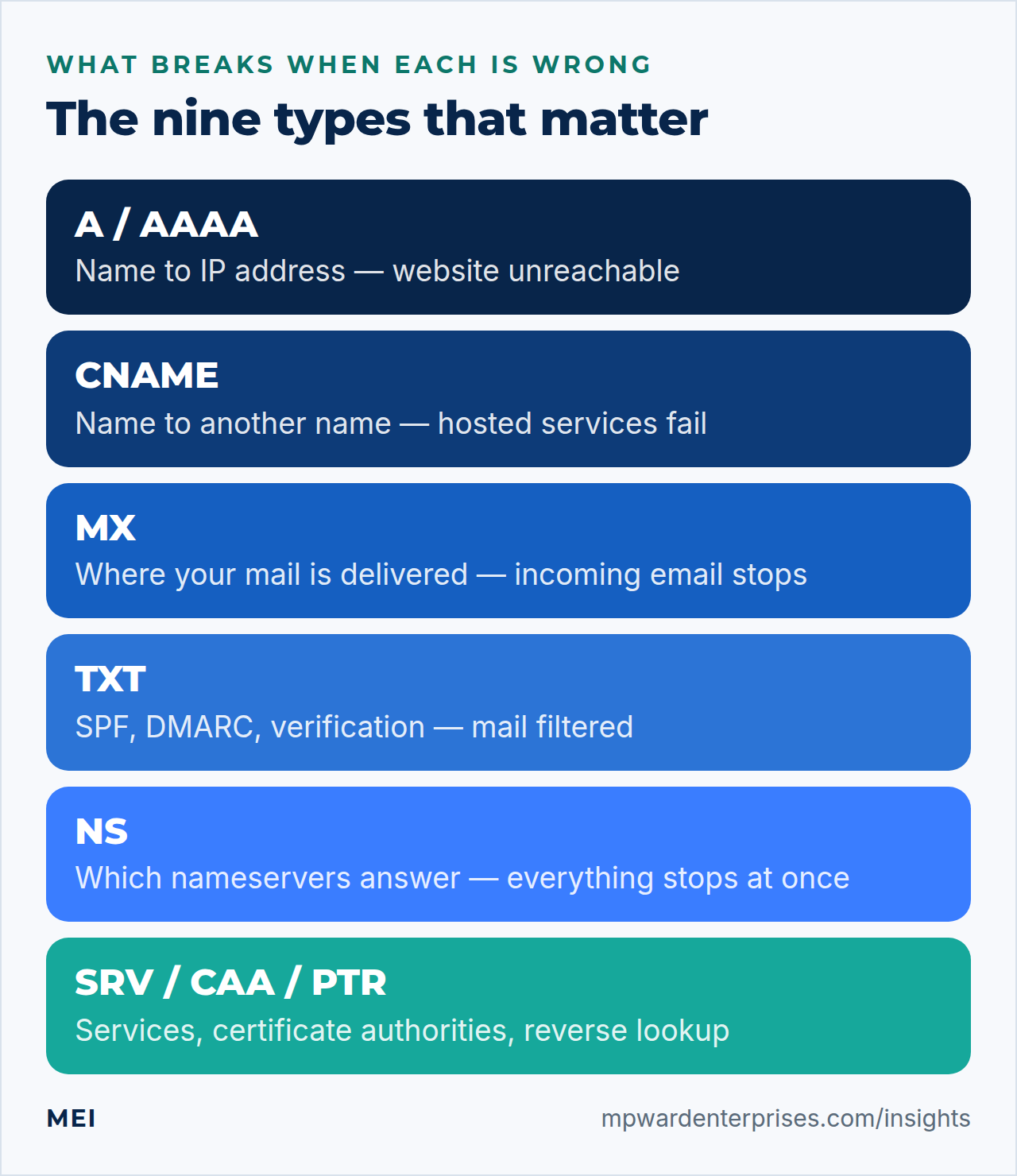
DNS records explained: the nine types that matter
| Type | What it does | Breaks when wrong |
|---|---|---|
| A | Points a name at an IPv4 address | Website unreachable |
| AAAA | The same for IPv6 | Some visitors cannot reach you |
| CNAME | Points a name at another name | Subdomains and hosted services fail |
| MX | Says which servers receive your mail | Incoming email stops |
| TXT | Holds text — SPF, DMARC, verification | Mail is filtered or services unverify |
| NS | Says which nameservers are authoritative | Everything stops at once |
| SRV | Points at a service on a specific port | Voice, chat or directory services fail |
| CAA | Says which authorities may issue certificates | Certificate renewal fails |
| PTR | Reverse lookup — address back to name | Outgoing mail is distrusted |
The records that run your website
An A record is the one most people meet first. It maps a name to an IPv4 address: yourbusiness.com to 203.0.113.10. Move hosts and this is the record that changes.
A CNAME points one name at another rather than at an address, which is how hosted services work — shop.yourbusiness.com pointing at a platform's hostname, so the platform can change its own addresses without you noticing. The rule that catches people is that a CNAME cannot coexist with other records on the same name, which is why you generally cannot CNAME your bare domain.
NS records decide which nameservers answer for your domain. They are the most consequential records you will ever touch, because changing them moves the entire zone — if the new provider does not already hold a copy of every record, everything stops together. Copy the zone first, then change NS.
The records that run your email
Email uses more record types than the web, which is why more email problems are DNS problems.
- MX says which servers accept mail for your domain, with a priority number where lower wins. Wrong MX records mean mail silently goes elsewhere.
- SPF is a TXT record listing which servers may send as you. There must be exactly one, and it must cover every service — website forms, invoicing, your newsletter platform.
- DKIM is a TXT record holding a public key your provider gives you, letting receivers verify messages were not altered.
- DMARC is a TXT record at
_dmarc.yourdomain.comtelling receivers what to do when the other two fail, and where to send reports. - PTR is the reverse lookup, set by whoever owns the IP address rather than in your zone. It matters when you run your own mail server.
Those four working together are what gets your mail delivered. They are covered properly in SPF, DKIM and DMARC explained, and the staged rollout in our DMARC setup guide.
TTL, and why changes seem not to work
Every DNS record carries a time-to-live: how long other servers may cache the answer before asking again. A TTL of 3600 means resolvers worldwide may keep using the old value for an hour after you change it.
This is the source of nearly every "I changed it and nothing happened" frustration. Nothing is broken; the old answer is still cached somewhere between you and the record. It also explains why a change appears to work for your colleague and not for you — you asked different resolvers at different times.
The practical technique is to lower the TTL before a planned change. Drop it to 300 seconds a day ahead, make the change, confirm it works, then raise it again. Do that and a migration cuts over in five minutes instead of a nervous day of partial results.
Six DNS mistakes that take businesses offline
- Two SPF records. Adding a second instead of merging into the first. The result is that both are treated as invalid.
- Changing nameservers before copying the zone. Everything stops at once, and the old records may no longer be visible to copy.
- A trailing-dot mistake in a CNAME or MX value. One character turns a valid target into a subdomain of itself.
- Letting the domain expire. The most avoidable outage there is. Enable auto-renew and keep the contact address off that domain.
- A CAA record that excludes your certificate authority. Everything works until renewal, then the certificate quietly fails.
- Editing at the wrong provider. Changing records at the registrar when the nameservers point elsewhere, and wondering why nothing happens.
How to read your own DNS
You do not need command-line tools, though they are quicker. Any public DNS lookup service will show what the world sees for your domain, which is the important thing — what your provider's control panel claims is less useful than what resolvers actually return.
Three checks are worth doing twice a year. Confirm the NS records point where you think they do. Confirm there is exactly one SPF record and it still lists every service you use. And confirm the domain's expiry date is further away than your memory suggests.
When you change anything, read it back from a public resolver rather than trusting the save confirmation. A zone editor will happily accept a value that is syntactically valid and functionally wrong.
Who should hold your DNS
There is a real argument for keeping DNS separate from both your web host and your email provider. If the zone lives with your host and you need to leave that host — or they have an outage — you are negotiating at the worst possible moment.
Keep the registrar account in the business's own name with its own access, keep DNS somewhere you control, and make sure at least two people can get in. That one arrangement prevents a surprising share of the emergencies we are called about, and it costs nothing to set up correctly at the start. The same ownership principle runs through choosing a web designer.
If your mail is misbehaving and you suspect the records, emails going to spam covers the symptoms, and our Email Deliverability & Domain Authentication service fixes the whole chain. A Business Tech Rescue Audit includes a full review of what your zone currently says.
Frequently asked questions
What are the main types of DNS record?
Nine cover almost everything a small business touches. A and AAAA point a name at an IPv4 or IPv6 address. CNAME points a name at another name. MX says which servers receive your mail. TXT holds text records including SPF and DMARC. NS says which nameservers are authoritative. SRV points at a service on a specific port, CAA controls which authorities may issue your certificates, and PTR is the reverse lookup used to judge outgoing mail.
Why do DNS changes take so long to work?
Because of TTL — the time-to-live on each record, which tells other servers how long they may cache the answer. With a TTL of 3600, resolvers worldwide can keep serving the old value for an hour after you change it. Nothing is broken; the old answer is simply still cached. Lower the TTL to 300 seconds a day before a planned change, and the cutover takes minutes instead of a nervous day.
What is the difference between an A record and a CNAME?
An A record points a name directly at a numeric IP address. A CNAME points a name at another name, letting the destination change its own addresses without you editing anything — which is how most hosted services work. The practical catch is that a CNAME cannot coexist with other records on the same name, so you generally cannot use one on a bare domain that also needs MX or TXT records.
Can I have two SPF records?
No. A domain must publish exactly one SPF record, and it must list every service that sends mail on your behalf — your mail provider, your newsletter platform, your invoicing software, your website's forms. Adding a second record instead of merging the entries causes both to be treated as invalid, which usually means legitimate mail starts failing authentication.
Who should manage my DNS?
Ideally someone independent of your web host and your email provider, in an account owned by the business with at least two people able to access it. If the zone lives with a host you need to leave, or who is having an outage, you end up negotiating at the worst possible moment. Keep the registrar account in the business's name too, and do not use an email address on that same domain for its recovery contact.
How do I check what my DNS records actually say?
Use any public DNS lookup service, which shows what resolvers around the world actually return — more useful than what your provider's control panel claims. Check three things twice a year: that NS records point where you think, that there is exactly one SPF record still listing every service, and that the domain's expiry is further away than you assume. Always read a record back after changing it.
Sources and further reading
- RFC 1035: Domain Names — Implementation and Specification — the original specification defining record types, zones and caching behaviour
- RFC 7208: Sender Policy Framework (SPF) — the one-record rule and why a second SPF record invalidates both
- IANA: Root Servers — the top of the delegation chain that NS records ultimately hang from