
Email warm up is the process of building a sending reputation for a new domain or IP address by starting with a small volume of mail to people who want it, and increasing gradually. Skip it and your first real campaign lands in spam — not because the content is bad, but because nobody has ever vouched for you.
This guide covers the seven steps, a realistic schedule, what to do if you have already burned a domain, and the authentication you must have in place before any email warm up begins. It applies whether you are moving to a new provider, launching a newsletter, or sending from a brand-new business.
Why email warm up matters at all
Mailbox providers do not judge messages purely on content. They judge the sender. A domain with no history is an unknown quantity, and unknown senders suddenly pushing thousands of messages look exactly like the behaviour of a compromised account or a spam operation — because that is what that pattern usually is.
Reputation is built from signals the receiving side can measure: how many recipients open and reply, how many mark it as spam, how many addresses bounce, and whether the volume grows at a human pace. A new domain has none of these, so every provider starts cautious and watches.
The practical consequence is that your first thousand messages matter more than your next hundred thousand. Get them to engaged recipients with clean addresses and you establish a good baseline. Blast them at a purchased list and you establish a bad one that takes months to undo.
Before you send anything: authenticate
No amount of careful warm up compensates for missing authentication. Three records must exist and be correct before the first message goes out.
- SPF lists which servers may send for your domain. One record, and it must include every service that sends on your behalf.
- DKIM signs each message cryptographically so the receiver can confirm it was not altered and really came from you.
- DMARC tells receivers what to do when the first two fail, and asks them to report back. Start at
p=noneand tighten once reports are clean.
Google's sender guidelines now make authentication effectively mandatory for anyone sending at volume, along with one-click unsubscribe and a spam complaint rate kept below a defined threshold. The mechanics of all three records are covered in SPF, DKIM and DMARC explained, and the staged tightening in our DMARC setup guide.
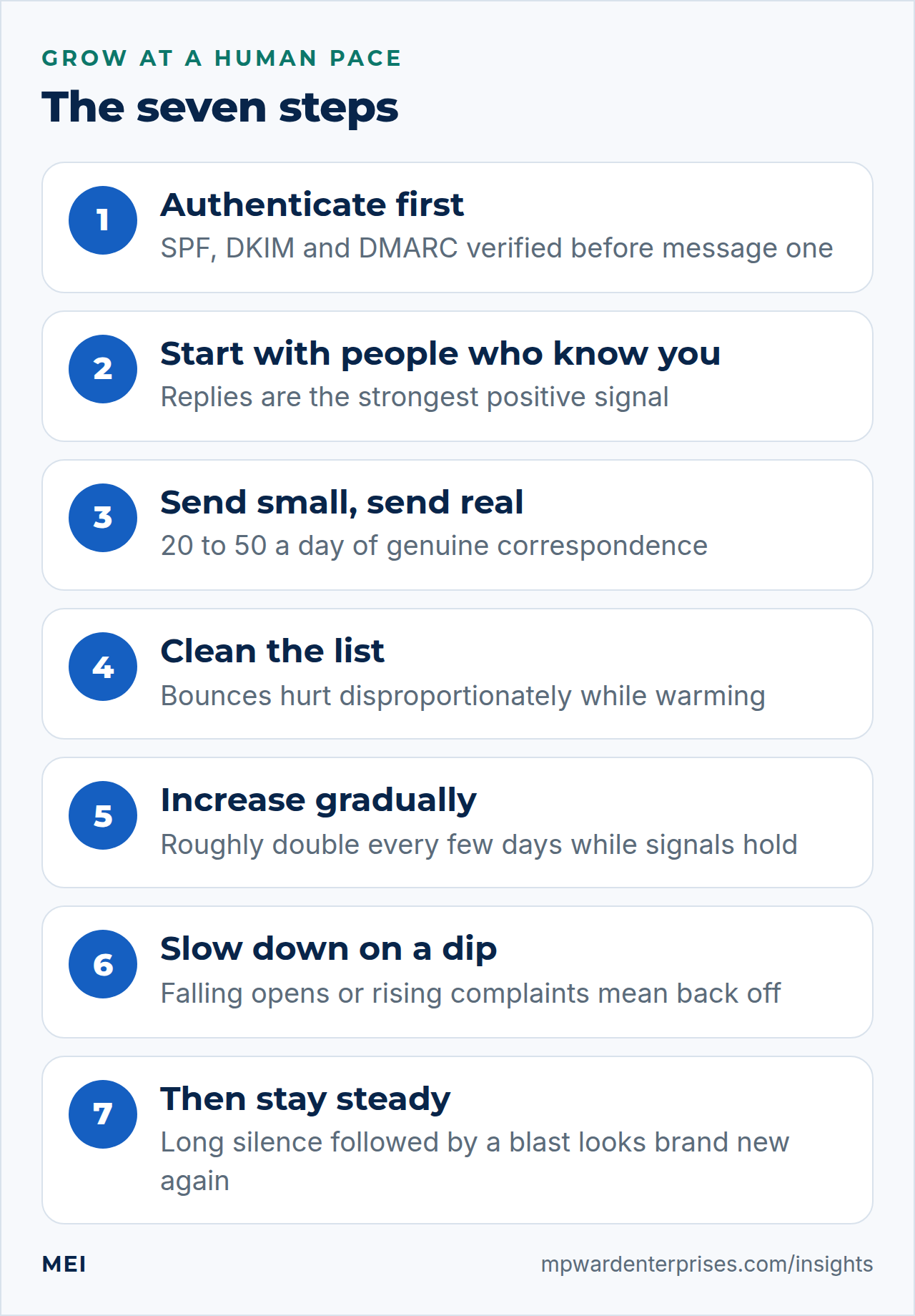
The seven steps of an email warm up
- Authenticate first. SPF, DKIM and DMARC in place and verified. Do not start the warm up until a test message passes all three.
- Start with people who know you. Colleagues, existing customers, anyone who will open and reply. Replies are the strongest positive signal there is.
- Send small and send real mail. Twenty to fifty messages a day in the first week, and make them genuine correspondence rather than a broadcast.
- Clean the list before you scale. Bounces hurt disproportionately during a warm up. Remove anything you are not confident about.
- Increase gradually. Roughly double every few days while the signals stay good. Growth at a human pace is itself a trust signal.
- Watch the numbers and slow down when they dip. Opens falling, complaints rising or bounces climbing mean you are moving too fast.
- Keep it steady afterwards. A domain that sends consistently holds its reputation. Long silences followed by a large campaign look like a new domain again.
A realistic schedule
This is a conservative plan for a new domain aiming at a few thousand recipients. Adjust the pace to the signals rather than the calendar.
| Week | Daily volume | Send to |
|---|---|---|
| 1 | 20 to 50 | Staff, close customers, people who will reply |
| 2 | 50 to 200 | Most engaged subscribers, recent customers |
| 3 | 200 to 500 | Opened in the last 90 days |
| 4 | 500 to 1,500 | Opened in the last 6 months |
| 5 to 6 | 1,500 to 5,000 | Full active list, still excluding dormant addresses |
Two rules override the table. If complaint rates rise or opens fall sharply, hold at the current volume until they recover rather than pressing on. And warm up each major mailbox provider in proportion — if most of your list is at one provider, your reputation there is the one that matters.
What to watch while warming up
| Signal | Healthy | Act when |
|---|---|---|
| Spam complaints | Below 0.1% | Approaching 0.3% — stop and investigate |
| Hard bounces | Below 2% | Above 5% — your list is the problem |
| Open rate | Steady or rising | Falling several days running |
| Replies | Any at all, early on | Zero in week one — you are sending to the wrong people |
DMARC aggregate reports are worth reading during a warm up, because they show authentication failures you would otherwise never see — a forgotten service sending as your domain, for example, which will quietly damage the reputation you are trying to build.
The mistakes that undo a warm up
- Starting with a purchased or scraped list. Nothing recovers from this quickly. Complaints and unknown-address bounces arrive together and define your reputation immediately.
- Mailing dormant addresses early. Two-year-old contacts contain spam traps and dead mailboxes. Save them for after the warm up, if at all.
- Sending the big announcement in week one. The launch is exactly the campaign that needs an established sender.
- No unsubscribe, or a hard one. People who cannot unsubscribe press the spam button, which is far worse for you.
- Changing provider mid-warm up. Reputation is partly tied to sending infrastructure; switching restarts the clock.
- Mixing marketing with transactional mail on the same subdomain. Keep receipts and password resets separate from campaigns.
Subdomains, and why they are worth it
Send marketing from a subdomain such as news.yourbusiness.com rather than your main domain. The reputation of that subdomain can be damaged by a bad campaign without taking your invoices, quotes and password resets down with it.
Keep transactional mail on a separate subdomain again, or on the main domain, and warm each one independently. It is more setup once and considerably less risk forever — particularly for a business where email failing would stop work, which is most of them.
If you have already damaged a domain
It happens: someone exported an old list, or a compromised account sent spam for a day. Recovery is slower than a first warm up but it is possible.
Stop sending bulk mail entirely for a short period. Fix whatever caused it, including the authentication records, and confirm the account that was compromised is secured. Then restart a warm up at the smallest volumes, this time only to people who have engaged recently — and expect it to take six to eight weeks rather than four.
Moving to a fresh domain is tempting and usually a mistake: you lose the brand recognition that makes recipients open your mail, and you still have to warm up. The exception is a domain that has been genuinely blacklisted and cannot be delisted. If mail is going astray for reasons you cannot diagnose, the symptoms in emails going to spam are the place to start.
Getting it right the first time
An email warm up is not difficult, but it is unforgiving: the mistakes are front-loaded, and the cost of a bad start is months of mail quietly underperforming without any obvious error to point at. The three things that matter most are authentication in place beforehand, a genuinely clean list, and the discipline to grow slowly when you would rather launch.
If you would rather hand the whole thing over, that is what our Email Deliverability & Domain Authentication service covers — records configured and verified, a warm up schedule run to your list, and DMARC reports monitored while it happens.
Frequently asked questions
How long does an email warm up take?
Four to six weeks to reach a few thousand recipients a day from a new domain, assuming the signals stay healthy. A domain whose reputation was previously damaged takes six to eight weeks and should start smaller. The calendar is less important than the metrics: if complaints rise or opens fall, hold at the current volume until they recover rather than continuing on schedule.
Do I need to warm up a new email domain?
Yes, if you intend to send any volume. A domain with no sending history is an unknown quantity, and an unknown sender suddenly pushing thousands of messages matches the pattern of a compromised account or a spam operation. Starting small with engaged recipients establishes a good baseline; starting large establishes a bad one that takes months to undo.
What should I send during an email warm up?
Genuine correspondence to people who know you — colleagues, recent customers, anyone likely to open and reply. Replies are the strongest positive signal available. Avoid broadcasting marketing in the first week, avoid dormant addresses that may be spam traps, and absolutely avoid anything purchased or scraped. Save the big launch announcement for after the warm up, not during it.
What metrics show a warm up is going wrong?
Spam complaints above roughly 0.1%, and approaching 0.3% is a stop signal. Hard bounces above 2% suggest list quality problems, and above 5% the list is the issue rather than the warm up. Open rates falling several days in a row means slow down. Zero replies in week one means you are sending to the wrong people. DMARC aggregate reports are also worth reading, since they reveal authentication failures you would otherwise never see.
Should I send marketing from my main domain?
Better not to. Use a subdomain such as news.yourbusiness.com for campaigns, and keep transactional mail — receipts, password resets, quotes — separate. That way a campaign that attracts complaints damages only the subdomain's reputation, and your business correspondence keeps arriving. Warm each subdomain independently.
Can I recover a domain with a damaged sending reputation?
Usually yes, but slowly. Stop bulk sending entirely for a period, fix the cause — often a compromised account or an old list — and verify the authentication records. Then restart a warm up at the smallest volumes, sending only to people who have engaged recently, and expect six to eight weeks. Moving to a fresh domain is tempting but usually a mistake: you lose brand recognition and still have to warm up.
Sources and further reading
- Google Workspace Admin Help: Email sender guidelines — authentication requirements, one-click unsubscribe, and the spam complaint rate threshold for bulk senders
- RFC 7489: Domain-based Message Authentication, Reporting, and Conformance (DMARC) — the specification behind the policy and aggregate reporting used to monitor a warm up
- RFC 7208: Sender Policy Framework (SPF) — why one SPF record must cover every service sending on your behalf