

Server monitoring for small business is the difference between hearing about an outage from a customer and hearing about it from a machine. You do not need an operations team or an expensive platform — seven measurements, checked automatically, catch almost everything that takes a small business offline, and most of them are free to monitor.
This guide covers the seven vital signs worth watching, sensible thresholds for each, how to avoid the alert fatigue that makes monitoring useless, and what to do when something fires at two in the morning.
Why server monitoring for small business is worth setting up
Most small business outages are not dramatic. A disk fills with logs, a certificate expires, a backup silently stops, memory leaks until the database is killed. Every one of those gives days or weeks of warning to anyone watching, and no warning at all to anyone who is not.
The economics are blunt. An hour of downtime on a site taking orders costs real revenue, and the reputational cost of a customer finding your site broken is larger than the bill for monitoring it. Meanwhile the monitoring itself is usually free at small scale.
The second reason is quieter but matters more over time: monitoring gives you history. When someone asks whether the site has got slower, a graph answers in seconds. Without one, the answer is an argument.
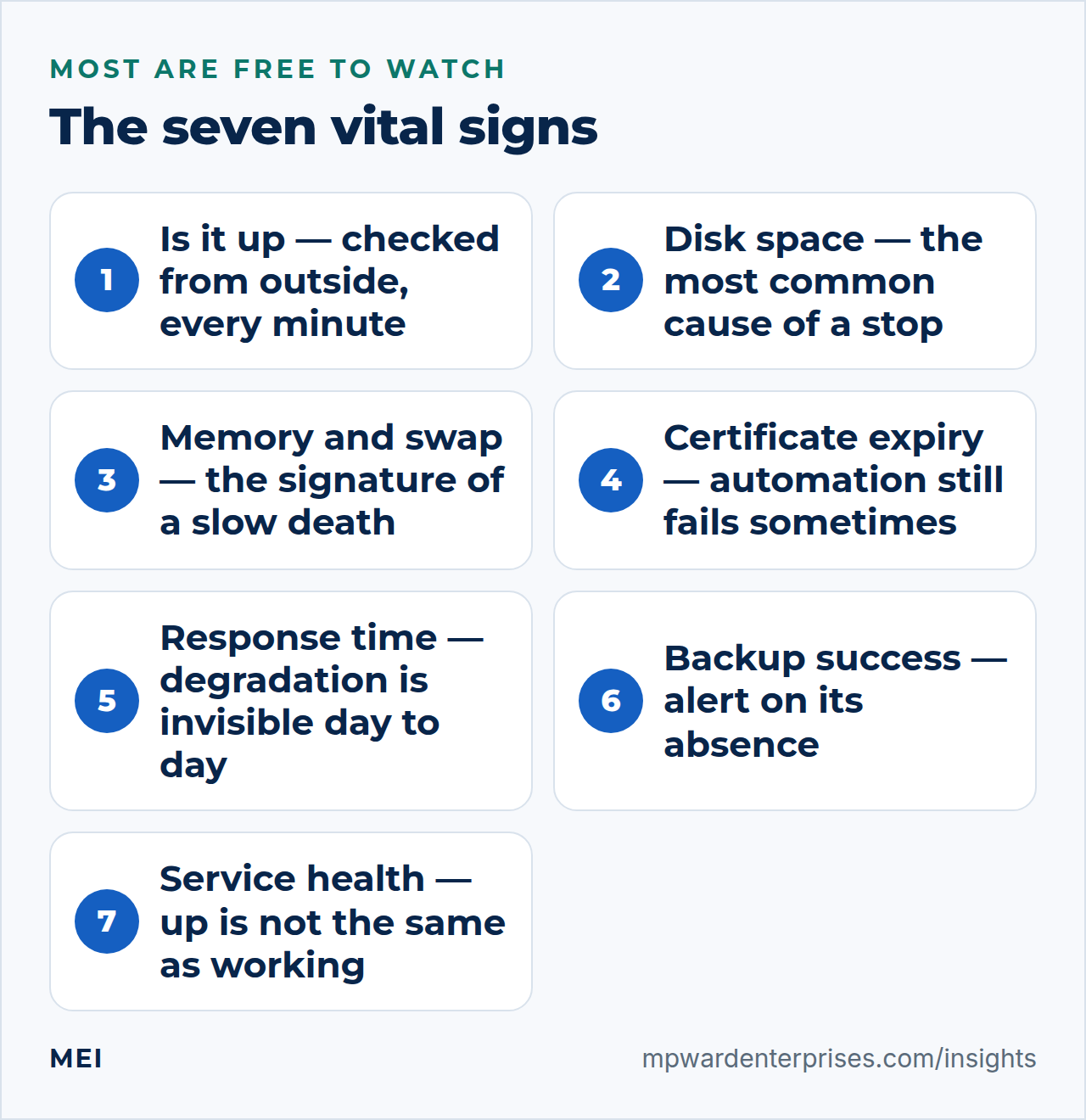
The seven vital signs
- Is it up? An external check every minute from outside your network, hitting a real page rather than the front door. The single most valuable check there is.
- Disk space. The most common cause of a server stopping. Logs grow, backups accumulate, and at 100% almost everything fails at once.
- Memory and swap. Heavy swapping is the signature of a server about to become unusably slow, usually before anything actually crashes.
- Certificate expiry. A fully automated renewal still fails sometimes. An alert 21 days out costs nothing and prevents an embarrassing morning.
- Response time. Not just up, but how fast. Gradual degradation is invisible day to day and obvious on a graph.
- Backup success. The check nobody configures. A backup job that stops running is silent by nature — you need an alert on its absence.
- Service health. Web server, database and mail running, and restarting if they stop. A site can be "up" at the network level while the database is down.
Thresholds that are worth alerting on
| Measure | Warn | Alert |
|---|---|---|
| Disk usage | 80% | 90% |
| Memory in use | 85% | 95% or sustained swapping |
| Site reachable | — | Two consecutive failed checks |
| Response time | 2× your normal | 5 seconds or a timeout |
| Certificate expiry | 21 days | 7 days |
| Backup age | Older than one cycle | Older than two cycles |
| CPU load | Sustained above core count | Only with a symptom |
The two-consecutive-failures rule on uptime matters more than it looks. A single failed check is usually a network blip somewhere between the monitor and you, and alerting on one is the fastest way to teach everyone to ignore alerts.
Alert fatigue is the real failure mode
Monitoring that cries wolf is worse than no monitoring, because it trains people to dismiss the one alert that mattered. Most small business monitoring fails this way rather than through missing a check.
Four rules keep it trustworthy. Alert only on things a human would act on right now — everything else belongs on a dashboard or a weekly summary. Send alerts somewhere people actually look, which is rarely a shared inbox. Give every alert a documented first action, even if that action is "wait ten minutes and look again". And when an alert fires and nobody needed to do anything, change the threshold the same week rather than tolerating it.
A good test: if the last three alerts required no action, your monitoring is already being ignored.
Watch from outside, not just inside
An agent on the server can tell you the disk is filling. It cannot tell you the network route is broken, DNS is misconfigured, or the certificate your visitors see is wrong — because from inside the machine everything looks fine.
That is why the uptime check must come from outside, and why it should request a page that exercises the application rather than a static file. A good pattern is a small status page that touches the database and reports a simple result, so a database failure registers as a failure rather than a cheerful 200 from a cached page.
Check from more than one location if you can. A single external monitor that itself has a bad day will report an outage you do not have, which is the fastest route back to alert fatigue.
What to actually use
Server monitoring for small business divides into three layers, and you want something in each.
- External uptime — a hosted checker hitting your site every minute. Free tiers cover a handful of sites and are genuinely sufficient.
- Host-level metrics — disk, memory, load and service state. Most hosts provide something; a lightweight agent gives you history.
- Job and backup checks — a dead-man's-switch service that alerts when a scheduled job fails to report in, which is the only way to catch a job that stopped running.
Resist the temptation to deploy a full observability stack. Running a monitoring platform that needs its own maintenance, on a business with one server, means you now have two things that can break instead of one.
What to do when it fires
Having an alert and having a response are different things. Write down, in advance, three pieces of information for each alert: what it means in plain language, what to check first, and who to call if that does not resolve it.
- Confirm it is real. Load the site yourself from a phone on mobile data, outside your own network.
- Check the obvious three — disk full, a service stopped, certificate expired. These account for most of it.
- Look at what changed. A deployment, an update, a traffic spike. Most incidents follow a change.
- Restore service first, diagnose second. Restart the service, free the disk, roll back the change. Understanding can wait until customers are served.
- Write down what happened while it is fresh, even in two lines. That note is what stops the same outage recurring, which is the subject of root cause analysis.
Logs, and the one habit worth building
Metrics tell you that something is wrong. Logs tell you what. The gap between the two is where most of the time in an incident disappears, and closing it costs very little in advance.
The habit worth building is log rotation with retention you have actually chosen. Unrotated logs are the single most common cause of a full disk, which is itself the most common cause of a server stopping — so the fix for your most likely outage is a configuration file you write once. Keep enough history to investigate something noticed a fortnight later, and compress what you keep.
Beyond that, know where the three logs you will actually need live: the web server's error log, the application's own log, and the system journal. Write those three paths down somewhere findable. At two in the morning, nobody remembers them, and hunting for a log file is a miserable way to spend the first ten minutes of an incident.
Centralising logs off the server is genuinely useful once you have more than one machine, and premature before that. For a single server, rotation plus three known paths covers the realistic cases without adding a system that itself needs looking after.
Beyond the server
The server is only one thing that can take a business offline. Domain expiry, DNS misconfiguration, a payment provider outage and an expired API credential all produce the same customer experience and none of them appear in server metrics.
Add three non-server checks while you are at it: domain expiry with a reminder months ahead, a DNS check that the records still resolve as expected, and a synthetic transaction that completes a real action — submitting your contact form, or adding an item to the cart. Those catch the failures that server monitoring for small business will never see. The records side is covered in DNS records explained.
Monitoring also feeds the plan for when something goes properly wrong, which belongs in a business continuity plan rather than in someone's memory. If you would rather this ran without being your job, it is part of Managed Website & IT Care, and a Business Tech Rescue Audit will tell you what is currently unwatched.
Frequently asked questions
What should a small business monitor on its server?
Seven things: whether the site is reachable from outside, disk space, memory and swap, certificate expiry, response time, whether backups actually ran, and whether the individual services — web server, database, mail — are running. Those catch almost everything that takes a small business offline, and most can be monitored free at small scale.
What are sensible alert thresholds?
Warn at 80% disk usage and alert at 90%. Warn at 85% memory, alert at 95% or sustained swapping. Alert on two consecutive failed uptime checks, never one. Warn when response time doubles from normal and alert at five seconds. Warn 21 days before certificate expiry and alert at seven. Alert when a backup is older than two cycles. Treat CPU load as information rather than an alert unless there is a symptom.
How do I avoid alert fatigue?
Alert only on things a human would act on immediately — everything else belongs on a dashboard or in a weekly summary. Send alerts somewhere people actually look rather than a shared inbox. Give every alert a documented first action. And when an alert fires that needed no response, change the threshold that same week. Monitoring that cries wolf is worse than none, because it trains people to dismiss the alert that mattered.
Do I need an expensive monitoring platform?
No. A small business wants something in three layers: a hosted external uptime checker (free tiers genuinely suffice for a few sites), basic host-level metrics for disk, memory and services, and a dead-man's-switch service that alerts when a scheduled job fails to report in. Deploying a full observability stack for one server means you now have two things that can break instead of one.
Why monitor from outside the server?
Because an agent inside the machine cannot see the problems that affect your visitors — a broken network route, misconfigured DNS, or a certificate that looks wrong from the internet. From inside, everything appears fine. The external check should also request a page that exercises the application rather than a static file, and ideally from more than one location so a single monitor having a bad day does not report a phantom outage.
What should I do when a monitoring alert fires?
Confirm it is real by loading the site from a phone on mobile data, outside your network. Check the obvious three — disk full, a stopped service, an expired certificate — which account for most incidents. Look at what changed recently, since most incidents follow a change. Restore service before diagnosing: restart, free space, roll back. Then write down what happened in two lines while it is fresh.
Sources and further reading
- NIST: Cybersecurity Framework — detection as a named function alongside protection and recovery
- Ubuntu Server documentation — service management and logging behaviour behind the host-level checks
- CISA: Cyber Essentials — why backup verification belongs in routine monitoring rather than annual review