
A ransomware recovery plan is the document that decides whether an incident costs you two days or two months. It is written before anything happens, kept somewhere that still works when your network does not, and tested at least once a year. Most small businesses have backups and no plan, which is why so many end up paying.
This guide gives the eight steps in the order you will actually need them, what to do in the first hour, how to decide about paying, and the preparation that makes recovery realistic rather than theoretical.
What has to exist before an incident
A ransomware recovery plan is mostly preparation. These five things cannot be created during an incident, and without them the eight steps below are wishful thinking.
- Backups the attacker cannot reach. Offline, immutable, or in an account with separate credentials. If your server can delete the backups, so can whatever compromises it — CISA's guidance is explicit on this point.
- A tested restore. Not a successful backup job: an actual restore you have performed and timed.
- An offline copy of the plan. Printed, or on a phone. A recovery plan stored only on the encrypted file server is a lesson, not a plan.
- A contact list that works without email. Staff, your IT support, your insurer, your bank, your lawyer — on paper with phone numbers.
- An inventory of what matters. Which systems must come back first, and what each one depends on.
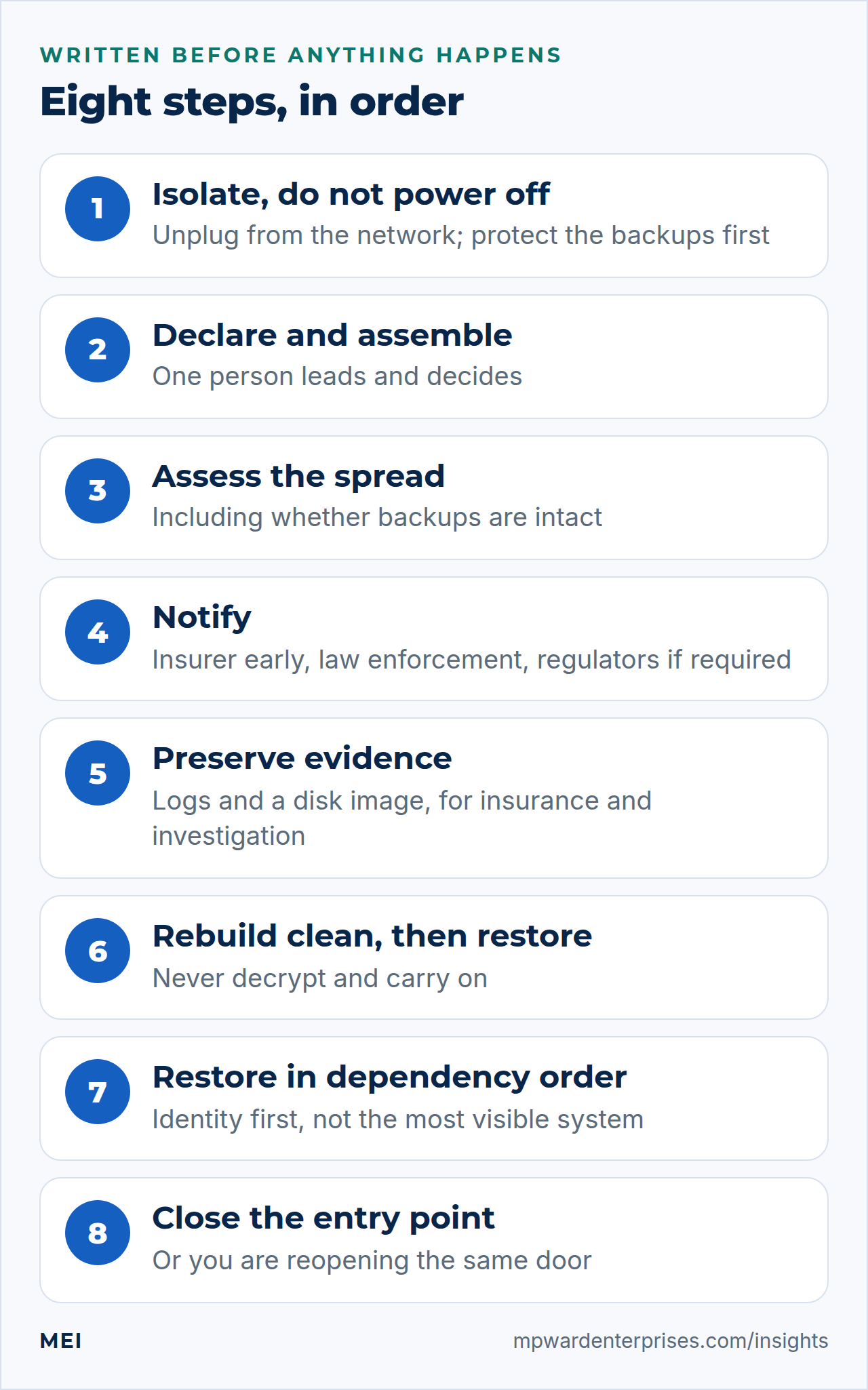
The eight steps of a ransomware recovery plan
- Isolate, do not power off. Disconnect affected machines from the network — unplug the cable, disable the wireless. Powering off can destroy memory evidence and, on some systems, the keys. Isolate the backups first if they are still reachable.
- Declare the incident and assemble people. One person leads and decides; everyone else reports to them. Ambiguity in the first hour costs days later.
- Assess the spread. Which systems are encrypted, which are merely reachable, and crucially whether the backups are intact. Assume the attacker has been present for longer than the encryption suggests.
- Notify. Your insurer early, because policies often require it and many provide incident response. Law enforcement. Regulators and affected individuals if personal data is involved, on the timescales that apply to you.
- Preserve evidence. Keep logs, keep an affected disk image if you can. You will need it for insurance, for any investigation, and to work out how they got in.
- Rebuild clean, then restore. Do not decrypt and carry on. Rebuild systems from known-good media, apply updates, change every credential, then restore data from backup — scanning it first.
- Bring services back in dependency order. Identity and directory first, then core line-of-business systems, then everything else. Restoring the most visible system first is a common and expensive mistake.
- Close the entry point before reconnecting. If you do not know how they got in, you are reopening the same door. The usual answers are a phished credential, an exposed remote access service, or an unpatched system.
The first hour
Decisions made in the first hour shape the whole recovery, and people make them badly under stress. This is why it goes on one page, offline.
| Minutes | Do |
|---|---|
| 0–10 | Disconnect affected machines from the network. Do not power off. Protect the backups. |
| 10–20 | Name the lead. Call IT support. Tell staff to stop using affected systems. |
| 20–40 | Establish scope. Confirm whether backups are intact and reachable. |
| 40–60 | Call the insurer. Start a written timeline. Decide what the business does tomorrow. |
That last item is easy to overlook. Someone has to decide whether you trade on paper, pause orders, or tell customers — and that decision is a business decision, not a technical one.
The question about paying
Law enforcement advice is consistently not to pay, and the reasoning is sound: payment funds the next attack, marks you as willing, and buys a decryption tool that is often slow, partial or broken. Paying also does not undo data theft, which is now part of most incidents.
It is still worth understanding the decision honestly, because businesses facing extinction think about it. The relevant facts are that recovery from good backups is usually faster than decryption; that payment may carry legal exposure depending on who is behind the attack; and that your insurer and legal counsel must be involved before any contact.
The strongest argument for preparation is that it removes this question. A business with isolated backups and a tested restore is not negotiating — which is the entire point of a ransomware recovery plan.
Why most backups fail here
Almost every business we talk to has backups. Far fewer have backups that survive ransomware, and the gap is specific.
Modern attacks look for backups deliberately. They delete snapshots, encrypt network shares, and use the credentials stored on the server to reach cloud storage. A backup running on the same network, with credentials the server holds, is in scope for the attack.
What survives is a copy the compromised environment cannot modify: offline media rotated out, immutable or write-once storage, or a pull-based copy where the backup system reaches into your network rather than the reverse. The 3-2-1 rule expresses the shape, and backing up a WordPress site covers the website specifics.
The second gap is retention. Attackers commonly sit in a network for weeks before encrypting. Seven days of backups may be seven days of already-compromised systems. Thirty days is a floor; ninety is better for anything critical.
Testing the plan
An untested ransomware recovery plan is a hypothesis. Testing it does not require taking the business offline.
- Restore drill, quarterly. Restore a real system to an isolated environment and time it. That time is your actual recovery point.
- Tabletop exercise, annually. An hour around a table: "it is 7am Monday, the file server is encrypted." Walk through who does what. The gaps appear immediately and cost nothing to find this way.
- Check the offline copies. Confirm the printed plan and contact list are current. They go stale faster than anyone expects.
The tabletop exercise is the highest-value hour in the whole subject. It reliably surfaces the same findings: nobody knows who decides, the insurer's number is in an email nobody can reach, and the person who understands the backups is on holiday.
After the incident
Recovery is not finished when systems come back. Three things remain, and skipping them is how businesses get hit twice.
Work out how they got in and fix it properly — a root cause analysis rather than a guess. Rotate every credential, including service accounts and anything stored in scripts, because you must assume everything in that environment was taken. And review what the incident revealed: usually that multi-factor authentication was missing somewhere, that an old remote access service was exposed, or that patching had drifted.
Then update the plan while the experience is fresh. The version written after a real incident is always better than the one written before it.
Where this fits
A ransomware recovery plan is one scenario inside a broader business continuity plan, and it leans on controls that exist before anything happens — the baseline in our small business cybersecurity checklist and the server-side measures in the hardening checklist.
If you would rather have the backups, the isolation and the tested restores set up and monitored rather than assumed, that is what Managed Website & IT Care covers, and a Business Tech Rescue Audit will tell you honestly whether your current backups would survive an attack.
Frequently asked questions
What should you do first in a ransomware attack?
Disconnect affected machines from the network — unplug the cable, disable wireless — but do not power them off, because that can destroy memory evidence and in some cases the encryption keys. Protect your backups immediately if they are still reachable. Then name one person to lead and decide, call your IT support, and tell staff to stop using affected systems. Those four actions belong on one printed page.
Should a small business pay a ransom?
Law enforcement advice is consistently not to. Payment funds the next attack, marks you as willing, and buys a decryption tool that is often slow, partial or broken — and it does not undo data theft, which is part of most modern incidents. Recovery from good backups is usually faster than decryption. Payment may also carry legal exposure depending on who is behind the attack, so your insurer and legal counsel must be involved before any contact.
Why do backups fail to protect against ransomware?
Because modern attacks look for them deliberately — deleting snapshots, encrypting network shares, and using credentials stored on the server to reach cloud storage. A backup running on the same network, reachable with credentials the server holds, is in scope for the attack. What survives is offline media, immutable or write-once storage, or a pull-based copy where the backup system reaches into your network rather than the reverse.
How long does ransomware recovery take?
With isolated backups and a tested restore, typically days. Without them, weeks to months, and some businesses never fully recover. The honest way to know your own number is a restore drill: restore a real system to an isolated environment and time it. That figure, not an estimate, is your actual recovery time — and it is usually longer than people assume.
What should be in a ransomware recovery plan?
The first-hour actions, who leads and decides, a contact list that works without email (staff, IT support, insurer, bank, lawyer), an inventory of which systems must come back first and what each depends on, where the backups are and how to restore them, and the notification obligations that apply to you. Keep it printed or on a phone — a plan stored only on the encrypted file server is a lesson, not a plan.
How often should a ransomware recovery plan be tested?
Restore drills quarterly, timing an actual restore to an isolated environment. A tabletop exercise annually — an hour around a table walking through "it is 7am Monday and the file server is encrypted". And check the offline copies of the plan and contact list are still current, because they go stale faster than anyone expects. None of this requires taking the business offline.
Sources and further reading
- CISA: StopRansomware — the official guidance on isolation, backup separation and reporting
- NIST: Cybersecurity Framework — respond and recover as named functions, with tested restoration rather than assumed capability
- Ready.gov: Business — continuity planning the incident plan sits inside, including the decision about trading during an outage