
Multi factor authentication is the single highest-value security control a small business can turn on, and the one most often half-finished. Turning it on for email and leaving it off for the remote access service, the domain registrar and the accounting system is the pattern attackers rely on. This is a six-step rollout that finishes the job without a revolt from staff.
The guide covers which systems to protect first, which methods are worth using, the ones that no longer count as strong, how to handle the people who will resist, and what to do about account recovery — which is where most MFA deployments are actually broken.
Why multi factor authentication matters more than anything else
Almost every small business breach we see starts the same way: someone's password is known to an attacker. It was reused on a site that was breached, or typed into a convincing fake login page. The password is not the weak point because it was short; it is the weak point because it is a secret that can be copied without anyone noticing.
A second factor breaks that. Knowing the password is no longer enough, so the stolen credential stops being a key and becomes a piece of trivia. That is why MFA appears at the top of CISA's baseline guidance and why insurers increasingly ask about it directly.
It is also cheap. Most business services include it at no extra cost, and the work is configuration and communication rather than purchase.
What to protect first
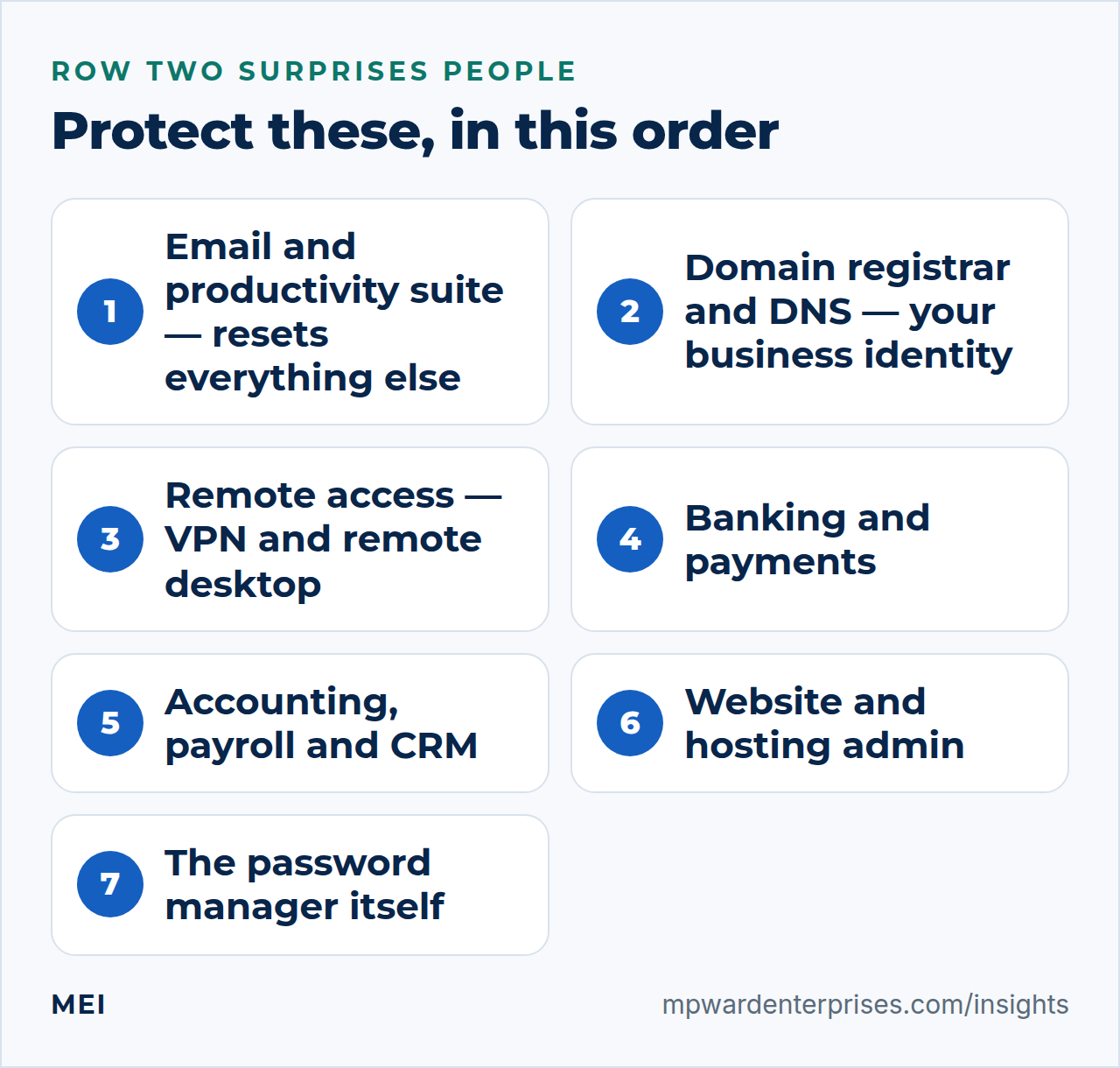
Order matters, because the systems that matter most are not always the ones people think of.
| Priority | System | Why |
|---|---|---|
| 1 | Email and productivity suite | It is the reset mechanism for everything else |
| 2 | Domain registrar and DNS | Losing it means losing the business's identity |
| 3 | Remote access — VPN, remote desktop | Direct route into the network |
| 4 | Banking and payments | Obvious, and usually already done |
| 5 | Accounting, payroll, CRM | Holds money and personal data |
| 6 | Website and hosting admin | Defacement, redirection, customer data |
| 7 | The password manager itself | It protects everything else |
The second row surprises people. Your domain registrar is the account that proves you are you — control of it allows an attacker to redirect your mail and your website. It is frequently the least protected account a business owns, and the DNS implications are covered in DNS records explained.
Which methods are actually strong
Not all second factors are equal, and the weakest common one is the one most businesses use.
| Method | Strength | Use when |
|---|---|---|
| Security key (hardware) | Strongest — resists phishing | Admins and high-value accounts |
| Passkeys / platform authentication | Strong, and easiest for users | Wherever supported |
| Authenticator app code | Good | The sensible default for most staff |
| Push notification | Good, with number matching | Where available; beware approval fatigue |
| SMS or voice code | Weak | Only when nothing else is offered |
SMS is better than nothing and worse than everything else. It is vulnerable to number porting and interception, and NIST's digital identity guidance has long discouraged relying on it. If a critical system offers only SMS, treat that as a reason to review the supplier.
Push approval has its own failure mode: a user who receives repeated prompts eventually approves one to make them stop. Number matching, where the user types a code shown on screen, removes most of that risk and should be enabled where offered.
The six-step rollout
- Inventory the accounts. Every system in the table above, plus anything holding customer data. Note who has access and whether an admin account exists separately.
- Start with administrators. They are the highest value and the smallest group. Use hardware keys or passkeys here.
- Set up recovery before you enforce. Backup codes stored safely, a second factor registered per user, and a documented process for a lost phone. This step is skipped most often and causes most of the pain.
- Explain it once, properly. Ten minutes: what changes, why, what to do if the phone is lost, and who to ask. Resistance is nearly always about not knowing what will happen.
- Enforce in waves. A team at a time, not everyone on a Monday. Fix the friction each wave reveals before the next one.
- Verify and keep it verified. Confirm no account is exempt, and re-check quarterly — new accounts and new services arrive without MFA by default.
Account recovery is where this usually breaks
Most failed deployments fail here rather than at enrolment. The phone is lost or replaced, the user cannot log in, and someone with administrative access disables the requirement "temporarily". It is never re-enabled.
Three decisions prevent that. Give every user a second registered factor or a set of backup codes at enrolment, stored in the password manager rather than a desk drawer. Write down who may reset a factor and how they verify the person is who they claim — a phone call to a known number, not an email request. And set a rule that any emergency exemption expires the same day, with someone responsible for confirming it did.
The verification step matters more than it sounds. Attackers routinely call support asking for an MFA reset, and a business with no stated process will usually grant one to a confident voice.
Handling the people who do not want it
There is always someone. The objections are predictable and all have short answers.
- "It slows me down." Usually once every 30 days per device with a sensible policy, measured in seconds.
- "I don't want work software on my phone." Fair. Offer a hardware key instead — this is a reasonable request, not obstruction.
- "My password is strong." Irrelevant. The risk is the password being copied, not guessed.
- "We're too small to be a target." Most attacks are untargeted and automated; being small makes you likelier, not safer.
- "What if I lose my phone?" The genuinely good question, and the reason step three exists.
The approach that works is starting with leadership. When the owner visibly uses a hardware key, the conversation changes shape entirely.
What multi factor authentication does not fix
MFA stops stolen passwords from being enough. It does not stop someone being phished into approving a login, it does not protect a session token stolen after authentication, and it does nothing about an account nobody remembered to close when its owner left.
So keep the rest of the baseline. Use unique passwords from a password manager so one breach does not cascade. Remove leavers promptly. Separate administrative accounts from daily-use ones. And follow current password guidance, which has changed: NIST now favours length over forced complexity and discourages routine mandatory rotation, because both drove people toward predictable patterns.
The complete baseline is in our small business cybersecurity checklist, and the server-side equivalents in the hardening checklist.
Starting this week
You do not need a project. Turn it on for your own account and your domain registrar today — that is twenty minutes and covers the two accounts an attacker most wants. Then do administrators this week, and the rest of the business over the following fortnight in waves.
Set a calendar reminder for three months out to check that nothing new has arrived without multi factor authentication, because something always has. If you would rather it was set up, enforced and kept verified without being your job, that is part of Managed Website & IT Care, and a Business Tech Rescue Audit will list every account that currently has no second factor.
Frequently asked questions
What should a small business enable MFA on first?
Email first, because it is the password-reset mechanism for everything else. Then your domain registrar and DNS, which is the account that proves you are you and is often the least protected one you own. Then remote access such as VPN or remote desktop, banking and payments, accounting and CRM, website and hosting admin, and finally the password manager itself. Your own account and the registrar take about twenty minutes and cover the two an attacker most wants.
Is SMS good enough for two-factor authentication?
It is better than nothing and weaker than every alternative. SMS codes are vulnerable to number porting and interception, and NIST's digital identity guidance has long discouraged relying on them. Use an authenticator app as the sensible default for staff, and hardware security keys or passkeys for administrators. If a critical system offers only SMS, treat that as a reason to review the supplier.
What happens when someone loses their phone?
This is the question that decides whether a rollout survives. Give every user a second registered factor or a set of backup codes at enrolment, stored in the password manager rather than a desk drawer. Document who may reset a factor and how they verify the person — a phone call to a known number, never an email request. And make any emergency exemption expire the same day, with someone responsible for confirming it did.
Will MFA slow my staff down?
Barely. With a sensible policy most people are prompted roughly once every thirty days per device, and it takes seconds. The genuine friction is at enrolment and when a device is replaced, which is why the recovery process matters. If someone does not want work software on a personal phone, that is a reasonable position — offer a hardware key instead rather than treating it as obstruction.
Does multi factor authentication stop phishing?
It stops a stolen password from being enough, which blocks most credential attacks. It does not stop someone being persuaded to approve a login they did not start, it does not protect a session token stolen after authentication, and it does nothing about accounts nobody closed when a person left. Hardware security keys and passkeys resist phishing far better than codes, which is why they belong on administrator accounts.
Do I still need strong passwords if MFA is on?
Yes — unique ones, from a password manager, so a breach at one service does not cascade. Current NIST guidance favours length over forced complexity and discourages routine mandatory rotation, because both pushed people toward predictable patterns. MFA and good password hygiene address different parts of the same problem, and neither replaces the other.
Sources and further reading
- NIST SP 800-63B: Digital Identity Guidelines — authenticator strength, why SMS is discouraged, and the change away from forced complexity and rotation
- CISA: Cyber Essentials — multi-factor authentication as a baseline control for small organisations
- CISA: Secure Our World — plain-language material useful for the ten-minute staff explanation